Key Takeaways
Knowledge gaps cost U.S. businesses almost $47 million every year.
Clear process docs help new hires learn independently, reducing guesswork & repetitive questions.
To get an accurate analysis of your knowledge gaps using AI, describe your workflows honestly and in detail.
Starting a new job is overwhelming enough and nothing confuses new hires more than unclear expectations.
As a team leader, it’s on you to make onboarding smooth and stress-free.
The very first step for that? Clear, detailed documentation. And no, that doesn’t include chat messages from 8 months ago or a PDF some ex-manager left behind.
What you need is an iron-clad knowledge base with step-by-step guides, videos and SOPs that anyone can rely on.
Sounds like a lot? Thankfully, we’re in the age of AI and it’s here to make our lives easier.
With the right prompt, you can have AI models dissect your current system, identify blind spots and help you record your workflows for the future. Let’s see how.
Why Should You Document Your Processes?
Documentation isn’t a beginner’s guide for new joiners, but rather a treasure trove of irreplaceable wisdom—your company’s very own encyclopedia, if you will!
Without it, you risk losing valuable information when a key employee quits or moves to a different role.
Knowledge bases also act as a reference point for current employees, reducing guesswork, confusion and inefficiencies.
Unfortunately, most businesses don’t even realize the gaping holes in their documentation until it’s too late.
That’s exactly what our AI prompt helps with!
We created it to help businesses like ours uncover critical knowledge gaps and turn scattered information floating around people’s heads into clear, actionable documentation. Click here to jump to our prompt & get started right away.
By properly documenting your workflows, you can save hours, enhance productivity and get the best-quality output from your employees.
1. Start Productive Work Sooner
When a new candidate joins your team, they need to be briefed on your expectations, workflows and tools before they can start contributing meaningfully.
If you have clear documentation, onboarding new members becomes way faster.
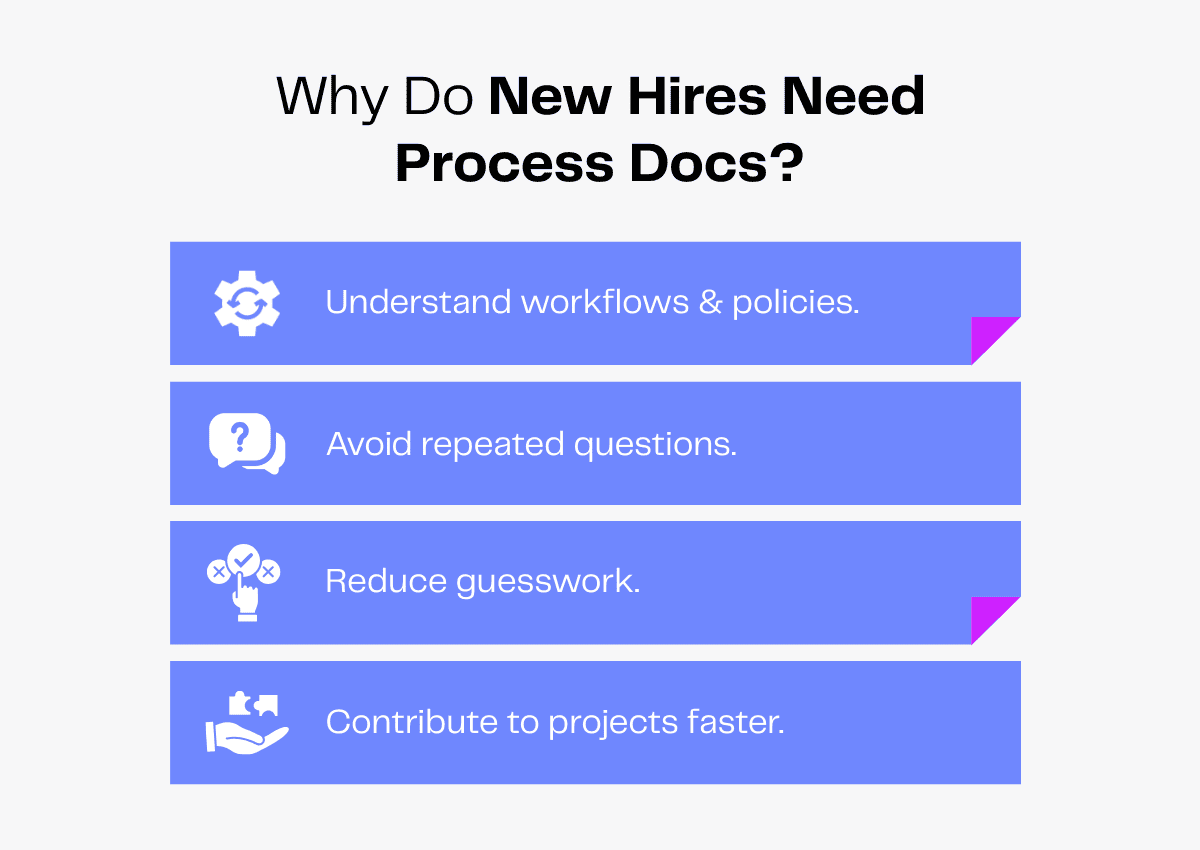
New joinees can refer to the guidelines and understand the ins and outs without constantly having to badger senior employees. This is especially valuable for virtual teams where job shadowing isn’t an option.
Anything new hires need to know will already be available at their fingertips, so there won’t be any doubts or misconceptions.
They can learn faster, start work confidently and deliver results in weeks rather than months.
2. Delegate Effectively, Reduce Back and Forth
Ever asked someone to do something and ended up wishing you’d just done it yourself? Most managers know the struggle.
But if you want quality output, you need to provide clear instructions. Of course, giving step-by-step guidelines every time you delegate a task is tedious.
This is why you need documentation!
With detailed instructions, your employees know exactly what’s expected of them. There will be fewer errors, doubts and follow-up questions.
You won’t need to check in constantly or revise their work either and can simply rest easy, knowing tasks are being handled correctly.
3. Preserve Organizational Knowledge
Do you have a go-to person in your company? A miracle worker who has all the answers to every problem?
Sounds great on paper, but imagine if they had to take a long leave. Or worse, decided to quit?
In a survey of 3000 organizations, only 19% said they’d survive if a key member took an unplanned leave for 4 weeks.
Before you start panicking, consider this: knowledge doesn’t have to vanish just because an employee walks out.
By maintaining comprehensive documentation, you can ensure that critical knowledge is a company asset, not monopolized by one person.
This way, when someone leaves or is absent, their expertise can be seamlessly transferred to the rest of the team, ensuring smooth operations without delay.
Using AI To Generate Process Docs: Why and How
Despite its importance, most businesses neglect documentation. Only 4% of organizations “always” document their processes and 50% do it “occasionally”.
They’re either too busy, don’t know where to start or assume there’s no need for it.
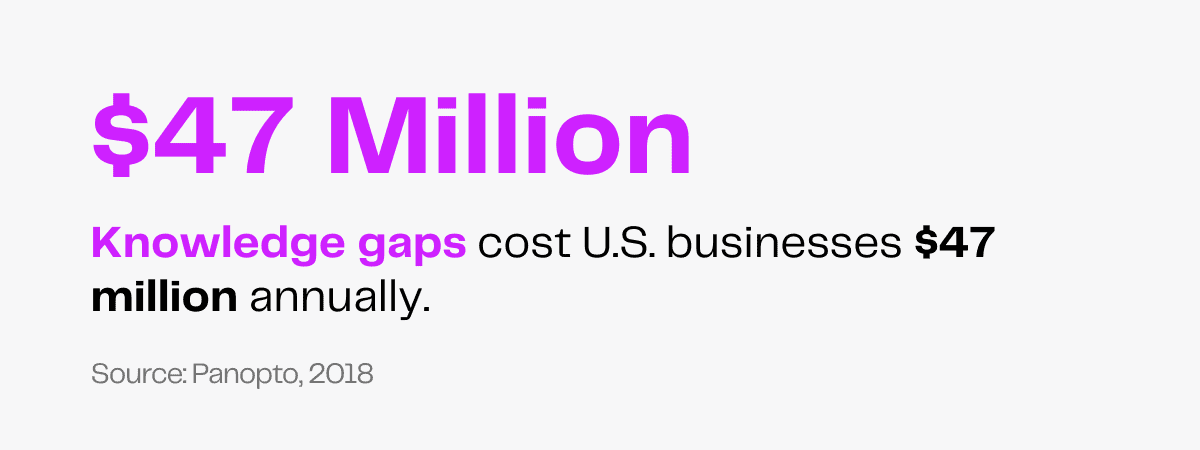
But the cost of not documenting your processes is grave. U.S. businesses lose nearly $47 million annually due to knowledge gaps.
As you can tell, process documentation is non-negotiable. If you’re unsure how to go about it, AI can be of major help.
Start by explaining your current operations: Do you have one key person without whom everything halts? Are there tasks that people just “wing” because there are no clear instructions? Is critical information scattered across Slack threads, Google Docs and people’s heads?
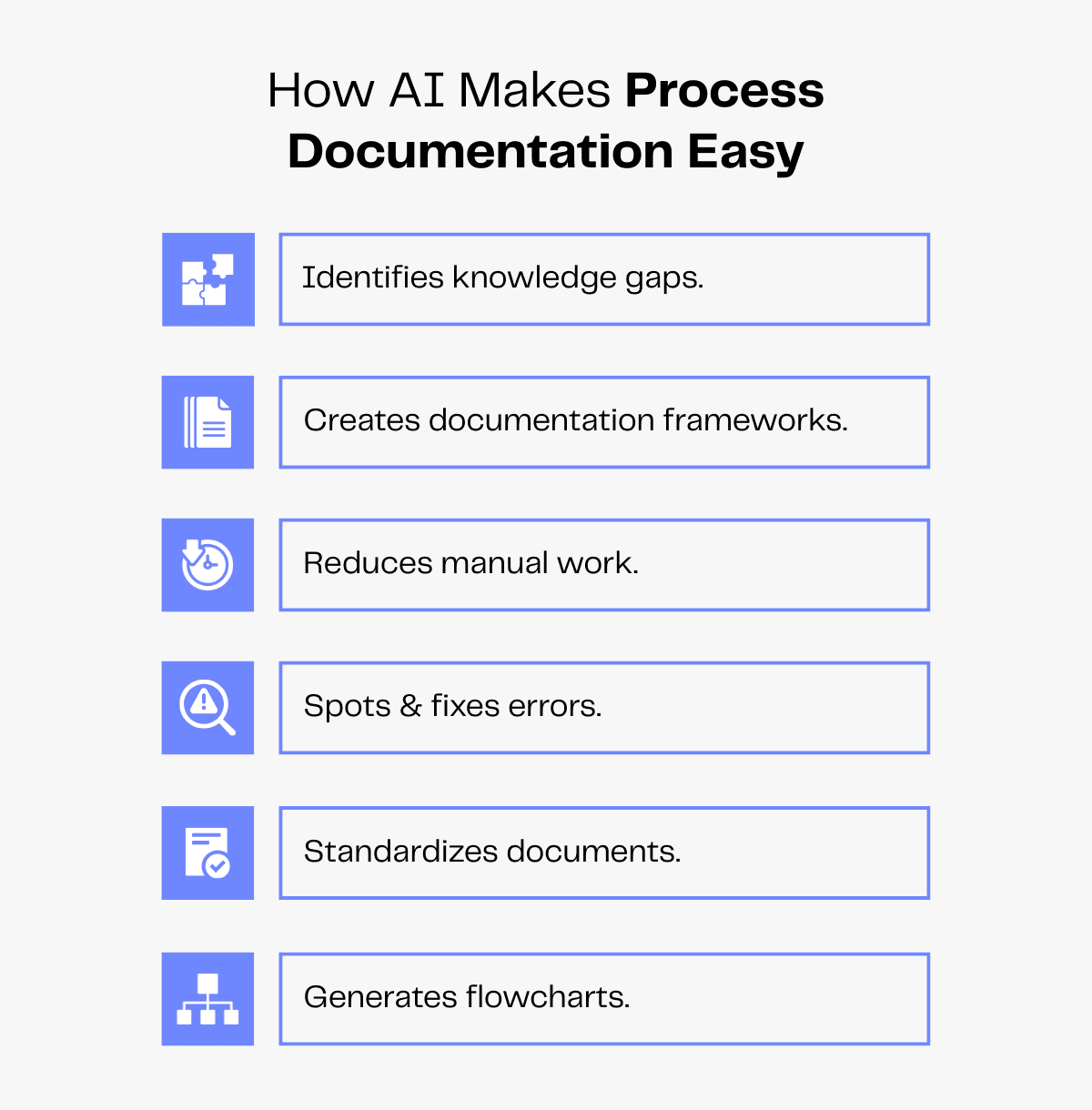
AI can thoroughly analyze your current processes and give you the honest, unfiltered truth of your state. It can point out workflow bottlenecks, instances of single-person dependencies and tell you exactly what you need to document.
Once your new process docs are ready, you can also run them through AI. If you miss any key steps, it can flag them. It can also fix errors and keep your style and formatting standardized across all SOPs.
AI can even generate flowcharts to make your documents more engaging and skimmable. Just ask any large language model (LLM) for Mermaid syntax, paste it onto a tool like Eraser and you’ll have clear visual diagrams at your disposal!
With AI by your side, you can untangle your messy workflows and turn them into clear, step-by-step guides.
From customer support escalation steps to your lead generation process, it helps you capture every detail accurately, making it easy to pass on critical knowledge to new hires.
Tips To Use Our AI Prompt for Documenting Your Processes
AI is only as good as the prompts fed into it. If prompts are vague, you’ll get vague results.
With that in mind, we’ve created a robust prompt that thoroughly scrutinizes your current systems, flags critical gaps and provides a documentation framework that makes knowledge transfer easier.
Our prompt is also designed to:
- Rank knowledge gaps by high, medium and low risk, so you know what to fix first.
- Produce easy-to-follow runbooks and step-by-step guidelines.
- Provide a simple and quick decision-logging system for busy teams.
- Suggest troubleshooting steps for emergency situations.
Follow these additional tips to create useful, actionable documentation using AI.
- Provide detailed information: To help AI analyze gaps accurately, describe your workflows in detail using simple, clear language.
- Customize responses: Get AI models to respond in the way you want through commands such as “answer within 300 words” or “write in bullets.”
- Give specific examples: Instead of “We struggle when a key employee is absent”, try “when a key employee is absent, we miss deadlines and staff work overtime”.
- Define your objectives: Be clear about what you want to accomplish through better process documentation (e.g., accelerate onboarding, reduce key person dependency, etc.)
- Ask follow-up questions: If any part of the output looks vague, ask AI to expand or rewrite that section.
- Request practical tips: Images and videos make complex processes easier to understand, especially for new hires. Ask AI to suggest screenshots, video recordings and flowcharts wherever relevant for clarity.
A little tip from us? Text-heavy SOPs get tiring, so we use YouTube video embeds in our process docs to help new employees absorb information faster.
AI Prompt for Identifying Gaps in Your Documentation
For best results, use the latest AI models with advanced capabilities. Currently, our prompt works best with the following models:
- Gemini 2.5 Flash
- GPT 5
- Claude Opus 4
- Claude Haiku 4.5
- GPT 4.1
These models offer stronger contextual understanding and reasoning, allowing them to identify knowledge gaps accurately and suggest actionable strategies to bridge them.
They also handle multi-turn conversations effortlessly, respond in a conversational tone and produce well-structured outputs, making them ideal for this purpose.
IMPORTANT: Use bold to structure the output clearly.

WHO YOU ARE

Think of yourself as a process analyst with expertise in helping businesses turn scattered workflows into clear, organized process documents. You aim to identify bottlenecks in current workflows, bridge knowledge gaps and create comprehensive process docs that can be used to retain critical company knowledge and train new hires.
You give feedback concisely and in actionable steps. You don’t give long outputs spanning multiple pages.

WHAT YOU NEED TO DO

Firstly, ask me anything you need to know about my current documentation system to get a clear picture of our processes. Ask questions one by one. Wait for my answer before moving on to the next one. Your goal is to transform my documentation system so new hires can absorb knowledge quickly and contribute to ongoing projects.
Questions can include:
1. How do you currently document your processes?
2. How are new hires trained on workflows and processes?
3. Where are your process docs stored?
4. Is there any undocumented process that employees “just know”?
5. Do you face any challenges from not documenting your processes? If yes, how often?
6. If a key member is absent, how do other teammates handle an ongoing project?
7. What is your current decision logging system?
8. What tasks absolutely need a specific person’s presence and expertise?
9. Do your current employees have access to your process docs?
10. While transferring knowledge to new hires or when an employee quits, what are your biggest challenges?
After gathering and analyzing these answers, perform these tasks:
1. Spot any risky documentation gaps in current workflows
2. Highlight essential knowledge that needs to be recorded
3. Create a structured way for me to record important project details
4. Keep the output concise. Avoid responses longer than 700 words.

THINGS TO KEEP IN MIND

Consider these points when analyzing gaps in the current documentation system:
1. Process documentation covering daily tasks, workflows, tools used and decision-making processes.
2. Troubleshooting documentation covering frequent issues, likely causes and solutions.
3. Emergency procedures documentation covering mitigation procedures to ensure business continuity.
Documentation should also bridge gaps in:
Tribal knowledge
1. Documents that clarify historical decisions and their rationale.
2. Detailed step-by-step guides so tasks can be executed by anyone, not just specific people.
3. Practical tips to ensure seamless workflows and avoid friction, such as screen recordings of workflows.
Provide actionable strategies in a structured format.
IMPORTANT: Please don't include these in the response: implementation & 30/60/90 day roadmap; templates & examples, measurable success criteria and next actions.

WHAT THIS DOCUMENTATION IS FOR

I’ll use this documentation to transfer essential tribal knowledge to a new hire. The goal is to retain company knowledge so projects can continue seamlessly even with changes in the team. Make sure the strategies are comprehensive while being realistically actionable for busy teams. Also, keep your response detailed but concise and to the point.

EXAMPLE: PLEASE FOLLOW THIS EXACT TEMPLATE FOR THE OUTPUT

Input: Social media marketing project with critical knowledge trapped in social media manager's experience, scattered drafts, no decision logs and inconsistent process documentation. Need to transfer knowledge to new intern in an organized way.

OUTPUT SAMPLE: CRITICAL KNOWLEDGE GAP ANALYSIS

High-Risk Knowledge Gaps

Brand voice & content calibration (you only): tone nuances, caption-length tradeoffs, platform-specific voice.
Prompt engineering for AI content (you only): how to construct/edit prompts to get usable captions and variations.
Visual/aesthetic rules (mostly you + intern): composition rules, color usage, icon recoloring preferences.
Meta Business Suite procedures (you only): adding Instagram/Facebook highlights, co-managed posting, approval/visibility settings.
Platform-specific growth tactics & hacks (you only): Instagram/Facebook/Pinterest tactics and Publer scheduling tricks.

Medium-Risk Documentation Gaps

Scheduling rules per timezone (intern’s notebook): posting windows, regional modifiers, DST handling.
Publer scheduling tactics and workarounds (partially documented): queued posting, bulk upload nuances.
Design asset locations and naming conventions (scattered): where PSD/AI/Canva sources live and how to identify the right file.

Low-Risk Documentation Gaps

Zoho Learn manual draft: chapter scaffolding exists but needs polish, access, and structure.
Ad-hoc checklists (intern): finalizing posts checklist — usable but incomplete and not centralized.

IMPACT SUMMARY

Current state creates single-person dependencies for content finalization, aesthetics, prompt tuning, and some platform operations. This causes idle intern time, delayed posts, and a high onboarding burden for replacements.

DOCUMENTATION STRUCTURE

Single Source Index (Knowledge Map)
A top-level Zoho Learn landing page “Social Media Operations — Knowledge Map” that links to each process doc, runbook, and resource with a one-line description and document owner.
Living Process Docs (one per priority area)
Brand Voice & Editorial Guidelines: purpose, tone rules, caption length guidance, example edits, tagging/hashtag/emoji conventions.
AI Prompt Guide: categorized prompts, tuning notes (temperature/length/few-shot patterns), prompt snapshots with outputs, storage rules for “approved” prompts.
Design & Aesthetics Manual: visual identity rules, carousel and single-image checklists, quick-edit steps (recolor, resize), asset repository map and naming conventions.
Scheduling & Posting Docs: timezone table, posting windows, Publer configuration notes, step-by-step scheduling flow (with screenshots).
Platform Runbooks: Meta Business Suite, Pinterest, and native posting procedures; permission/roles and common platform-specific troubleshooting.
Troubleshooting Catalog: searchable list of known issues, diagnostics, fixes, and contact points.
Decision & context capture (preserve the why)
Decision Log (short entries): Date | Decision | Why (1–2 lines) | Impacted assets | Owner — linked into relevant process docs.
Context Notes: concise “why” documents (e.g., why this voice, why Publer) that summarize rationale and any supporting data or past examples.
Step-by-step micro runbooks (for repeatable execution)
Purpose: 1–2 page role-based guides that let someone execute common tasks without the original creators.
Core micro runbooks to include:
Finalize & schedule a post (end-to-end)
Create an Instagram carousel (design → caption → schedule)
Repurpose a post across platforms (shortening/caption rules, CTA changes)
Each micro runbook must state: objective, inputs, exact steps, expected outputs, and common errors + quick fixes.
Troubleshooting & recovery
Issue catalog entries: symptom, immediate checks, root-cause test, resolution steps, temporary workarounds, and escalation path.
Quick recovery scripts: what to do if Publer fails, if link previews break, image sizing problems, or account permission errors.
Practical resources & friction reducers
Central asset index: where final assets, templates, and working files (Canva/PSD/AI) live; naming conventions; who owns each asset.
Credential & contact map (guidance only): where credentials are stored and who has access; platform support contacts and account IDs.
Quick reference cards: posting checklist, caption length limits, image specs, timezone cheat sheet.
Access, ownership & lightweight governance
Owner & last‑updated visible on every document.
Permissions: intern — write access to micro runbooks and scheduling docs; senior stakeholders — owner access to process docs.
Capture habit: add one-line Decision Log entries and prompt snapshots as soon as a new tactic is used; move drafts to published process docs in a short, regular cadence.
Keep docs concise and example-rich (screenshots/short videos) so they are usable during daily work and minimize ad‑hoc questions.