Key Takeaways
The key to choosing the best AI apps for businesses is to have clear goals and ask yourself, “What exactly do I need automated?”
AI tools democratize technical adjustments. So, your employees don’t need constant IT intervention for every technical step they take.
Periodic model accuracy checks, security checks, human data validation checks and more can ensure AI tool performance continuously aligns with your business goals and values.
The AI race is on and if you’re not participating, you are falling behind.
With advancements launching every day, AI is now tackling everything from scheduling events and writing emails to creating summaries and writing code.
But simply using any and every AI tool is not the best approach. The key here is choosing the best AI apps for business strategically.
This article will guide you on the top AI tools you can pick to level up your business in 2026.
Best AI Software for Business
There are several trending AI tools in the market claiming to completely change the way you work. But it can be confusing to pick a tool and stick with it.
What are their features? How does it work? Does it fit your business or is it too out of scope for you?
These are all important questions with difficult answers.
So here is a curated list of some of the most popular AI tools that are actually helping businesses.
ChatGPT
Tool Overview: ChatGPT has led the AI transformation. The generative tool allows users to create written and visual content through prompts. Since its introduction to the market, various integrations have been added to the model to turn it into a multi-purpose tool.
Use Cases: ChatGPT Plus offers the features that allow users to make custom GPT models. This includes AI agents, generative chatbots and customizations for more personalized generated content.
Best For: ChatGPT can be highly useful for individual creators and small teams that can create and train models for unique operations. Users can train these models on their data to get quick and personalized results and use ChatGPT as a writing, ideating and even an AI-based graphic design tool.
Perplexity
Tool Overview: Perplexity works just like any other natural language processing AI tool, but it is actually an answer engine. The user questions are answered with real-time research based on information available online, often with citations and highly accurate insights.
Use Cases: What differentiates Perplexity is its ability to provide research and data-heavy answers. The platform provides consolidated data, in-depth summaries and relevant insights.
Best For: Teams that spend several hours browsing can significantly cut their research time by utilizing Perplexity. Think of content research teams or market research teams that have to fact-check data sets periodically. Perplexity can reduce manual labor and increase the accuracy of business research.
Grammarly
Tool Overview: While Grammarly didn’t start as an AI tool, its AI integrations have helped the tool expand its use beyond basic grammar checks.
Use Cases: Grammarly AI’s generative abilities allow users to create written content while ensuring their personal style and tone still come through. It can also simplify communication by reducing writing and summarization time.
Best For: Since the Grammarly integration allows using its features on several platforms, it is useful for any role that relies on creating documents. From HR and content writers to students and executives, Grammarly has a wide audience base.
Jasper AI
Tool Overview: On the face of it, Jasper AI doesn’t seem all that different from other generative content creation tools. But its defining feature is its ability to create unique and highly personalized brand marketing assets.
Use Cases: While most generative AI tools can create written content for businesses, Jasper AI can also generate creative copy with minimal human intervention. This makes its content context-aware.
Best For: Jasper AI is a marketing AI tool and is most beneficial for large marketing teams and enterprise-level agencies. The tool can help companies increase production by helping their content marketing VAs handle basic copywriting and content creation tasks on their websites, so marketers can focus more on strategic tasks.
Google Veo 3
Tool Overview: Video content is becoming more common. This is why Google Veo 3’s capabilities in creating video content through prompts and well-placed guidance are transforming video content creation.
Use Cases: Google Veo 3 is primarily an AI video content creation tool. It can focus on message nuances and offer a range of video formats and styles to allow businesses to cut down video production time and costs.
Best For: The tool is especially useful for SMEs and independent sellers (like e-commerce, online course and content creators). Small marketing efforts can benefit from the tool to create original informational and entertainment content.
Juma
Tool Overview: Previously known as TeamGPT, Juma is not just a tool. It’s a platform that allows teams to collaborate while accessing multiple AI tools.
Use Cases: Juma creates a secure place to centralize a business’s AI tools. It allows teams to share projects, access multiple AI models and build prompt libraries to save time and boost collaboration.
Best For: Juma is primarily built to help marketing teams collaborate so it’s extremely useful for sharing content generation resources with remote teams. When the go-to prompts are accessible to everyone from designers to copywriters, marketing employees can create high-quality content even from remote locations—keeping campaigns aligned.
ClickUp
Tool Overview: ClickUp started as a project management tool and has now added AI features to its capabilities. This allows task automation and summarization, building on the existing values that the platform offered.
Use Cases: The core capability of the tool is to manage projects and create custom workflows that help businesses maximize productivity.
Best For: SMEs and large enterprises dealing with multiple projects and remote team challenges can benefit from ClickUp’s AI services for businesses. It can simplify task reassignment and routine task automation to enhance collaboration between different teams.
Google Gemini
Tool Overview: Google Gemini integrates with the Google suite to create a homogenous experience for users.
Use Cases: From smart data retrieval to LLM-enhanced AI search, Gemini helps users navigate their Google applications faster, along with working as an independent tool.
Best For: Any business or entrepreneur utilizing Google Workspace can leverage Gemini to slash hours of organization. The generative tool can parse data to generate summaries, draft documents and automate parts of your Gmail apps that you rely on a daily basis.
Buffer
Tool Overview: Buffer is a great example of a traditional software that has expanded its use cases by adding an AI assistant to its processes. What differentiates it from other content-creating tools is its flexibility for human-AI augmentation.
Use Cases: The AI feature of Buffer is excellent for social media content creation. The AI is trained on available social media data and uses OpenAI’s LLM to give content optimization options with specific hashtags, keywords and more.
Best For: Since the tool’s core capacity is directed towards social media, it is an essential tool for marketing agencies and influencers. It can help their SEO VAs generate/optimize SEO recommendations and content to streamline the posting schedule.
Lovable
Tool Overview: Lovable is one of the AI tools that democratize coding. The no-code or vibecoding capabilities that it adds can help businesses create a user-first tech infrastructure.
Use Cases: The AI can create web page codes based on prompts. This allows non-coders to quickly generate functional code. From front-end UI to backend logistics, the AI can handle the basics of coding, eliminating the need for huge IT teams for short projects.
Best For: The tool is useful for both non-coders and experienced coders. It can help non-coders to create custom web pages that meet their unique criteria, making traditional tech-based fields more accessible. Experienced coders can use the generated code as a baseline, significantly reducing the initial coding burden.
Zapier
Tool Overview: Zapier is another tool that wasn’t always AI-led but has become a major AI-powered platform in recent years. Essentially working as a task automation platform, this allows large teams to simplify workflow orchestration.
Use Cases: Aside from automating complex tasks, AI-powered data management and intelligent troubleshooting, Zapier AI also allows the creation of AI assistants. This includes chatbots and agents capable of handling short pipelines.
Best For: Zapier can be a powerful tool for SMEs and enterprise businesses that need to manage complex workflows for smooth operations. Businesses can use it to orchestrate their routine operations and create internal and customer-facing chatbots capable of handling complex queries.
Read more: The Ultimate AI Prompt To Fix Process Documentation Gaps
How Trending AI Tools Can Boost Businesses
By now, you’ve probably heard about how AI services for business operations are amazing for automating routine tasks. But the AI hype can be exhausting if it doesn’t explain how the tools actually benefit your business.
So, here are the most common benefits businesses enjoy by adding machine learning tools to automate tasks.
Boost Workflow Efficiency
Chances are, your workflows so far have been working just fine without AI. So why do you need to add a new AI tool? To uncomplicate things!
Long projects mean constantly searching back and forth for resources. It’s a never-ending process of navigating information loopholes, manual data tracking, double-checking tasks and more. This creates unnecessary hurdles and increases the chances of mistakes that can derail your projects.
Machine learning tools can help automate tedious tasks that complicate routine work by freeing up to 70% of employees’ time. For example, internal chatbots can help you extract and summarize the exact information you need from a centralized system. This means avoiding getting lost in your own databases.
This makes your workflow concise and overall more efficient.
Amplify Productivity
Focusing on your core competencies can be difficult when you have to deal with hundreds of background tasks. Starting your day with checking emails, scheduling, documentation, etc, can quickly drain your energy. It can even diminish your productivity for the day.
Strategically placing AI tools in your virtual assistant’s routine can help you automate all these repetitive tasks. This can ensure your most productive hours are spent on high-value tasks.
While productivity is subject to an individual’s capacity, some studies show that employee productivity can be increased by 66% when using the best AI apps for business processes.
So, beyond just saving time, AI services for businesses actually reform your workday to create pockets of productivity.
Stay Competitive
Paul Daugherty, the CTIO of Accenture, puts it well:
The playing field is poised to become a lot more competitive, and businesses that don’t deploy AI and data to help them innovate in everything they do will be at a disadvantage.
Even as you are reading this, more businesses are experimenting with trending AI tools and creating new, innovative ways to keep customers engaged. This means strategies and business solutions can become outdated within months and you risk losing your audience to your competitors.
To keep up with this fast-paced market, businesses need to create agile teams and embrace technological changes. How fast you adopt new tools and find the right AI-human augmentation balance can be the difference between rising and stagnant business growth.
Save Operational Costs
One of the biggest concerns when adding machine learning tools to your business arsenal is the added cost of subscriptions, training and implementation. But the ROI of AI needs to be calculated with the time, energy and resources it saves.
While AI tools can have a high initial cost, they can have major cost-saving benefits in the long run.
Think of how much time you spend redoing tasks to ensure accuracy and solving clerical problems. That is precious time that can be spent on high ROI tasks like R&D, industry collaborations and scaling your business. The same goes for the energy you spend rearranging your workflow and the resources (like additional tools and the number of employees) you spend on a single task.
By performing complex tasks and mitigating human errors, AI tools can reduce the total cost of your operations over time.
Complete Projects Faster
Aside from helping your virtual teams stay focused, productive and efficient, AI tools can also make your projects faster. The right tools are capable of learning user behavior and patterns to forecast future needs and create structures to help your workday.
This means autonomous agents can perform multi-step operations with less human oversight than traditional software. They can fast-track projects by simplifying complex documentation and data analysis. Plus, they can help draw actionable insights through predictive analytics.
This can help you cut down on time-to-market for your products and services, ensuring faster business operations.
Create a Memorable UX
AI tools not only help your teams, but they also transform how your customers engage with your brand.
Whether you are a service provider or a product-based company, your success depends on customer experience. If you can create a personalized and memorable experience, you ensure repeat purchases and a loyal customer base.
AI tools help you create personalized experiences for your customers by carefully segmenting large volumes of customer data. This allows you to identify the customer journeys, unique pain points and insights to provide quality services that level up your customer service as well as customer satisfaction.
KPIs That Show Your AI Software Is Working
Now that you know the right AI tools for your tasks and the benefits of using them, it’s time to check their tangible ROI for your business. This can be difficult, especially in the short run.
So, how do you know if they are actually working?
What links these AI tools to measurable benefits is how they shift workflows on the team level.
When you know how your routine operations are evolving, you can visualize business growth and the long-term impact of these tools.
Build a Unified Experience
By adding AI tools to your teams, you can create a unified experience for in-house and remote employees. So, instead of wasting time on finding information from multiple platforms, AI can extract and consolidate data based on a single query.
You’ll notice an increase in your data quality. This means no silos, missing data or duplicate entries. Unified experiences will also simplify regulation and compliance tracking, reducing reaction times for incidents.
Create Instinctive Workflows
The reason AI has the potential to boost productivity is that it allows somewhat flexible workflows while following the standard procedures.
This means while all employees interact with and follow the same procedures, they can tweak the configurations to create instinctual processes based on daily work.
For instance, when using AI orchestration tools that can learn user patterns, you’ll notice employees constructing work pathways that make sense to them. This will be followed by increasing productivity stats like employees reaching their daily goals faster with the least amount of structural disruptions.
Decrease IT Dependence
Business AI tools essentially reduce over-reliance on the IT department for every tweak your employees make.
For example, with AI tools and no-code workflows, design virtual assistants can simply add/remove new visuals to the website without needing IT intervention.
With the assistance of the right AI tools, you’ll notice employees taking accountability for their tasks and taking their responsibilities more seriously. This will also simplify work, leading to faster execution and better decision-making at every level of the task.
Reduce Miscommunication
Whether it’s re-assigning tasks, notes or updates, every task completion is dependent on small routine communications. But for a busy season, this kind of communication can create confusion.
With AI tools, you can automate task handoffs, boost task tracking and simplify employee asynchronous communication with sentiment analysis. For instance, AI transcription tools can reduce miscommunication by relaying not only important information from meetings but also the intent of the participants, giving the reviewer a holistic picture.
You should be able to record a reduction in communication noise (like unnecessary meetings and constant back-and-forths). This means team communication can be reserved for situations that benefit from in-depth knowledge sharing and discussions, like feedback loops and training.
Which Industries Benefit From Business AI Tools?
AI is often seen as a democratizing force. It is making no-code high-tech workflows more common. Unlike traditional software that requires constant IT backup to maintain workflows, AI tools can be trained by employees with minimal tech support.
This means that while AI integrations still need AI agent developers or ChatGPT API developers to create and maintain, they can be used by any employee and any industry.
For instance, generative tools like ChatGPT and Perplexity can help researchers and content writers gather information online. Workflow orchestration tools like Zapier can handle data extraction between apps to automate routine tasks.
But if you are looking for industry-specific AI tools, here is a short list of industries and AI tools they love.
AI Tools for IT Professionals
In-house and virtual software developers can reduce coding and testing time with tools like Lovable, Claude Code, GitHub Copilot, Cursor and more.
This can democratize coding tasks by integrating non-coder stakeholders into the process, reducing IT burden and blending creative and technical workflows.
AI Tools for Marketing Professionals
Jasper AI, HubSpot Breeze AI, Grammarly, Canva Magic Studio, Zapier and Perplexity are becoming essential AI tools for marketers. The easy-to-use UI of these tools means your marketing VAs can quickly adapt to the tool and upgrade your website, social media and other marketing content.
AI Tools for Healthcare Professionals
Ada, Claude and Qure are popular options for healthcare businesses. These tools automate business operations and can provide an additional layer of security to your healthcare VA’s workflow.
AI Tools for Education Professionals
Students, educators and their VAs alike can benefit from Google Veo, Canva Magic Studio and Perplexity. These tools can help them level up their research and content creation skills.
Remember, the usefulness of the AI tool depends on your unique needs. So if an industry-popular tool isn’t working out, businesses can always switch their approach to test cross-industry tools.
Perks and Pitfalls of AI Apps for Businesses in 2026
Smart business owners see AI as more than just a creative tool that saves time. They see it as a strategy. Marc Benioff, CEO of Salesforce, claims,
Artificial intelligence and generative AI may be the most important technology of any lifetime.
Just take a look at the rising use case of AI platforms. Between 2024 and 2025 alone, the use of generative AI in routine tasks has increased from 44.6% to 54.6% and is continuing to rise.
In fact, AI services for businesses save them over 5 hours a week. That’s 5 hours more you can be putting in improving your products, simplifying distribution and leveling up customer service.
To meet these needs and customer expectations, going forward, using AI tools will turn into an operational necessity.
Importance of Understanding Your Tech Stack
Onboarding trending AI tools based on hype and without a close understanding of what they can do can be dangerous. Eliezer Yudkowsky says,
By far, the greatest danger of Artificial Intelligence is that people conclude too early that they understand it.
You may not need to know the code behind every AI model, but it is essential to know about tool use cases and privacy polices before you onboard it. Without the necessary information, you can end up sharing your data with unreliable vendors and risk breaches.
Even if you find reliable tools, you need to pick and choose the ones that fit your needs. Adding all the trending AI tools can have a negative effect, opening your operations to new inefficiencies and technical debt. Not to mention, you risk your employees facing digital tool fatigue trying to juggle every new feature.
At Zenius, we’re very careful about hitting the right balance here. So we review our tech stack biannually. If a tool isn’t truly essential, integrated or serving the team, we discontinue it.
What we prioritize are tools with consolidated functions. This ensures we’re solving multiple problems with a lean tech stack.
So before you start looking at tools, here’s a quick litmus test you can do to decide if you really need to integrate a new AI tool into your workflow.
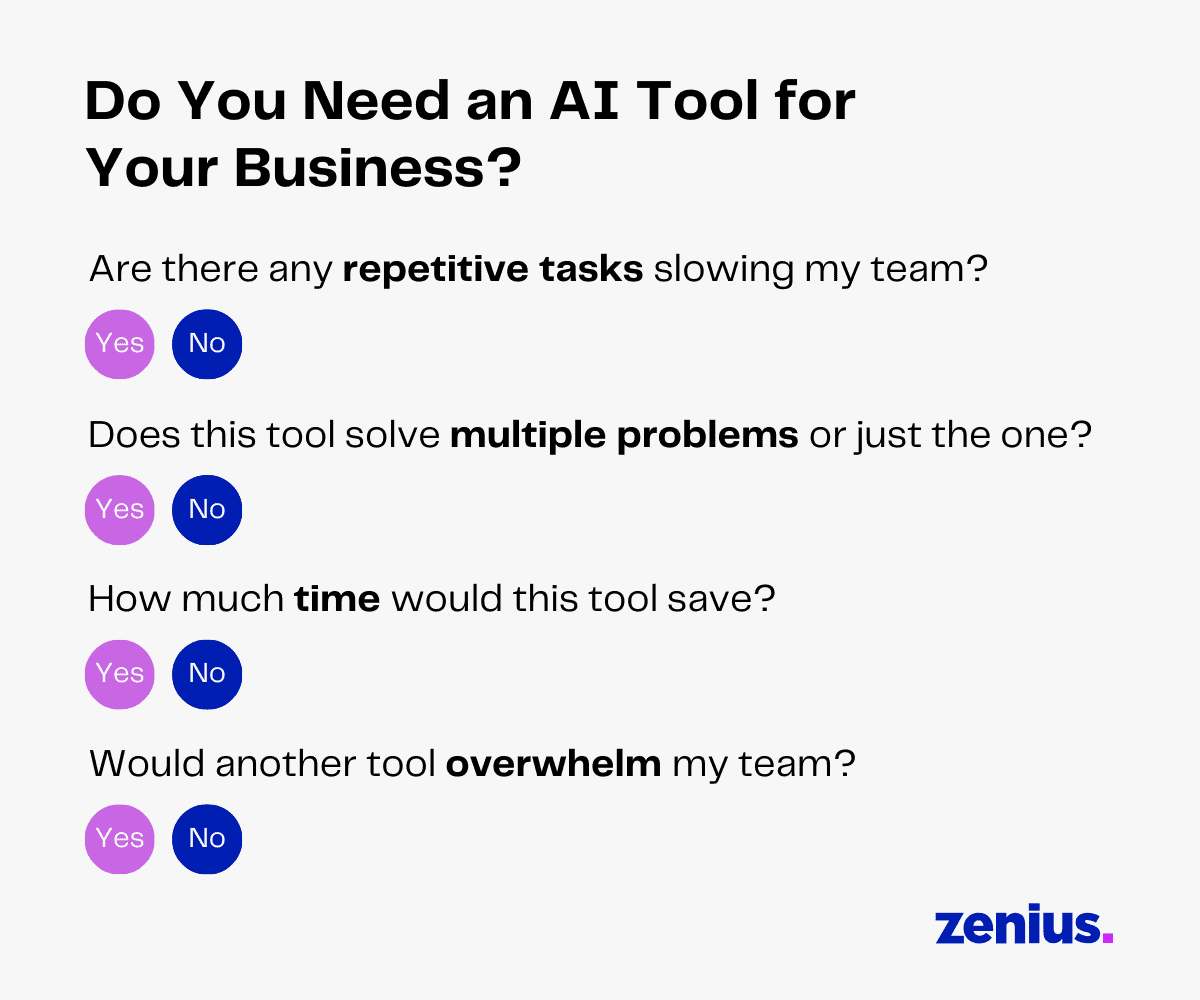
Once you are sure your business needs AI, here’s how you select the right one.
How To Select the Best AI Software for Businesses
AI is great, but it’s not a solve-all solution. An AI tool works only as well as its implementation. Going out and just selecting the most popular tool can create more loopholes and problems.
The key to selecting the best AI tool is to have clear goals. Before you onboard a new tool, ask yourself: What exactly do I need automated?
Sometimes, setting vague goals like “I’d like to save time” or “I wish I didn’t have to deal with my email” misguides you. To achieve these goals, you need to know which parts of your processes are becoming a hassle and consuming most of your time.
Getting specific with your concerns can help you select tools that relieve your pain points. It will also give you a keen insight into your team’s existing stack to see if you already have tools that can benefit from AI integrations or if you need a new tool.
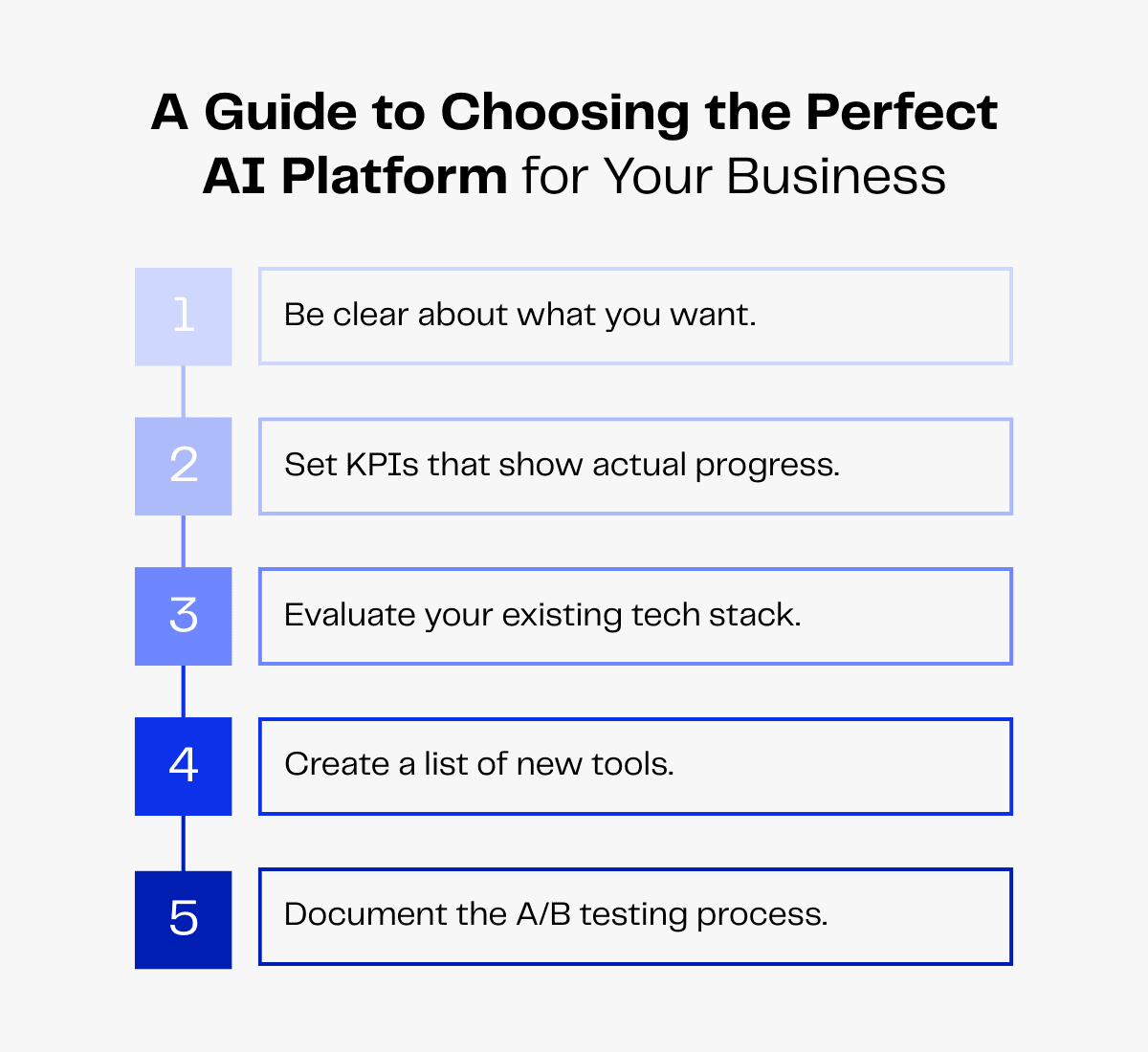
A/B testing tools can also help business owners to compare and test new tools before onboarding them. This ensures you make a choice that solves your unique business problems.
Risks of Using AI Software for Business
AI strategy is still a relatively new concept. While having an open and experimental mindset is essential for business growth, it’s equally important to know the tools you are using.
Basic AI literacy can go a long way to help business owners avoid complicated legal and security issues.
Here are the top 4 issues to look out for when you are making the AI transformation.
1. Compliance – When users don’t read the terms and conditions of tools, they can unknowingly end up sharing personal, business and client data with the tool. Before using AI tools, carefully vetting industry reviews and vendor credibility can help businesses avoid major compliance issues.
2. Cybersecurity threats – Unfortunately, AI isn’t only a creative tool for businesses but for scammers as well. Users can benefit from learning common AI-powered threats like shadow AI, AI phishing and data poisoning threats to set up IRPs for quick issue resolutions.
3.Skill loss – There has been a lot of speculation online that overdependence on AI can cause skill loss. This can be a concern, as even if people don’t forget the skills completely without routine practice, it can be challenging to return to a non-AI workflow.
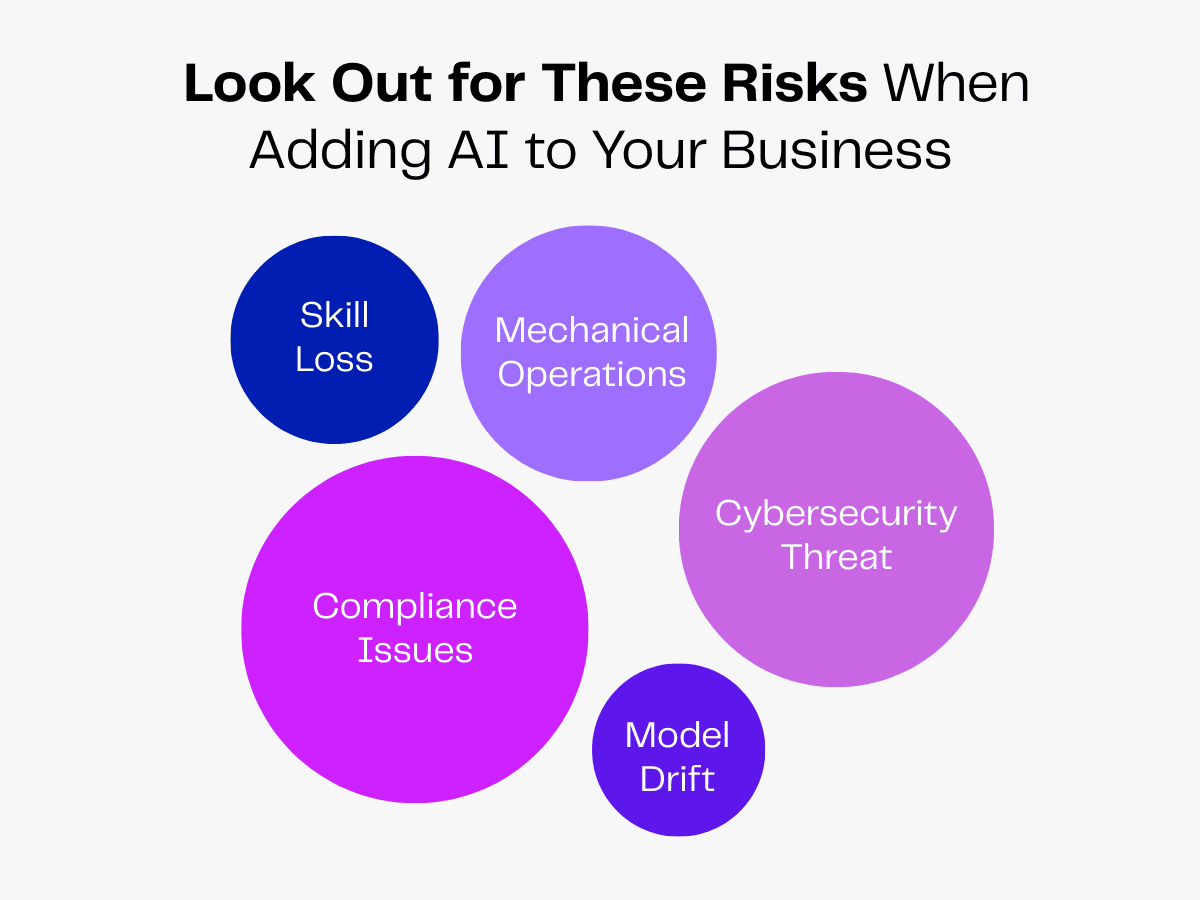
4. Mechanical operations – With AI automating and handling routine tasks, people have also noted a lack of human-led communication. AI can make daily work more mechanical, reducing human interaction. This is why business owners need to be extra careful to ensure their AI tools and customer-facing agents keep humans in the loop.
5. Model drift – While many AI models can learn from new data, they also require constant updates. Avoiding updates can cause model accuracy to decline over time, as the data it was trained on becomes outdated and clashes with new inputs. This necessitates human oversight when using AI tools to ensure accuracy.
Top AI Tool Implementation Tips
When you have to worry about routine processes, productivity stats and compliance, choosing an AI tool can be overwhelming. In fact, it can quickly discourage business owners from exploring AI’s potential.
Unsure where to start? No worries, here are the top tips to help you navigate AI tool implementation.
Make Detailed SOPs
Start by creating standard operating procedures for your tools. Make sure to add details like your goal, tool information and costs.
This can help you break down the implementation process into bite-sized steps that can make the process less intimidating. Logical steps can also help in governance and revisiting procedures to identify, isolate and resolve complications as they come up.
SOPs act as a visual guide for you and your employees to see how the new tools fit into their workflows, reducing training timelines.
Set Clear KPIs
Tracking your AI tool’s ROI can be notoriously hard, especially during the implementation process. This can sometimes create ambiguity and hesitation, making you drop you AI implementations midway. This wastes time, cost and other resources.
To prevent this, set clear KPIs like adoption rates, NPS, accuracy, satisfaction score, etc, early in the process. Remember to select the indicators that fit the process you are automating.
This can reduce implementation anxiety and avoid premature tool abandonment.
Explore Pilot Programs
The easiest way to simplify tool implementation is by starting with pilot programs.
These are small-scale controlled tool implementations. Instead of handing the new tool off to all the teams, pilot programs work as an AI readiness assessment, allowing businesses to evaluate the tool’s capabilities with a test group.
This process can reveal tool shortfalls, misalignment and hidden costs before your team commits to new processes. These programs can also give insight into how a larger implementation will be carried out—helping your business prepare for possible resource management.
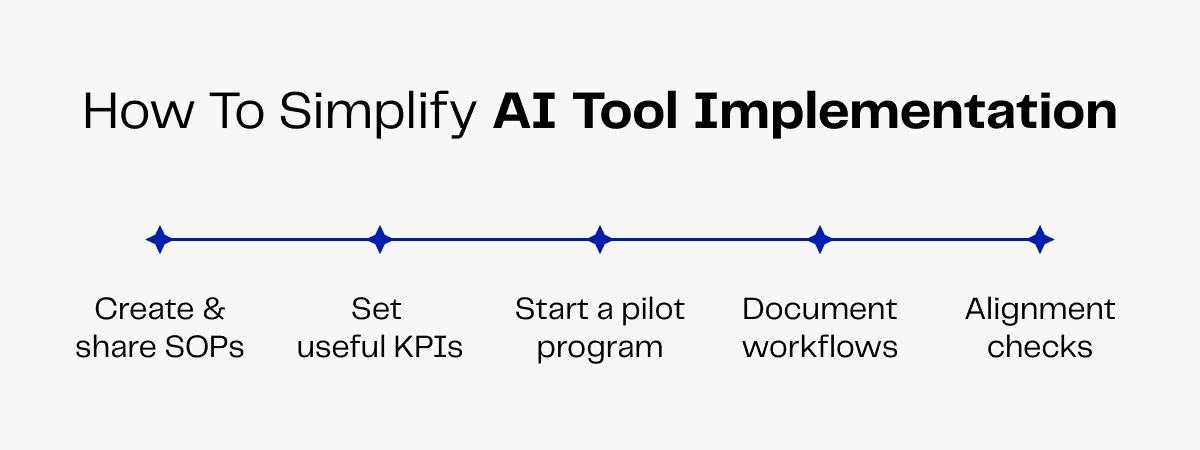
Document Workflow Shifts
Just like SOPs, documenting workflow changes is an essential part of AI tool implementation.
As your brand grows, you need tools that scale with your operations. This can mean a higher-value subscription to a tool or onboarding a new tool mid-tool implementation.
Having insights into pre-tool workflows can help you return to the structure that used to work for your business while switching tools. It can also help you keep track of your previous migration attempts and ensure no data is lost when switching models.
Conduct Alignment Checks
Whether you are using the AI tool yourself or adding it to a team’s workflow, the goals you set should go beyond surface-level KPIs.
While the AI features can help you stay productive, sometimes these benefits don’t impact the bottom line. For instance, saving time by automating tasks doesn’t mean your sales are increasing.
This is why every AI tool implementation process needs regular alignment checks.
Periodic model accuracy checks, security checks, human data validation checks and more can ensure AI tool performance meets your business values. These steps ensure every tool output is aligned with long-term objectives and key results.
Final Thoughts
The simple reason why business AI tools are so popular is that they automate routine tasks faster and with higher accuracy. But without understanding where these tools fit and how they change your business processes, the hype can sound like noise.
AI tools can boost productivity and save costs, but their impact goes beyond these short-term KPIs. Integrating AI tools with CRM platforms, sales platforms and other areas can transform workflows. They simplify information and knowledge-sharing structures to create a unified experience.
In the long run, this ensures your business processes are deeply and uniquely aligned to your business goals.