Key Takeaways
Set reminders at least 45 minutes in advance, clear your schedule and make notes for your meetings beforehand.
Figure out what works best for your nature of work and collectively decide a suitable duration for your meetings. If meetings run longer than usual, assign short breaks and rejoin to actively engage with each other.
Meetings are fundamental to all businesses. It is where new ideas take shape and an organization’s culture is established. And when remote work is no longer in the future, but very much in the present, ground rules for virtual meetings are a must.
With essential ground rules in place, your virtual teams navigate the complexities of remote meetings and streamline collaboration.
In this detailed guide, we explore the ground rules that set virtual meetings in motion for seamless collaboration. By establishing these ground rules, your virtual teams can minimize disruptions, enhance productivity and build a stronger team dynamic.
What Do Ground Rules Mean?
Ground rules are unspoken codes that prevent virtual teams from turning into a chaotic mess. They set expectations and streamline communication. They end awkward silences and foster powerful collaborations!
What Are the Ground Rules for Virtual Team Meetings?
“Am I audible?”
“Sorry, I’m unable to see your screen sharing.”
Sound familiar?
Here are a few rules to keep your virtual team aligned and ensure meetings don’t transform into unproductive chaos.
Rule 1: Always Be on Time
In virtual meetings, time is more than just a metric. It is a display of respect.
When one person is 5 minutes late to a 10-person meeting, it wastes 50 minutes total.
Especially when teams are working across multiple time zones, being punctual to meetings should be non-negotiable as it helps people stay focused, keep discussions sharp and cover the meeting agenda productively.
So set reminders at least 45 minutes in advance, clear your schedule and make notes for your meetings beforehand. You can even use calendar syncing tools!
Rule 2: Follow Virtual Meeting Etiquette
Virtual meetings are not a casual video call.
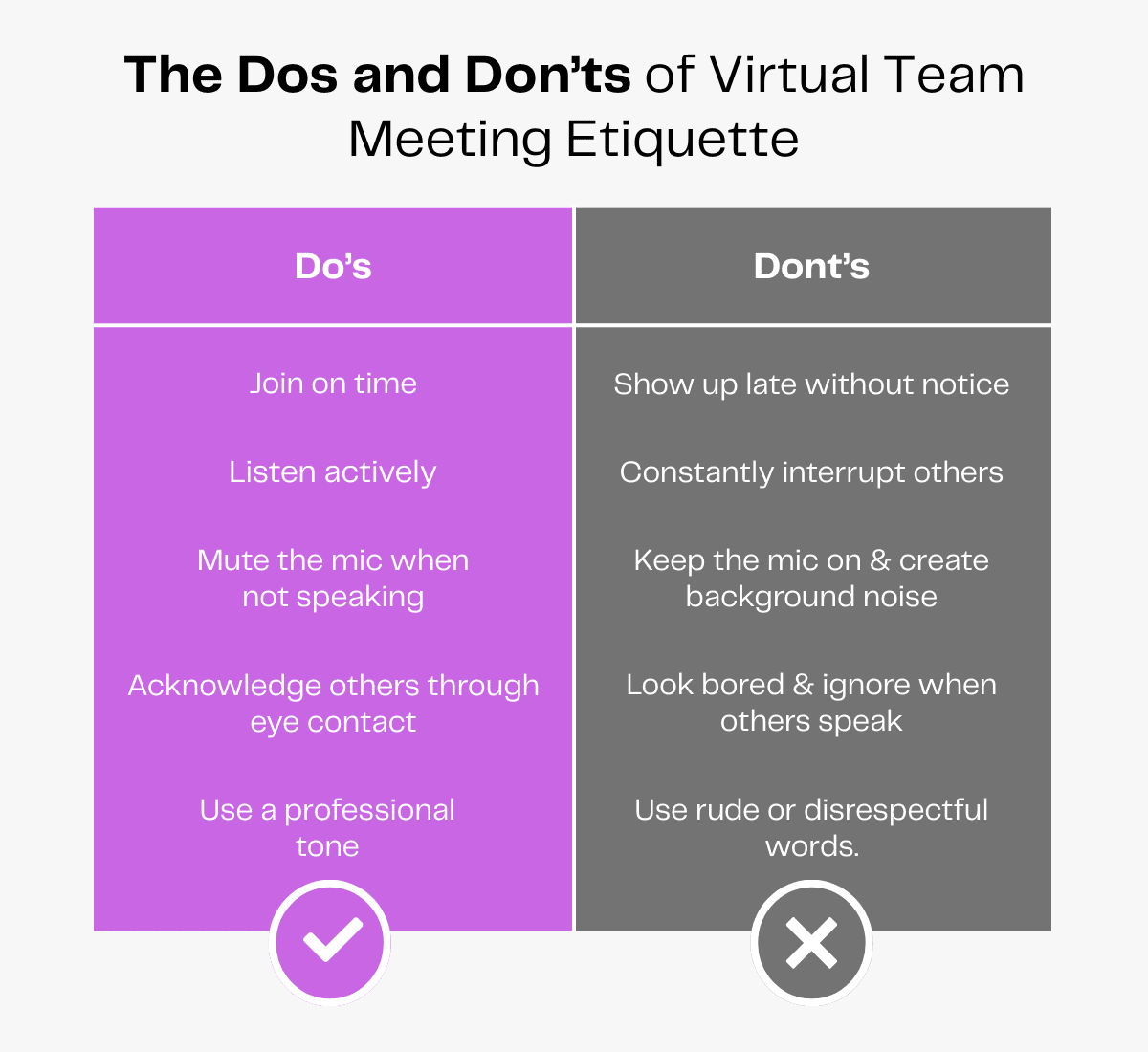
They are a professional space where etiquette matters. The right tone and mannerisms can foster cohesion in the virtual team.
Here are a few virtual meeting etiquette tips you can adopt:
- Greet the team when you join.
- Listen actively.
- Participate proactively.
- Make eye contact.
- Nod in agreement.
- Do not get distracted.
- Set boundaries at home.
- Cut background noise.
Displaying these courtesy gestures makes an individual more likable in virtual teams.
Rule 3: Turn On Your Camera
When you are able to see each other, discussions naturally become more fruitful. So encourage your team to turn on their cameras for meetings.
But remember to approach this sensitively. Some introverted team members might want to avoid switching on cameras. There are ways to ensure everyone feels comfortable contributing—introvert or not. For example, you could inform in advance that everyone would be asked to share their opinions.
A few months into remote meetings, “Zoom fatigue” had entered the vernacular, relating it to camera use. But a report published in Nature established that camera use was not related to Zoom fatigue.
In fact, having your cameras on during virtual meetings promotes bonding and better discussion among the attendees.
So keep your cameras on throughout the meeting. The speaker shouldn’t feel like they are talking to grey walls!
Rule 4: Mute Yourself When Not Speaking
Not all of us have the luxury of living in tranquil places. There’s a lot of background noise that keeps bothering us day in and day out. Why extend it to a virtual meeting?
So press the mute button when not speaking. This not only saves the speaker from distractions but also helps listeners concentrate well.
When it’s your turn to speak, unmute yourself and make the point. This act is decent and more courteous.
Rule 5: Use the Chat Wisely
There is an option to chat in almost all video calling tools. One should use the chat box to share essential information, such as a link to a webpage or a password for an account.
The option is not for attendees to indulge in their usual chit-chat.
Imagine someone is explaining an important project and an unwanted message flashes on their screen. Such behaviour is neither polite nor apt. It will distract them and more likely annoy them, too.
To avoid disrupting the flow of conversation, use the chat option wisely.
Rule 6: Raise Your Hand To Speak
How do you generally feel when someone interrupts you while speaking? Uncomfortable, right?
The right way is to take permission and then go ahead and make the point.
It is not cordial to interrupt someone’s speech. It distracts the speaker.
What is rather polite is using the “Raise hand” feature, which informs the speaker that you would like to contribute, without distracting them too much.
This is an absolutely fair and formal way to have a healthy discussion!
Rule 7: Test Your Tech To Avoid Glitches
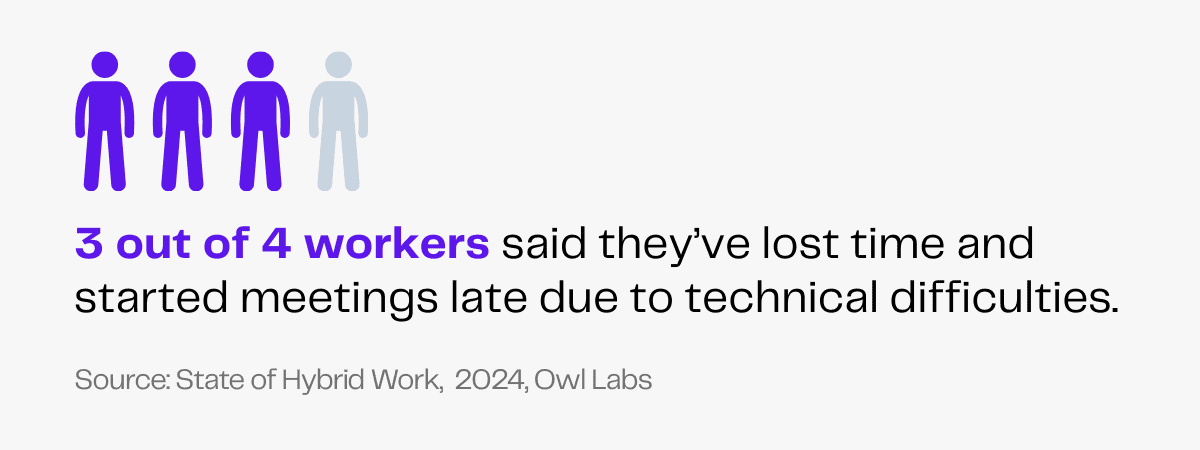
Technical glitches kill momentum in virtual meetings. In a survey, 72% of workers said they’ve lost time and started meetings late due to technical difficulties.
What is more irritating than a frozen screen? What wastes more time than a slow internet connection?
But your glitches are yours. They shouldn’t pose a problem for the entire team!
It is in your and your team’s best interest to check and fix your tech before the meeting starts. Here’s a guide you can follow.
- Check your internet connection. If possible, sit close to the router.
- Test your audio and microphone. Use a headset for better clarity.
- Adjust your camera settings based on the lighting in the room.
- Close unnecessary tabs or applications to free up bandwidth.
- Log in early and do a last-minute troubleshooting.
Test your tech so you don’t keep the team stuck while frantically trying to restart your device. Show up ready and let the focus be on what matters—the meeting.
Rule 8: Summarize Action Points
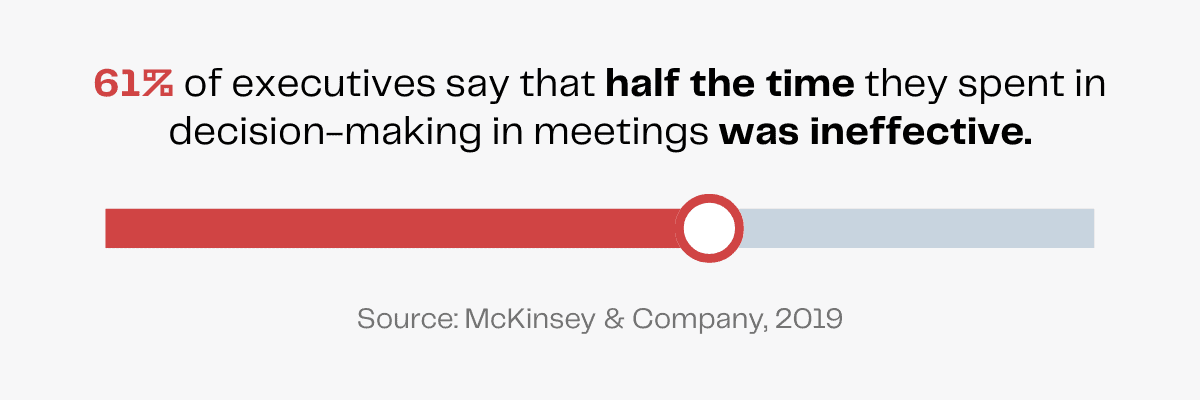
All meetings are meant for a purpose. Without a clear takeaway, a meeting can seem useless. According to a McKinsey survey, 61% of executives said that at least half the time they spent in decision-making in meetings was ineffective.
Summarizing action points at the end of a meeting ensures that the discussion adds to the progress of the team. And a well-structured summary should be specific, eliminating any associated guesswork.
Meetings are supposed to drive action, not just carry forward a conversation.
You can even encourage the use of AI software for taking meeting notes. This can save time and even be shared with absentees later on.
Read more: Best Artificial Intelligence Tools for Businesses in 2026
Rule 9: Respect Time Zones
Imagine a meeting where the participant has kept themself awake by chugging mugs of coffee.
A remote team works across multiple time zones. Meetings should be scheduled keeping this in mind as a way of respecting everyone’s work-life balance.
This means the organizer has to be mindful of the time zones and working hours of all employees before sending the meeting invitation. Utilize the time zone feature of Google Calendar or use World Time Buddy to identify a reasonable slot that works for everyone!
Another way to ensure this is to keep a fixed time for a specific type of meeting. Avoid unplanned meetings and keep the remote participants informed in advance.
Read more: Remote Work 101: Everything You Need To Know
Redefining Virtual Meeting Ground Rules in 2026
Hybrid work and virtual meetings have been around for quite some time now, but poor structure and unclear rules can affect their potential
Here are some ground rules that you and your virtual team must set for yourselves in 2026 to ensure efficient, professional and psychologically healthy meetings.
Fixing Meeting Duration
The rise of the internet, digital devices and constant notifications has shrunk most of our attention spans. Longer virtual meetings can lead to a loss of focus and engagement, causing cognitive overload, fatigue, bad decisions and productivity loss.
If you follow the Pomodoro technique, a 25-minute period is an ideal duration for effective, deep work meetings.
However, depending on whether you want to brainstorm ideas, share company-wide updates or run weekly catch-ups, you can optimize your meeting time.
Figure out what works best for your nature of work and collectively decide a suitable duration for your meetings. If meetings run longer than usual, assign short breaks and rejoin to actively engage with each other.
Establishing Formality Expectations
Every organization has its own team norms about what is considered formal, professional and acceptable. And this translates to virtual meeting protocols as well.
In a survey on virtual meeting etiquette, U.S. adult citizens responded to what they find acceptable and objectionable.
In the case of meeting setups, 77% find having a TV playing in the background, 70% find having music playing in the background and 54% find having other people in the room unacceptable.
For personal etiquette, 45% find walking around the room unacceptable.
Whether it’s noise, privacy issues or distractions, setting specific rules helps conduct meetings smoothly.
While 42% of respondents in the survey say it’s not acceptable to eat a snack during any meeting, 38% say it works for informal meetings.
Your ground rules can vary depending on whether the meeting is formal or informal. For instance, you can set a ground rule on avoiding the use of reaction emojis during formal meetings, but allow team members to use them freely during informal ones.
Ultimately, the goal is to communicate shared rules that help everyone feel focused, respected and open to contribute.
Why Do You Need Ground Rules for Virtual Team Meetings?
Gone are the days when meetings happened inside a closed hall with members sitting around a round table.
Remote work rests on the pillars of solid communication and video conferencing is an effective channel for group meetings.
Virtual meetings are also becoming more and more common for global businesses. So setting ground rules is crucial to get the best out of them.
Ensuring Effective Communication
When back-to-back meetings are scheduled, brevity is non-negotiable.
Business communication is all about getting to the point fast without draining people and wasting their time.
Ground rules can help keep meetings short, focused and effective, minimizing miscommunication.
They also help keep everyone engaged and aligned in meetings, ensuring all workflows are in sync with one another.
When you have a robust communication system, there is more coordination and better collaboration.
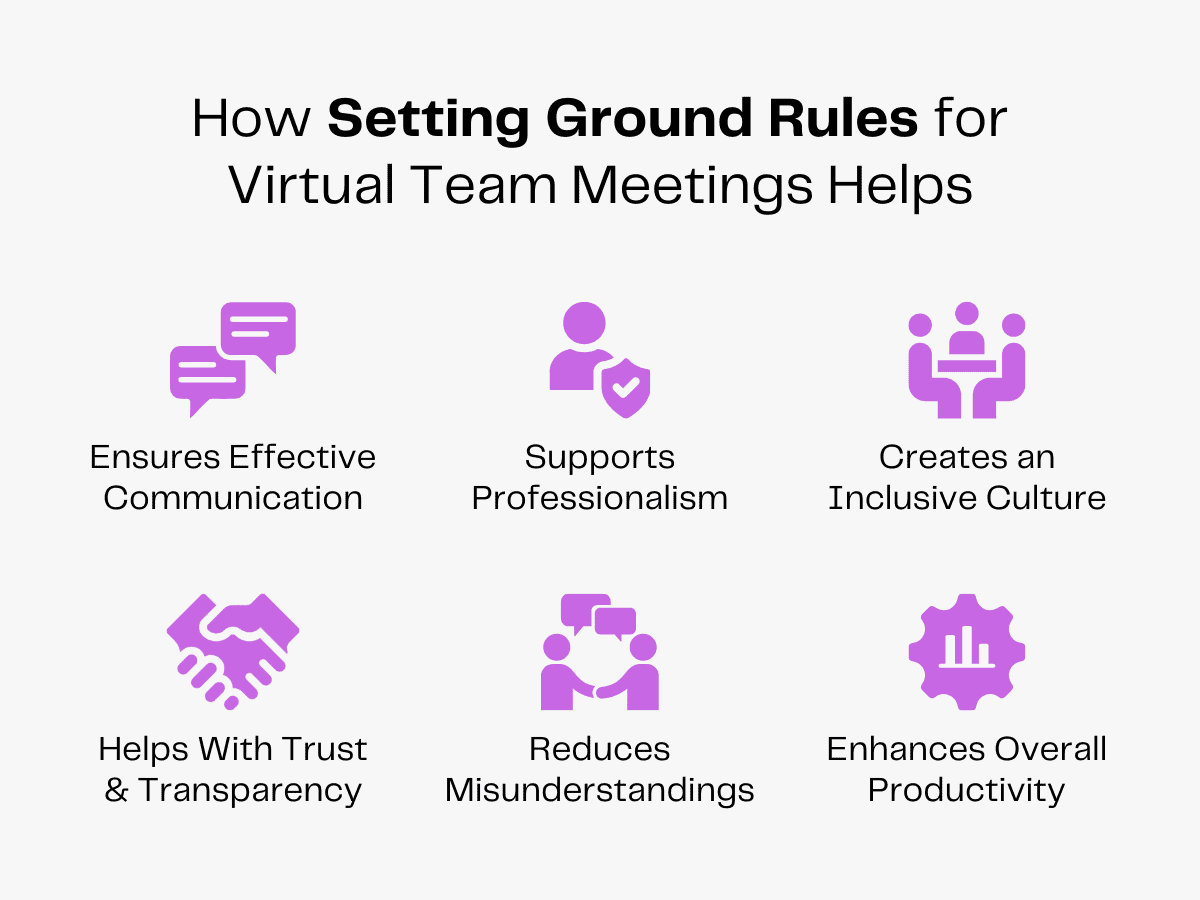
Maintaining Professionalism
Remote team meetings, when organized efficiently, uphold the organization’s professionalism. Just because a team is working remotely doesn’t mean that professionalism can take a backseat.
From showing up on time to looking presentable in the meeting, everything is noticed and matters.
But professionalism isn’t just about rigid rules, it’s about creating a work culture where everyone feels heard and respected.
Creating an Inclusive Work Culture
With ground rules in place, a meeting can foster inclusivity in the workplace.
Ground rules make sure no member feels left out or overshadowed, irrespective of their role. Here’s what encompasses inclusivity in a remote team:
- Respect for time zones.
- Cultural sensitivity.
- Accessible communication.
- Group participation.
- Equal speaking opportunities.
- Active listening.
An inclusive work culture makes sure all members are empowered to contribute effectively towards the organization.
Reducing Misunderstandings
Misunderstandings are the silent killers of productivity in a virtual team. Without face-to-face interactions, there’s plenty of room for misunderstandings to brew.
Where a simple miscommunication can turn into missed deadlines, you can’t afford to let any misunderstanding take shape.
That’s why you need clear ground rules to clarify doubts and avoid unnecessary confusion. A simple clarification is far better than making massive assumptions.
When you encourage an open culture where team members feel comfortable asking questions, there is more understanding and less scuffling.
A team that clarifies before acting works more efficiently. Because in a remote setup, it’s better to over-communicate now than to clear misunderstandings later.
Enhancing Overall Productivity
The first step to becoming a high-performance virtual team is to acknowledge the individual potential of all team members. Once you know which team member is capable of achieving what task, you know how to move forward!
Consistent encouragement and appreciation is another way to keep the entire team aligned to achieve their highest productivity. With every accomplished task, make sure your team feels valued.
How To Establish Ground Rules for Virtual Team Meetings
Here’s how to set ground rules for your team in a way that feels supportive and works for the whole team.
Communicate & Identify Problem Areas
If you don’t identify the pain points that hold your team back, issues linger and aggravate in the long run. This has serious consequences affecting the team’s performance.
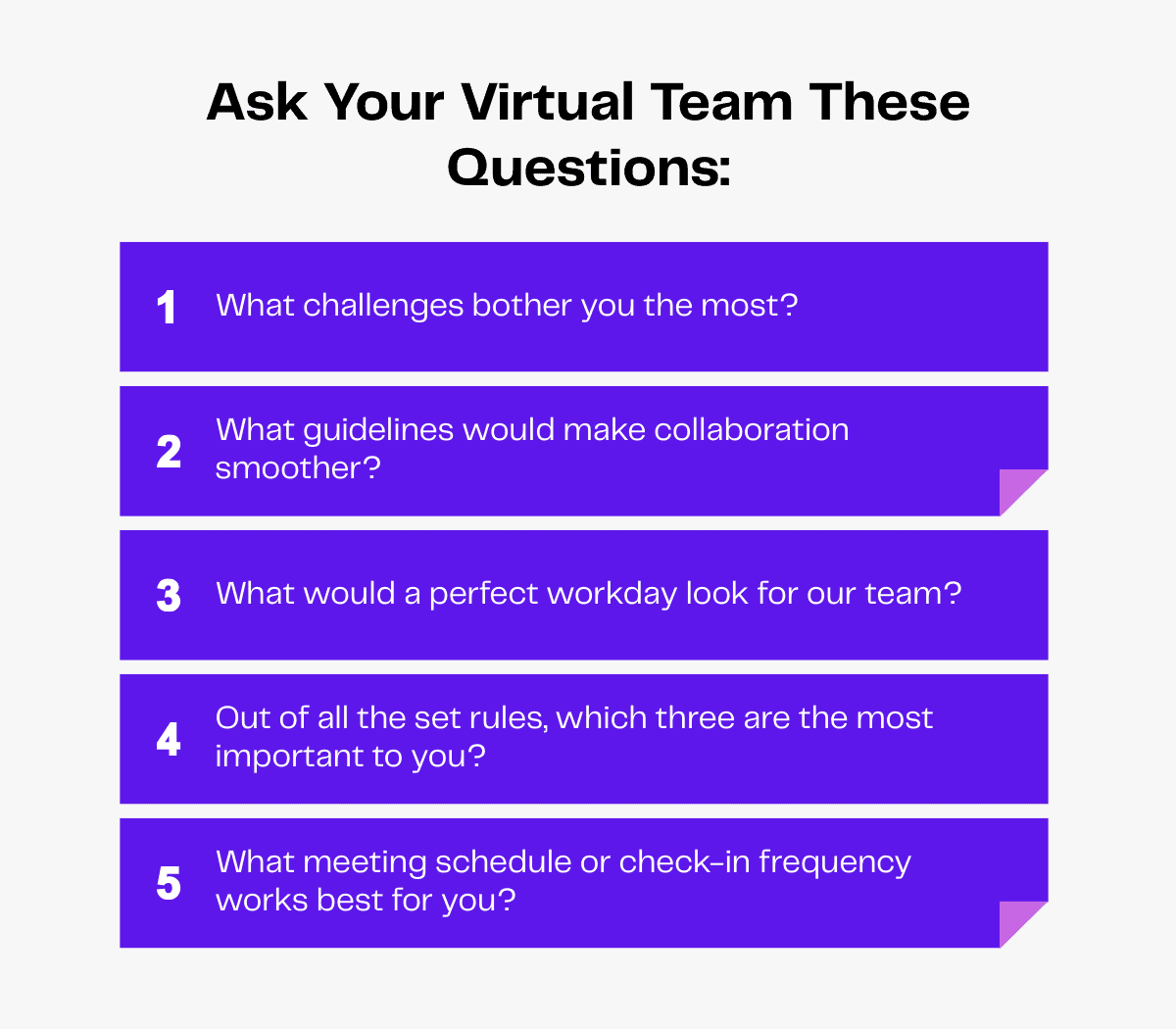
Start by analyzing the current meetings. What is inefficient? Would using meeting agendas cut endless tangents in meetings? Are people facing difficulty using the current video conferencing software?
Rules work best when the entire team is involved in crafting them.
So ask your team. You can have an open discussion about the same. If people are uncomfortable opening up, anonymous surveys can also be used for this.
Once you know what’s wrong, setting the right ground rules becomes easy. With this, you can enforce guidelines that will actually solve problems rather than just burdening the team members.
Leverage the Right Tools
Equip your remote team with the best collaboration tools.
Good, useful tools help eliminate frustrations, boost engagement and streamline discussions. Here’s a list of tools you can pick from.
- Video conferencing – Zoom, Google Meet
- Project management – Asana, Trello
- Chat – Slack, Cliq
- Fire sharing – Google Drive, Dropbox
- Whiteboarding tools – Miro, Mural
Review and Update Ground Rules Regularly
What works today may fail to work tomorrow.
The dynamics of virtual teams constantly keep evolving. So reviewing and updating the meeting ground rules is essential to keep everyone on the same page.
It begins with a round of questioning the team members. Is everything in order? Are members participating proactively in the meetings? Or is there more improvement needed?
Once you gather the feedback, match it with what worked and what didn’t. When you have clarity over relevant and irrelevant rules, you know how to go about refining them!
Encourage Effective Leadership
Leading virtual teams is a tough task. From syncing time zones to building an inclusive culture, the leadership is endowed with a lot of responsibilities.
But an effective leader knows the art of facilitating virtual meetings. They set the tone from the start and lead by example.
When you encourage leadership among the team members, all participants feel involved, valued and empowered.
What Are Some Virtual Team Ground Rules?
In a distributed team, collaboration is not easy and guardrails are vital.
To enable your remote team’s productivity, you need ground rules in place. Here’s a list of rules your virtual team can follow.
Rule 1: Adhere to Communication Guidelines
The luxury of quick desk chats or water-cooler conversations is unavailable in virtual teams. They solely rely on Zoom meetings and Slack chats to catch up with their colleagues.
Be it formal or informal, all forms of virtual communication should adhere to a set of guidelines. That makes relationship building a smooth experience and collaboration seamless.
Here’s a guide to lay the communication ground rules:
- Choose the right platforms – Not everything needs to be communicated via email. A short message on Slack would even do. The right platform gives virtual teams the essential clarity to establish their means of communication among each other.
- Set response time expectations – A virtual team working across multiple time zones can’t practically be available round the clock. Expectations regarding the response time should be established from the start.
- Encourage clear and concise communication – “Brevity is the soul of the wit,” wrote William Shakespeare. Advise the team to cut short their messages. Make sure a communicator gets to the point quickly and talks within context.
Rule 2: Stick to Structured Workflows
It is hard for virtual teams to manage their workflow. Working miles apart, across multiple time zones, it’s a lot of chaos to keep everyone aligned!
Not so much if the collaboration ground rules are put in place.
- Well-defined roles and responsibilities will keep ambiguity at bay. When team members know what their tasks are, they will follow suit accordingly.
- Virtual whiteboards for remote teams are a must. There should be room for creativity where all members can brainstorm together and propose their innovative ideas.
A standardized process of workflow saves a lot of teams from collapsing.
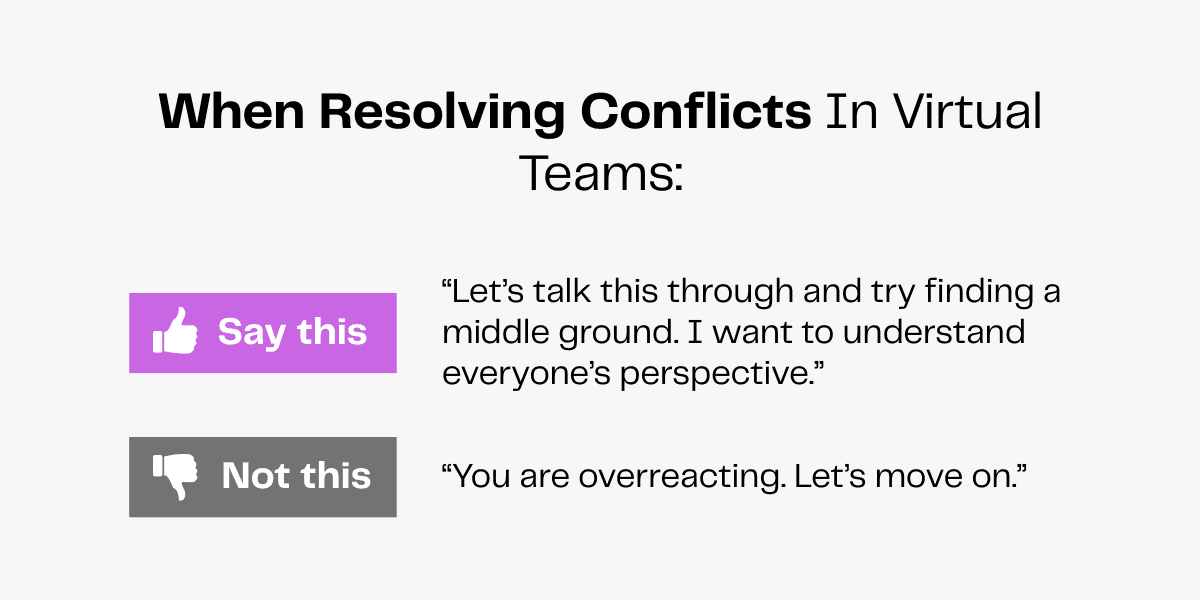
Rule 3: Resolve Conflicts Proactively
Dramatic boardroom showdowns are not how conflicts erupt in remote teams. It brews in unread messages, passive-aggressive emails and awkward silence in meetings.
Ignoring these signs only aggravates conflicts. That’s why proactive resolution of conflicts is a non-negotiable ground rule.
Addressing issues early can prevent weeks of resentment. A simple clarification can make way for friendly collaboration instead of hostile opinion clashes.
But one needs to exhibit patience and empathy throughout the resolution process. It is a matter of respect and trust that is lost. To gain it back will not be easy. This is the art of managing conflicts!
Disagreements are inevitable, but the dysfunction they cause is optional. Never let minor conflicts become reasons for major acrimony.
Rule 4: Foster a Positive Team Culture
Without a strong culture, a virtual team is just another group performing tasks in isolation. In the absence of team lunches and casual desk chats, one needs to adopt innovative ways to build a team culture.
The first step towards fostering a positive culture is to create psychological safety in virtual teams. This will ensure that employees freely air their point of view, share more information and find joy in collaboration.
So celebrate small wins, make space for team-building activities and give a shout-out for someone’s great work. These small acts of kindness will pave the long way to fostering a strong and positive team culture!
Read more: 8 Unique Ways of Connecting With Employees Virtually
Rule 5: Respect Work-Life Boundaries
Without clear boundaries, remote work may feel like you are constantly entangled in work and never really log off in the real sense of the term.
That makes respecting work-life balance not a suggestion, but an essential ground rule for the effective functioning of virtual teams.
- Define working hours.
- Normalize taking breaks.
- Establish response time expectations.
- Encourage logging off on time.
- Promote a results-driven culture.
- Support the mental well-being of employees.
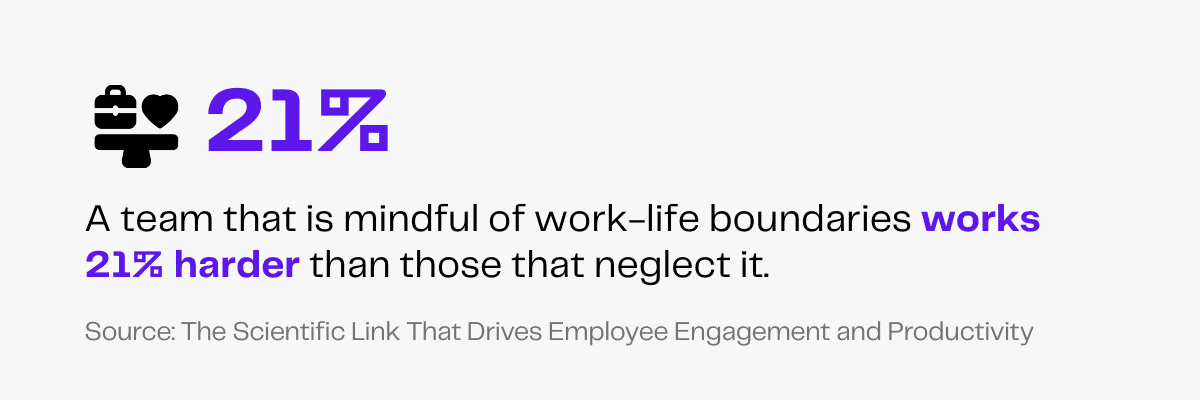
A team that is mindful of work-life boundaries works 21% harder than teams that neglect it.
Rule 6: Follow Internet Security and Confidentiality Best Practices
In virtual teams, the laptop is your workplace and your internet connection is the gateway to your workplace.
Digital security is an essential aspect when it comes to remote working. The internet is swarming with malware and hackers. And our systems are vulnerable to attacks more than ever, with an 18% increase in cyber attacks year after year!
In such a scenario, we have to exhibit discretion. Here are a few tips to ensure digital safety.
- Enable two-factor authentication.
- Choose strong passwords.
- Be watchful of phishing scams.
- Do not click on suspicious links.
- Use VPN for remote work.
- Update your software regularly.
- Handle sensitive files with caution.
When you tread the digital world carefully, it turns out to be a world full of opportunities.
Rule 7: Disagree Openly
The golden rule of a remote team is to never maintain that golden silence!
Real innovation follows healthy debates. When members exchange ideas, have disagreements and reach a consensus, the virtual team thrives.
But the key lies in how one disagrees!
When you respect the opinions of others, they tend to respect yours! This rapport helps members navigate the complicated dynamics of a virtual team.
Make sure you are a keen listener, a soft speaker and a patient problem solver. Only then can your personality be in sync with the organizational culture of the virtual team.
Wrapping Up
Virtual meetings are not supposed to be unproductive and draining.
With effective ground rules, meetings become a vehicle of meaningful collaboration and decision-making.
Just remember to set the right example from the beginning.