Key Takeaways:
Businesses lose an estimated $9,284 per worker annually due to poor communication.
41% of C-suite leaders and 31% of senior leaders have seen higher employee turnover due to ineffective communication.
When building a virtual team, assign individual roles to decide the flow of information and discuss your work expectations upfront.
Communication is challenging in any workplace. Even more so in a virtual setting.
The virtual nature of remote work throws in uncertainty and a greater possibility of disorder.
But remote work is now more common than ever. So effective communication is not just helpful—it’s indispensable.
There are two sides to establishing effective communication at work—technical and psychological.
The technical part helps you find the best systematic approach for setting up communication channels, team roles and schedules.
But creating an environment for open communication is more difficult. You’ll have to explore how to build trust in your virtual team.
In this blog, we first discuss why and how to build a foundation of effective communication in virtual teams and then look at its benefits.
Why Is Communication Important in Virtual Teams?
Communication is important for four major purposes at work: updating about work, making decisions, creating ideas, plans and reports and lastly, sharing feedback.
Understanding when, with whom and how you must communicate makes everyone’s job easier and removes uncertainty. It saves time and effort on both ends and smoothens coordination. In the long run, it improves decision-making and boosts productivity.
But virtual teams are more vulnerable to communication problems than in-office teams.
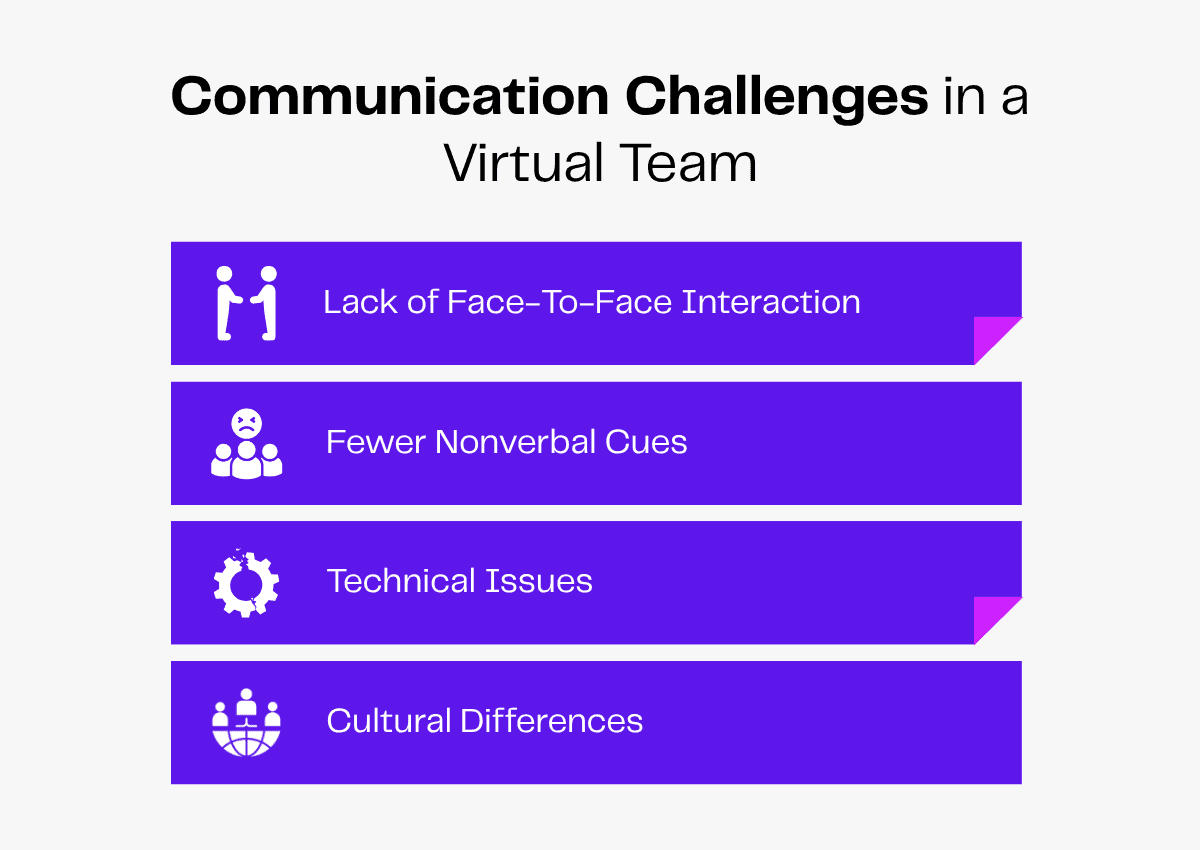
The lack of face-to-face interaction between team members can lead to unfamiliarity, which can quickly turn into distrust. Not building personal connections or understanding each other’s work ethics prevents the team from working collectively.
Even if everyone communicates through text messages, the lack of nonverbal cues can lead to misunderstandings. Team members may misinterpret the tone or a lack of eye contact can lead to immediate disconnect.
Technical issues like network disruptions and video or sound lag can break the flow of communication.
For global virtual teams with different work hours, managing and streamlining work and meeting schedules is more difficult. Understanding and accommodating cultural differences is yet another challenge in virtual teams.
Quality communication will help build trust and rapport among team members. This is why you must adopt clever communication strategies to create meaningful workplace relationships and improve the quality of work.
Read more: Remote Work 101: Everything You Need To Know
How To Communicate Effectively in Virtual Teams
Communicating effectively starts with establishing a structure. From setting up communication channels to clarifying team roles, a systematic approach is the best approach.
But the quality of communication also depends on your team members. Focus on creating a culture of active listening, free exchange of ideas and mutual respect for one another.
Here are some more tips to strengthen communication in your virtual team.
Set Expectations
Before taking on a project or daily tasks, all your virtual team members must align with your expectations. More specifically, they must know about their:
- Workload
- Task goals
- Deadlines
- KPIs
- Meeting schedules
- Response times
Discussing these expectations upfront will prevent future conflicts like missed deadlines, work delays or low accountability. Setting expectations will also give your team the time and space to set the pace for their work.
Remember to include your virtual team in the process and take their input. Ask them if they have issues with the planned framework and confirm if everyone’s on the same page as you.
Defining expectations is a two-way process, so you must also consider the expectations of your team. Your team will expect a supportive environment, recognition for their efforts, growth opportunities and a work-life balance.
Make sure you listen to their expectations and clarify all doubts from the get-go!
Use the Right Online Communication Tools
If you want seamless workflow coordination, your virtual team must use the best collaboration tools to communicate online. Here’s a list of tools you can use.
Basic Online Communication Tools
Set up basic tools for sending emails, conducting video meetings and sharing text updates. Your team can use:
- Gmail, Outlook or Yahoo Mail for sending emails.
- Zoom, Google Meet or Microsoft Teams for video conferencing.
- Slack, Google Chat, Microsoft Teams or ClickUp for chats.
Scheduling Tools
To manage task deadlines and confirm meetings, virtual teams can use scheduling tools like Google Calendar, Doodle or Calendly.
Project Management Tools
We also recommend using project management tools to manage your virtual team’s tasks and streamline the work process. You can use Asana, ClickUp, Trello, Jiro or Zoho Projects to maintain coordination between and within virtual teams.
Organization and Whiteboard Tools
Your virtual team can use whiteboard tools like Miro, Mural, FigJam or Lucidspark to brainstorm ideas, plan workflow, draw diagrams and make visual notes.
They can also use organization tools like Google Workspace, Notion, Confluence or SharePoint to write notes and share documents.
Project-Specific Tools
You should also choose the right tools depending on the nature of your team’s project. For example, if you hire a virtual team for graphic design tasks, set up the graphic design tools you expect them to use like Canva.
Automation Tools
For complex and elaborate projects, workflow automation software can take on repetitive tasks to reduce bottlenecks. Your virtual team can use tools like Zapier, Nintex or Pipefy.
Identify Roles
Assigning individual roles in the team helps establish the hierarchy and decide the flow of information. As your work starts progressing, you can adjust roles as needed.
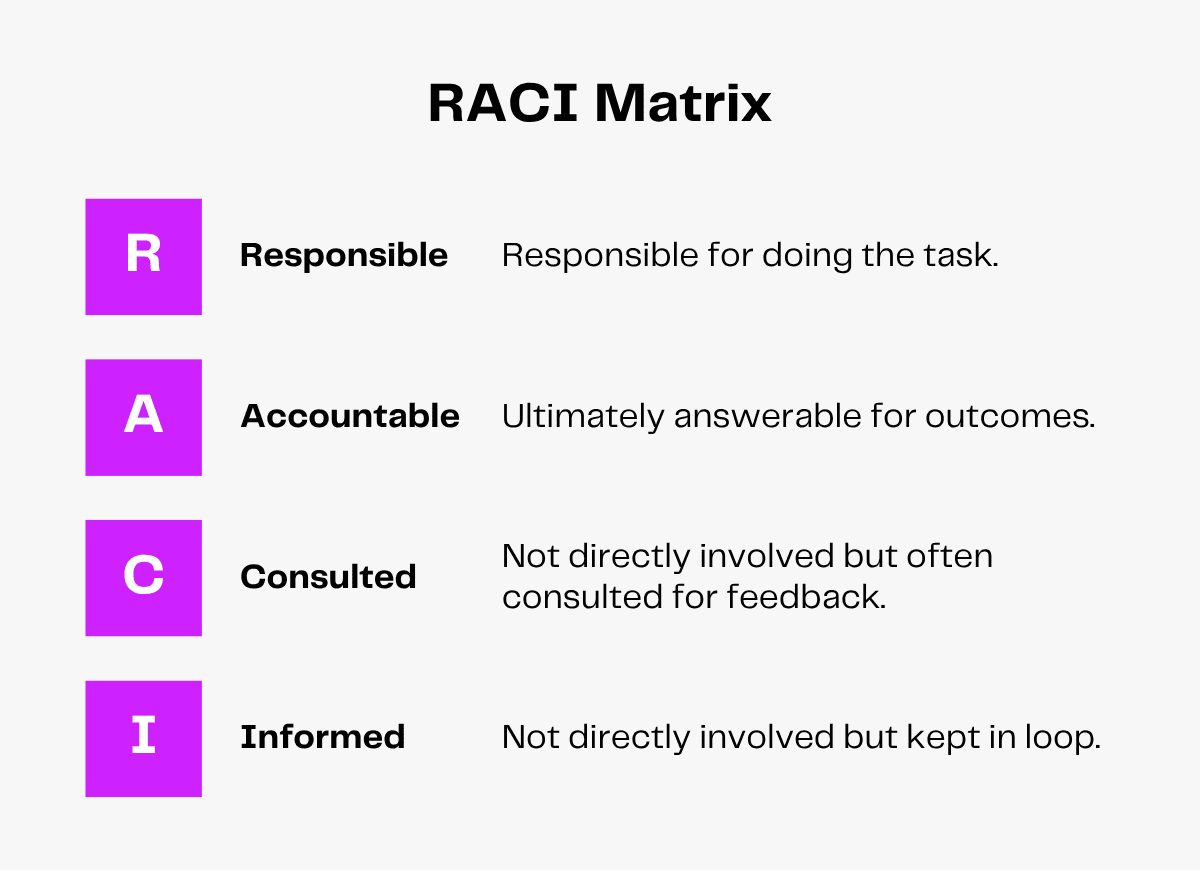
You can use the RACI matrix to divide your virtual team into four roles at every stage of the project.
Here’s what each designation stands for.
Responsible
This category includes team members who are responsible for action. They create ideas, curate content and implement plans. This includes roles like content writer, business analyst and graphic designer.
Accountable
The team members at the end of the work chain are accountable for the work. They are usually supervisors, managers or heads who are responsible for reporting or approving tasks.
Consulted
This category includes senior team members in positions such as editor, security specialist and QA manager who review and send feedback during the work process.
Informed
The team members who just need to be kept in the loop about the work progress and results. People like administrators and clients are not involved or consulted about the tasks but need to be updated about them.
It may also include team members who are not directly involved in the project or members from other departments.
While making a RACI matrix, you should keep a few things in mind, like:
- To avoid conflict, there cannot be too many roles involved in a single task. However, at least one party should be ‘Responsible.’
- Conversely, to ensure even distribution of work, one party should not be ‘Responsible’ for too many tasks.
- For clear decision-making, only one person should be ‘Accountable’ for each task.
- Make a clear distinction between ‘Consultants’ and ‘Accountables.’
- Involve team members in the process and ensure they agree with the responsibilities assigned.
Decide on Communication Protocols
You must set some ground rules about communication to help your virtual team understand workplace etiquette, expectations and boundaries.
Here are a few protocols to help you decide the course of communication.
Who should communicate with whom?
Your virtual team members should know whom they must reach out to with questions or updates. This would differ from role to role. You can draw the RACI parallel. For example:
- The ‘Responsible’ group informs the ‘Consulted’ group about their progress.
- The ‘Consulted’ group reviews it and reverts with feedback and suggestions.
- The communication extends to the ‘Accountable’ person for approval.
- The ‘Informed’ group is kept in the loop or updated at the end of the project cycle.
What platforms to use for what kind of communication?
With multiple platforms and the constant need for back-and-forth communication, you must establish which platform to use for what purpose.
For example, an editor might prefer a chat-based tool for updates, an organization tool for document submissions and a video conferencing tool for elaborate discussions.
How often should they communicate?
Your virtual team must communicate internally to avoid unnecessary confusion. Whether it’s quick team check-ins or weekly meetings, ask your virtual team to regularly discuss goals, align priorities, review tasks and share feedback.
This will help them assess their progress, identify roadblocks and suggest ways to increase pace.
They must also share regular project updates with you so you can ensure a hassle-free workflow and measure project progress. Remember to clarify expected response times to get timely updates and give your feedback.
What level of formality is appropriate?
Formality is an important part of professionalism but being overly formal has its drawbacks. It will prevent your virtual team from forming deep bonds and they’ll feel disconnected with each other.
Your team members may hesitate to explore out-of-the-box ideas or share their perspectives confidently.
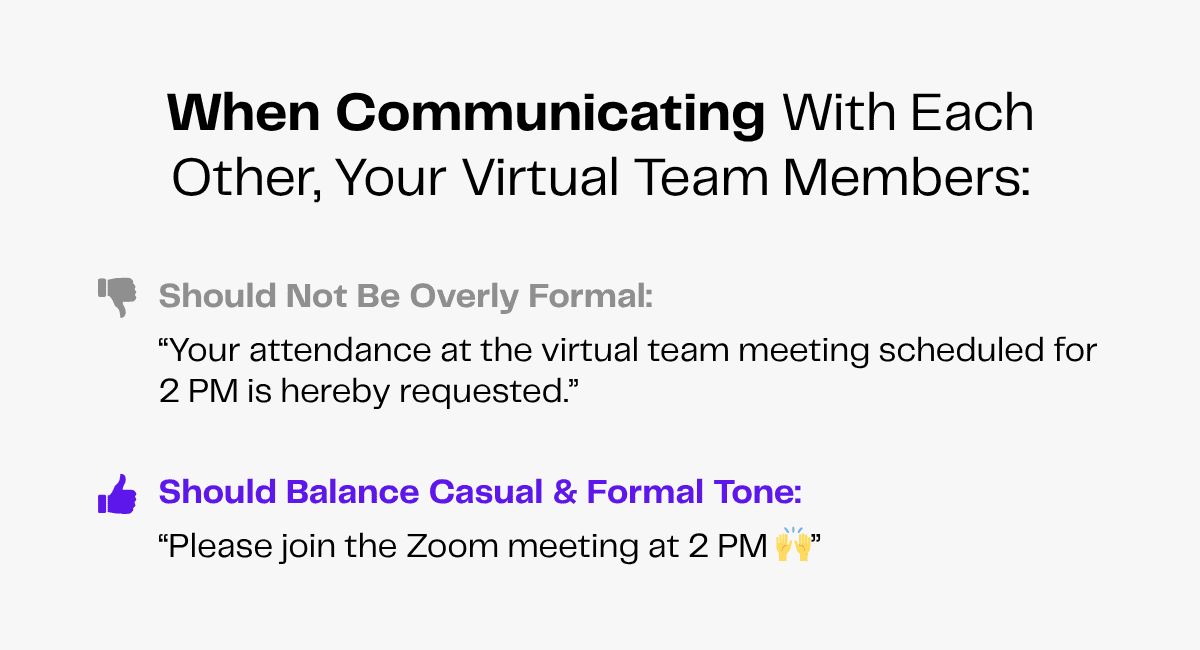
You can give specific instructions on what is acceptable and what is not. You can specify:
- How your team members must address you and each other.
- Rules for addressing clients and customers.
- Expected email etiquette.
- If they should keep cameras on or off during virtual meetings.
- If they can use emojis while chatting.
Such details help team members understand the extent of informality and build appropriate boundaries in your virtual workplace.
Set the Tone
Business leaders and senior employees have the power to set the tone at work.
Whether it’s sharing honest feedback, appreciating your team members or keeping perspectives, you must set the right tone. This will help your virtual team to be respectful even during conflicts.
Providing feedback can be challenging, especially if you are dissatisfied with your team’s work. But if you adopt a gentle tone, cite reasons for your critique and provide helpful suggestions for changes, your team will learn faster.
And the plus point is—you’ll set a good example and they’ll follow your tone while sharing feedback among themselves!
A fulfilling and supportive work environment encourages open and honest communication. To create such an environment, be appreciative of your virtual team.
By setting the right tone that matches your intent, you’ll improve communication clarity at your workplace.
Arrange Regular Meetings and Check-Ins
Meetings can be exhausting in virtual settings because of fewer non-verbal cues. But regular meetings and check-ins help your virtual team track their progress and collaborate effectively.
So you must find the right balance while setting up meetings. Here’s a useful tip—use meetings for actions rather than updates. Updates can be made over text, so you can cut down on unnecessary meetings and save time.
Arrange meetings to create plans, discuss frameworks or make decisions.
Meetings don’t always have to be work-related. You can host team-building activities, too, to break the ice, kickstart conversations and make your team feel comfortable.
Read more: Managing Virtual Teams for Ultimate Success
How To Establish Structure in Virtual Team Communication
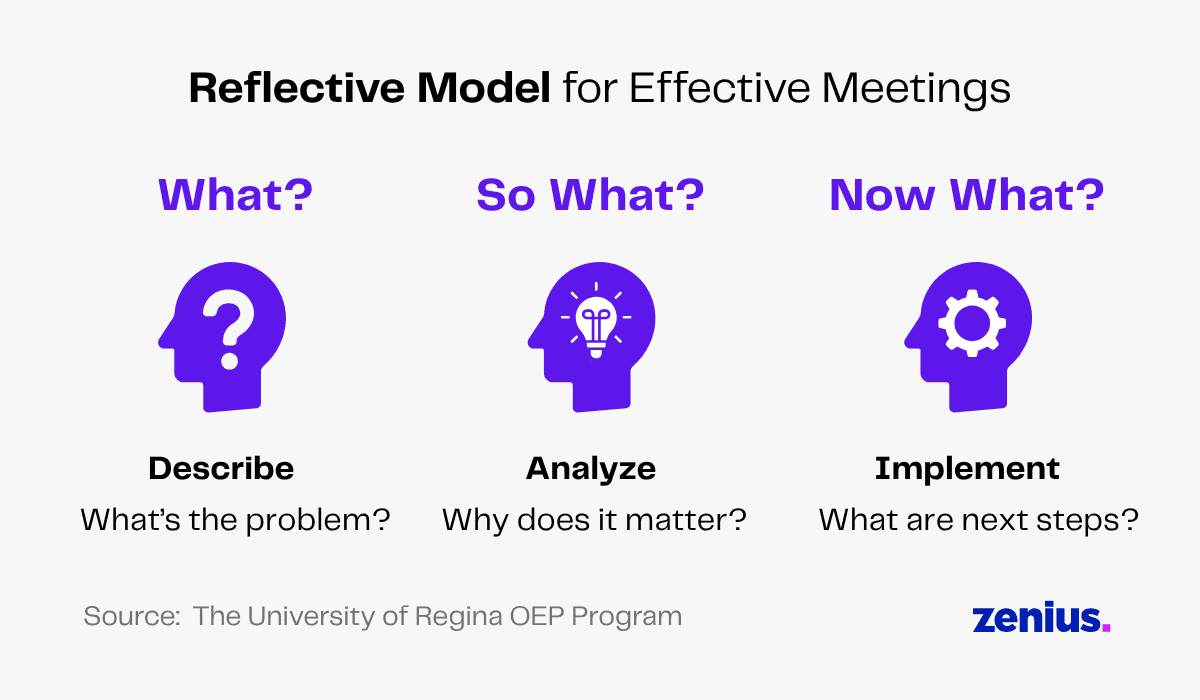
The ‘What, So What, Now What’ reflective framework is a simple way to structure conversations or meetings. It helps you organize your thoughts and hold productive discussions with your virtual team. You can use this approach for introductory meetings, answering questions or giving feedback.
You begin communicating with the ‘What’ framework. This is a descriptive structure where you identify and describe the situation.
While holding a meeting, you can start by answering questions like: “What happened?” or “What is the problem?”.
For the ‘So What’ framework, you explain why holding that specific conversation is important. This stage focuses on answering: “Why does it matter?”, “Why is it relevant?” or “Why is it a concern?”.
Finally, in the ‘Now What’ stage, you talk about what you aim to achieve through that conversation. This is the part where you call for action and let your virtual team share their inputs and feedback.
Let’s say a team member has not been meeting deadlines. You may structure the conversation along these lines:
What: I noticed you haven’t been submitting your work on time.
So What: This has been causing delays and may prevent the team from meeting goals in the assigned time frame.
Now What: Please ensure you meet the deadlines. If there’s an issue, you may discuss it with us. We’ll try coming up with a solution together.
Read more: The Art of Leading Virtual Teams
Conduct for Effective Communication
Want to be the best leader for your virtual team?
When you are in a team, you must embrace the following behaviors so that you are someone your team can trust, rely on and reach out to.
Listen Attentively
When you listen attentively, you process and retain information better. And it also shows you care.
When you actively listen to your virtual team members, they’ll feel heard and understood. They’ll feel they can rely on you to ask questions, suggest solutions or give advice.
In virtual meetings, be fully present, make eye contact and nod your head in acknowledgment to indicate attentiveness.
Over text, send simple messages like “I understand” and “Thank you for letting me know” to acknowledge your team members.
Be Clear and Concise
While delegating, if your statements are confusing, your virtual team won’t understand their tasks and responsibilities clearly. This will lead to unwanted chaos and delays for your projects.
Keeping the discussion to the point will make it easier for everyone to understand their role and you’ll get the job done without any hassle.
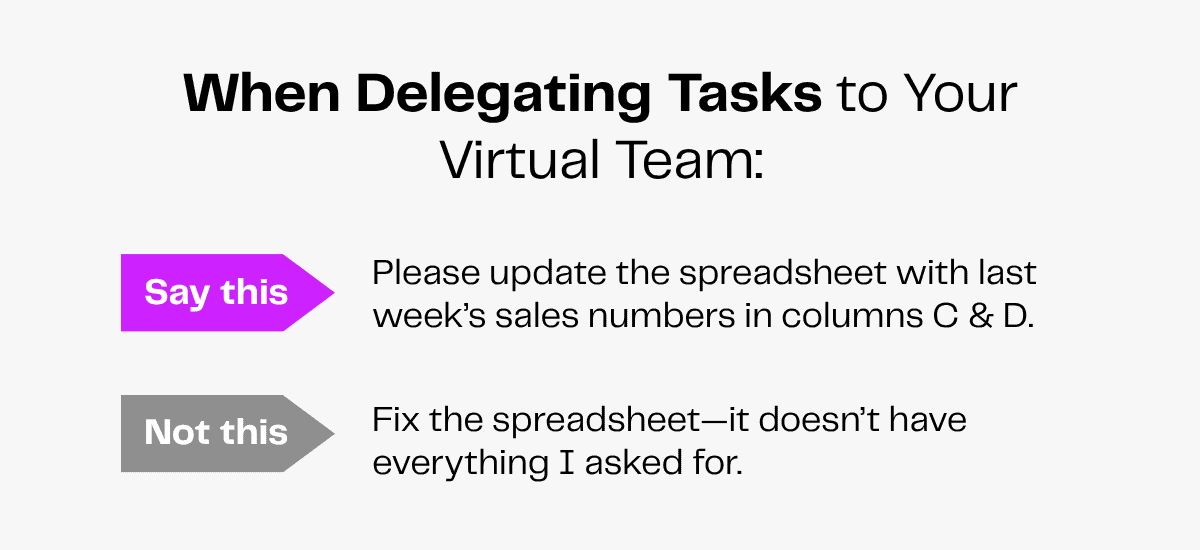
Here are a few tips to help you stay clear and concise:
- Keep sentences short and use simple language.
- Address the topic at hand and avoid going off-track.
- Summarize key points for emphasis on important details.
- Use visual aids like presentation slides to improve clarity.
- Answer questions as you go.
- For clarity and order, follow the ‘What, So What, What Now’ approach.
Be Careful of Your Tone
The importance of tone in communication is underrated. You may be interpreted as dismissive, aggressive or sarcastic even if that’s not your intention. This may especially occur in chat messages and emails.
The best way to avoid misunderstandings is to choose your words carefully and convey your intent clearly.
Here are a few tips to help you:
- Use punctuation well—you can always count on an exclamation mark to lighten the weight.
- Use emojis to emote over text.
- Do not leave room for ambiguity.
- Sound formal but not imposing.
- Be polite and respectful while giving feedback.
Adapt According to the Person
Different people have different conversation styles. Some people like getting to the point, while others might want to get into detail.
Because virtual teams can be so culturally and regionally diverse, you must understand the people you work with and find the best way to communicate with them.
This will help you build stronger relationships with your team members while staying mindful of cultural differences regarding communication.
Address Misunderstandings Immediately
In case of a misunderstanding, you must reach out to your team and address it immediately. You should:
- Listen carefully to your team member’s perspective first.
- Then, explain your side of the story.
- Identify the source of the misunderstanding and come to an understanding.
- Find a solution to avoid such a situation in the future.
- Apologize if necessary.
Benefits of Effective Communication in Virtual Teams
Effective communication has several benefits, especially for a team that needs to work together daily for a long time.
Here’s how efficient and consistently good-quality communication can help your virtual team.
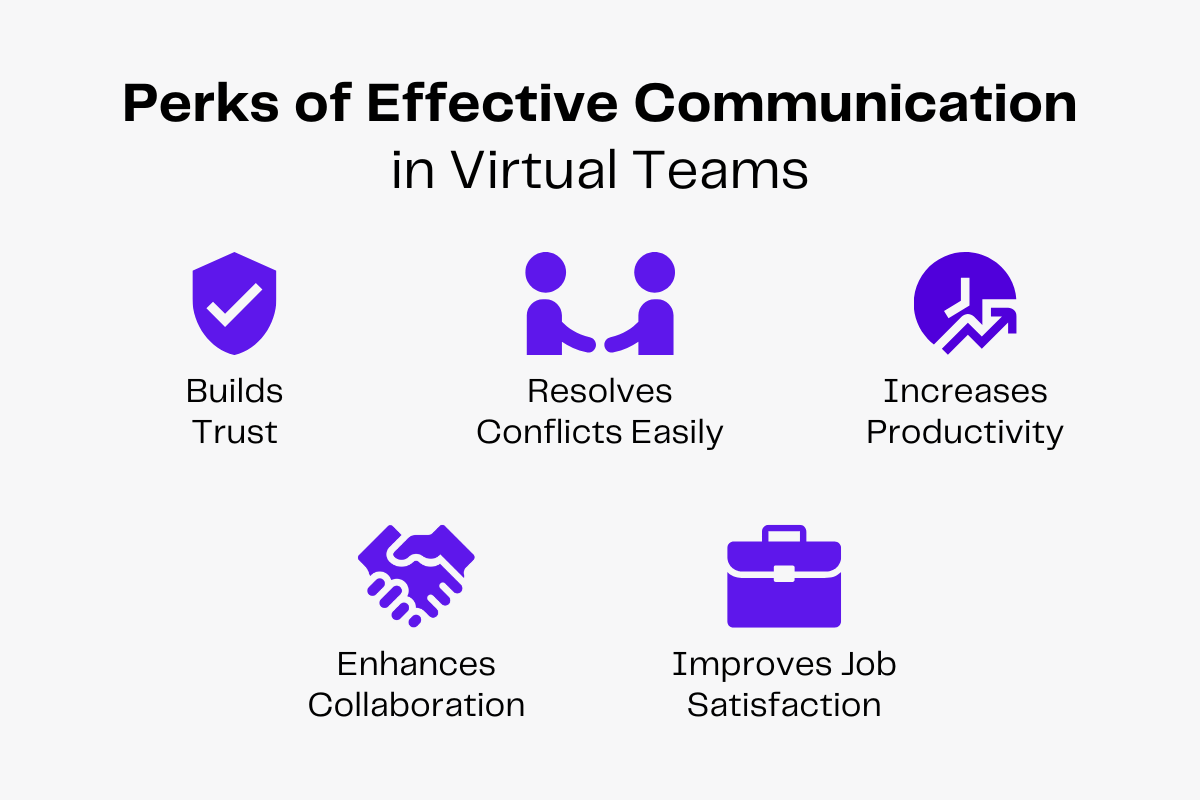
Builds Trust
Listening attentively, being transparent and adopting a kind tone make team members comfortable at work. They develop a sense of psychological safety that allows them to trust you and other team members.
Building trust builds rapport and increases engagement.
It will also help your virtual team to develop meaningful relationships and rely on each other.
Resolves Conflicts Easily
Patrick Lencioni writes in his book The Advantage: Why Organizational Health Trumps Everything Else In Business,
When there is trust, conflict becomes nothing but the pursuit of truth, an attempt to find the best possible answer.
When a team listens to and respects each other’s perspectives, they’ll make each person feel seen and heard. Open dialogue helps them avoid misunderstandings.
When team members trust each other, they give each other the benefit of the doubt even in the case of conflict.
They handle disagreements or criticism with mutual respect and understanding, keeping complete focus on the issue and avoiding any blame game.
Increases Productivity
Businesses lose an estimated $9,284 per worker annually due to poor communication.
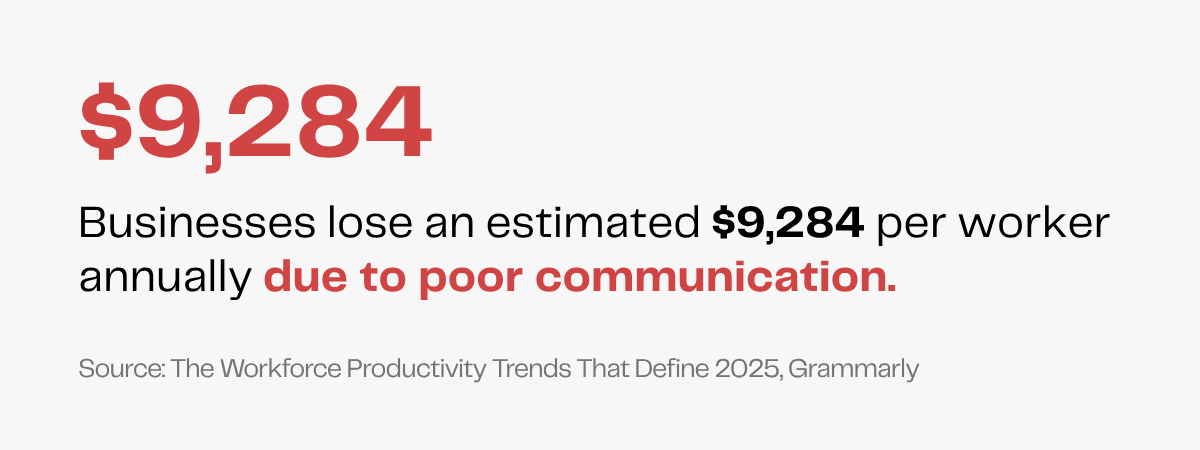
This is why businesses must develop a solid system of communication to help employees stay productive.
With clear communication, team members will better understand their tasks, avoid errors due to misunderstandings, meet deadlines and cut down on time drains.
Improves Job Satisfaction and Collaboration
In a survey, 41% of C-suite leaders and 31% of senior leaders reported having seen higher employee turnover due to ineffective communication. This highlights how important smooth communication is for job satisfaction.
Effective communication largely contributes to creating an open and supportive environment at work. When the team feels comfortable around each other, they form strong bonds and share a sense of purpose. The team is motivated to meet goals and engage in proactive collaboration.
Appropriate boundaries, transparency around expectations and positive reinforcement boost your virtual team’s performance and morale. Employees remain happier and more satisfied with their work.
Wrapping Up
Effective communication is the key to connecting with employees virtually.
Clarifying expectations, using the right tools, structuring team hierarchy and establishing communication protocols will develop productivity and efficiency in your virtual team.
But everything begins with hiring the right people.
Staffing agencies like Zenius enable you to onboard virtual team members who bring fresh ideas, communicate responsibly and align with your company culture.
With strong and structured communication, such virtual teams turn individual tasks into collective progress.