
Key Takeaways:
A survey found that CEOs consider 40% of the time spent on routine activities in their companies as inefficient.
B2B content marketers reportedly spend 33 hours per week on content creation—time that could be spent instead on strategic work!
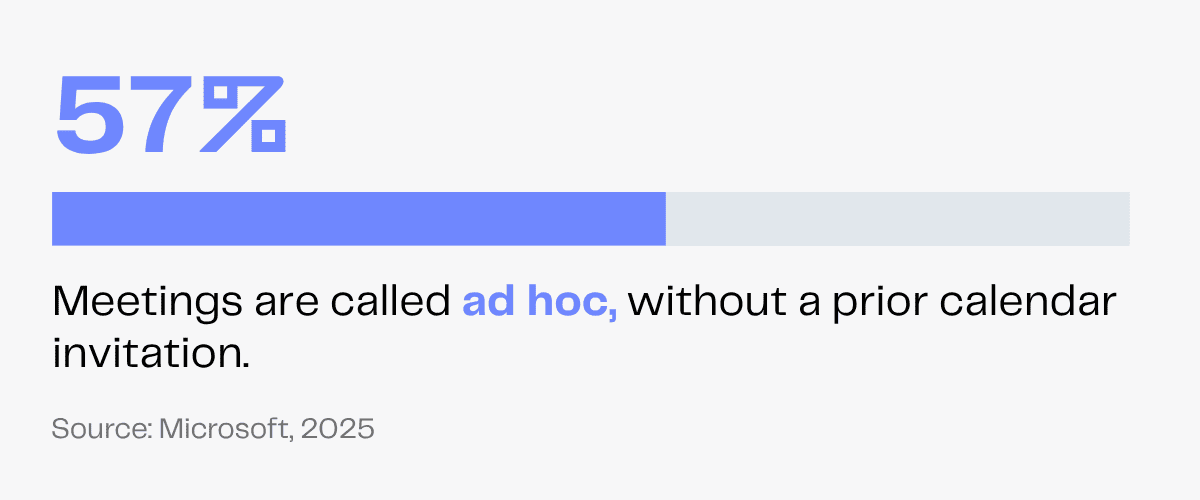
57% of meetings are called ad hoc—a calendar management VA keeps schedules organized and priorities on track so you stay productive!
Imagine you have a real estate company. You spend hours on appointment scheduling and follow-ups, leaving less time for property showings or client meetings.
Or you own an e-commerce business where tasks like customer inquiries or social media management consume hours that could be spent on product development.
In fact, a survey found that CEOs consider 40% of the time spent on routine activities in their companies as inefficient.
The solution to your admin burden is a virtual assistant who can take over all routine tasks—from calendar management to customer service—providing day-to-day administrative support.
Less time managing tedious tasks means more time on strategic growth. With a VA supporting the back-end work, you and your internal teams can focus on priority tasks, save time and stay productive.
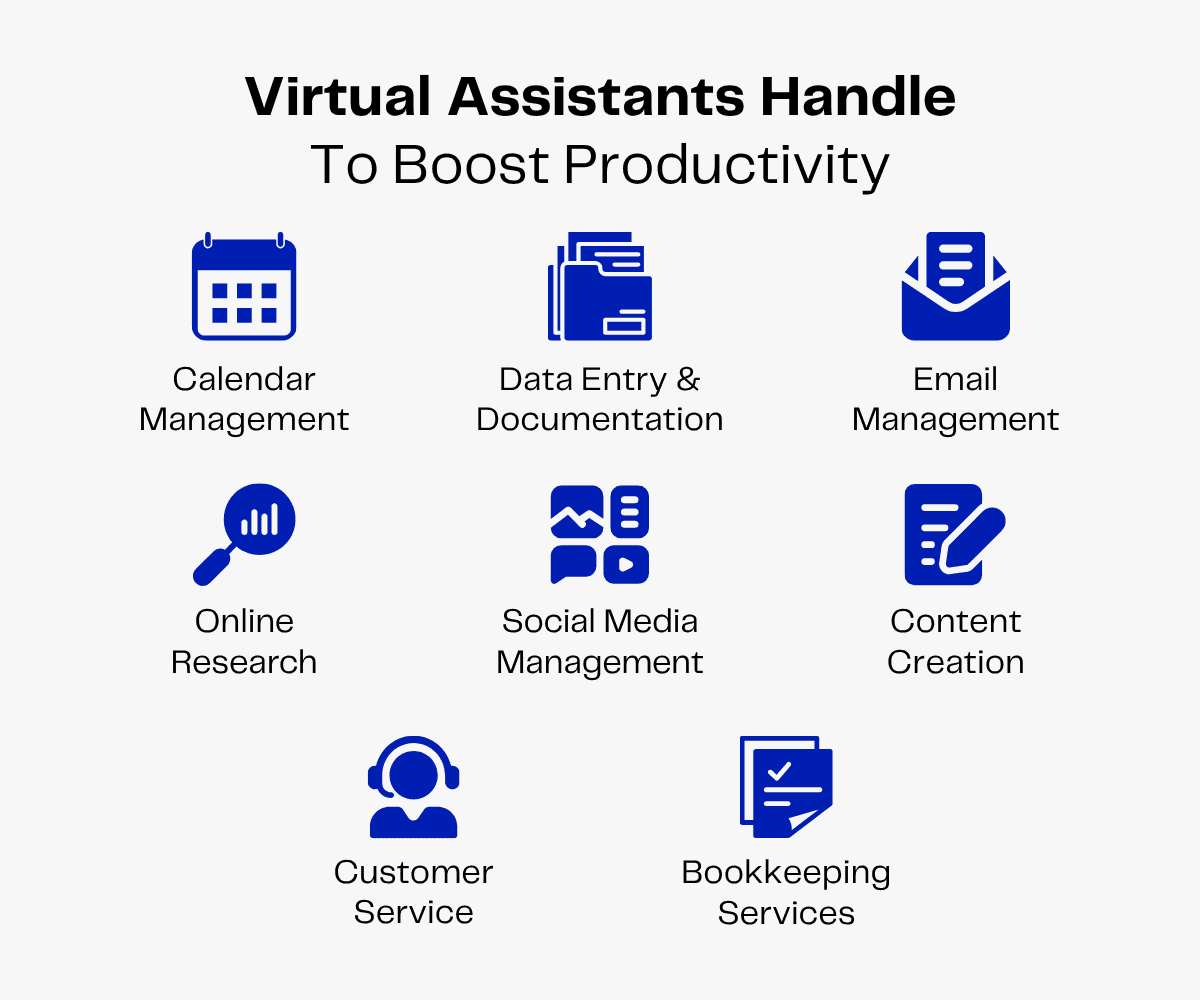
What Tasks Can Virtual Assistants Handle To Boost Productivity?
Virtual assistants boost productivity by handling administrative duties and specialized tasks that consume valuable work hours.
By delegating these responsibilities, businesses can reduce operational bottlenecks and focus on strategic growth.
Administrative Duties
Administrative virtual assistants can manage everyday tasks for your business.
From organizing your calendar and your emails to conducting research and recording crucial data, admin VAs can do it all!
Here are 4 crucial administrative tasks VAs can handle to simplify daily operations.
Calendar Management
A Microsoft report shows that 57% of meetings are called ad hoc, without a prior calendar invitation. Busy professionals often find themselves juggling unexpected commitments, overlapping appointments and constant calendar disruptions.
A calendar management virtual assistant can bring order to this chaos by organizing schedules, coordinating meetings and handling last-minute changes.
Also, coordinating with international clients across time zones can be challenging. VAs can coordinate with international clients to find the best time for smooth collaboration.
Overall, virtual assistants can manage your calendar to simplify scheduling tasks. They can:
- Review your calendar to identify available time slots and book appointments.
- Send meeting invites and reminders to attendees to reduce no-shows.
- Update your calendar based on cancellation and rescheduling requests to prevent confusion.
- Attach relevant documents (e.g., a financial report for a budget meeting) to meeting agendas to facilitate active participation and increase meeting productivity.
- Take meeting notes and create relevant follow-up notes (e.g., “Deliver project by Friday”) to simplify project management.
Email Management
In 2025, the U.S. ranked third by its share of unsolicited spam emails, accounting for 10.57% of global spam emails.
Imagine how much time you have to spend sifting through emails, sorting important messages from the spam—time that could have been easily spent on productive tasks!
Virtual assistants can manage your emails to streamline internal and external communication. They can:
- Review and label incoming emails logically. For instance, they can tag client inquiries as ‘urgent,’ newsletters as ‘check later’ and promotional offers as ‘coupons and discounts.’
- Draft standard responses for common inquiries. For instance, to answer routine queries (“What products do you sell?”), VAs can attach your website’s link and product guides to logical reply templates (“Kindly check the attached brochure!”).
- Organize emails into standardized folders based on the senders’ profiles (‘clients,’ ‘internal,’ ‘suppliers’).
- Forward urgent emails to internal departments and notify team leaders via instant messaging apps.
- Archive outdated emails into a cloud platform (Google Drive) to save storage space while retaining records for future reference.
Virtual assistants can also delete spam emails, unsubscribe from malicious email lists and screen received attachments (using antivirus tools) before downloading to prevent security threats.
Data Entry and Documentation
While data entry and documentation keep businesses organized, these time-intensive tasks often pull you away from higher-impact work.
Virtual assistants can manage data entry tasks for your business, freeing up your time for strategic work. They will:
- Collect data on new leads (name, contact, inquiry type) from emails and enter it into a CRM software.
- Organize different data (lead, employee, customer, financial) in separate spreadsheets to create digital files for various functions (client outreach, employee review, revenue assessment).
- Format data fields (e.g., date as “MM/DD/YYYY”) and rename datasets (e.g., “Sales_May_2025”) uniformly to prevent confusion and simplify navigation.
- Review datasets to merge or delete duplicates and correct grammatical errors for improved accuracy.
- Transcribe handwritten documents into digital files and convert meeting notes into SOP documents for internal use.
Online Research
Research tasks consume hours—digging through data, reports and sources. But you need reliable, carefully researched information that translates into actionable insights.
That’s why you need research virtual assistants!
They will:
- Review competitors’ websites and social media to compile data on products (features, prices, reviews) and strategies (discounts, active campaigns, membership offers).
- Analyze industry reports (e.g., a market research survey) to identify trends to help you modify product features.
- Research online directories to collect relevant data (delivery time, pricing, customer reviews) on vendors or shipping companies.
- Find unlicensed stock photos that match your brand’s aesthetics for reports and marketing campaigns.
- Verify facts and statistics by comparing them to credible industry or government publications.
Specialized Tasks
Specialized virtual assistants have niche skills that help them handle creative or technical tasks for your business.
Here are 4 tasks specialized VAs can handle to boost productivity.
Content Creation
Content-related tasks can quietly eat away hours before you even realize it. In fact, B2B content marketers reportedly spend 33 hours per week on content creation!
Specialized virtual assistants can create engaging content (textual or visual) consistently to boost your brand’s online presence. This can free you and your internal teams to handle more productive duties.
Content writer VAs can research reputable sources and draft blog posts, website content, social media content, newsletters and SEO-focused articles.
Copywriter VAs can create persuasive copy for marketing campaigns. They can also write SEO-optimized product descriptions, including compelling call-to-action (CTA) phrases for landing pages to boost conversion rates.
Graphic designer VAs can use your brand’s fonts and colors to create appealing images for social media, company websites and presentations. They can also design informative illustrations, infographics and charts to enhance content quality.
Social Media Management
As consumers increasingly discover and research brands on social media, maintaining a strong online presence is no longer optional—it’s essential for businesses to stay visible, relevant and competitive.
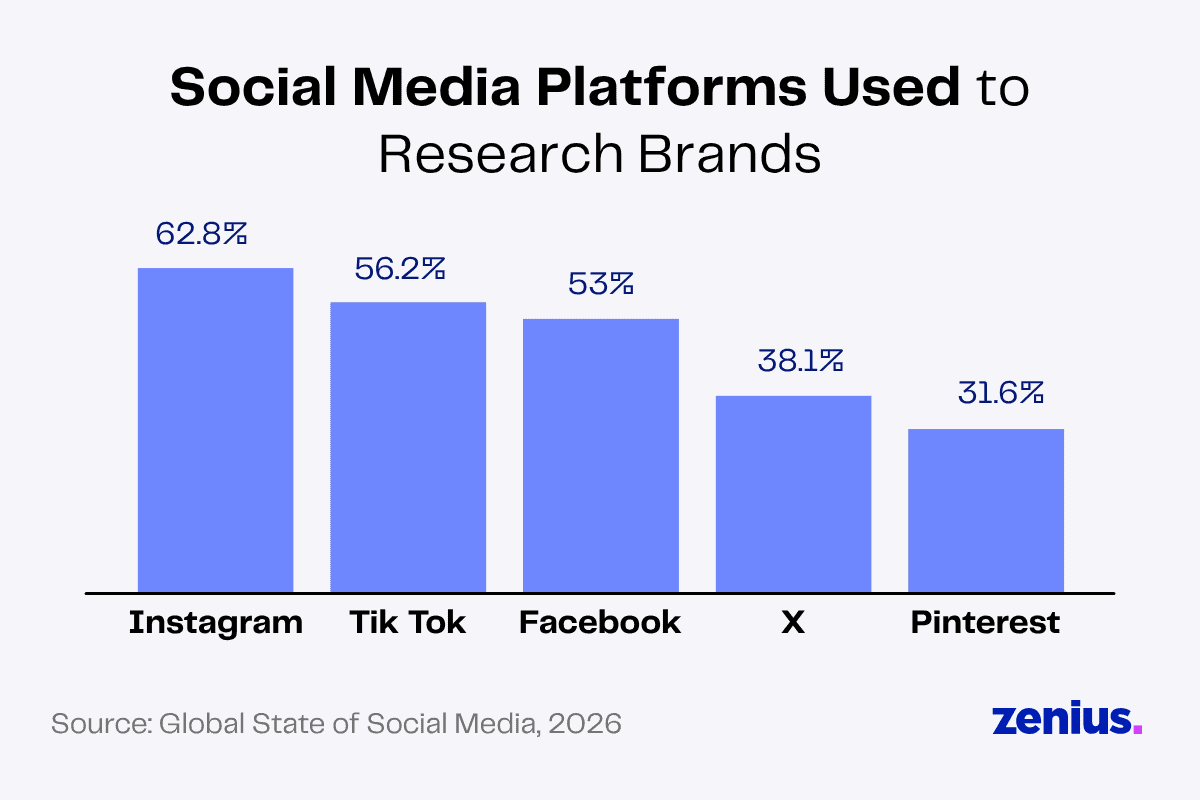
Maintaining an enthusiastic, consistent social media presence across platforms can be challenging. You must research trends, post content and tailor messages for different audiences. These repetitive tasks can drain energy and lead to burnout.
Social media virtual assistants can promote your brand and manage your community on multiple social media platforms (Instagram, Facebook, LinkedIn, TikTok, X).
They can:
- Research industry trends to compile relevant content topics and check social media platforms to identify popular hashtags.
- Organize content ideas and publishing schedules to create a content calendar.
- Create social media posts and write engaging captions (using trending hashtags).
- Schedule posts to ensure consistent, quality interaction with followers.
- React with enthusiastic emojis to positive comments and offer solutions to complaint comments to manage your social media community.
- Research social media platforms to find reliable influencers for affiliate marketing.
Customer Service
A positive customer service experience has motivated 41% of consumers to recommend a company to others.
But delivering that level of support requires consistent effort and attention to detail.
If managing customer inquiries, follow-ups and issue resolution is becoming tedious, customer service VAs can handle them for you.
They will:
- Respond to inquiries received via email and website forums.
- Share product guides and FAQ documents with customers to answer routine questions.
- Resolve common complaints by troubleshooting and sharing manuals with customers.
- Record customer interactions and collect feedback for quality checks.
- Forward complex queries and complaints to dedicated internal teams for quick resolution.
Customer support VAs can also create reply templates for common user complaints. For instance, to answer repetitive “How to reset password?” questions, VAs can draft an email with sequential instructions for password recovery. This automated response preserves time for more productive tasks!
Bookkeeping Services
Many taxpayers assume that the busiest folks during tax season are tax preparers—but that’s not always the case. Often, it’s those who play clean-up who find themselves in demand.
Kelly Phillips Erb, Tax Attorney and Writer
That’s because months (and, in some cases, years) of not paying attention to your finances come to a head at tax time.
It’s nearly impossible to prepare a clean return with messy books. That’s why many tax preparers recommend that businesses—and, in some cases, individuals—consider hiring a bookkeeper.
Staying financially aware and organized is crucial and complicated. To avoid financial penalties, you must track each dollar, calculate everything to the cent, recheck to verify and regularly update this data within encrypted files. Sounds exhausting?
Virtual bookkeeping assistants can help you access, assess and improve your finances.
They can:
- Compile financial data from multiple sources (invoices, payment receipts, account statements) and organize them into a password-protected spreadsheet or bookkeeping software.
- Create filters for income (‘sales,’ ‘grants’), expenses (‘office supplies,’ ‘shipping charges’) and other financial data in encrypted digital sheets you can access and analyze on the go.
- Organize files and financial information (employment tax records, credit card statements, gross receipts) for timely tax filings to comply with IRS recordkeeping regulations.
- Verify each month’s income, expenses and pending payments with relevant departments and summarize key findings to create monthly revenue reports.
- Review income statements, expense accounts and revenue reports to identify cost-saving opportunities for improved return on investment (ROI)!
Read More: Everything You Need To Know About the Virtual Assistant Industry
Which Tools Do Virtual Assistants Use To Streamline Workflow?
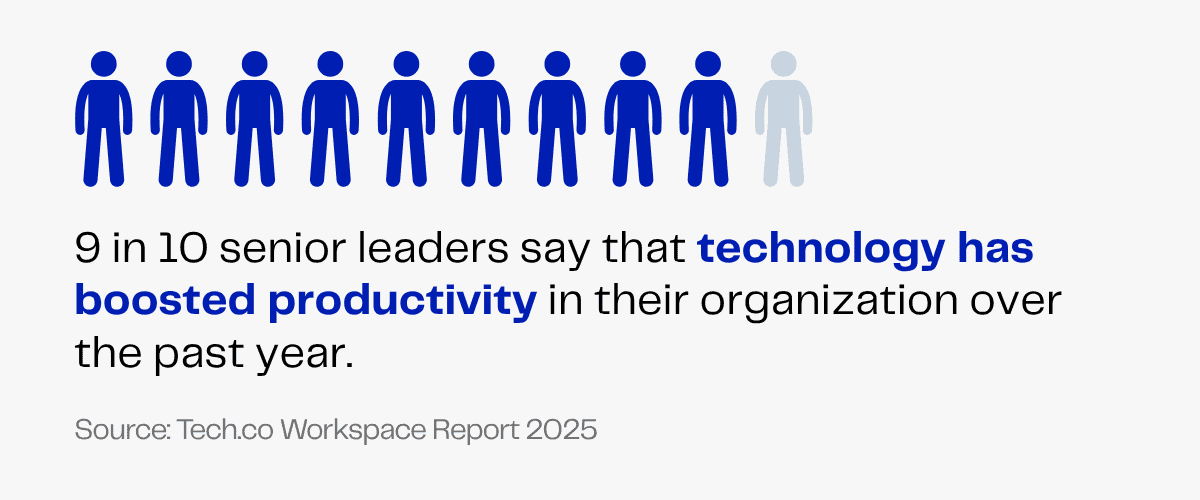
In a survey report on “The Impact of Tech on the Workplace,” 9 out of 10 senior leaders said that technology has improved their organization’s productivity over the past 12 months.
Working remotely, virtual assistants are proficient in using online tools for communication, collaboration and project management. With their curious, tech-savvy nature, VAs can adapt seamlessly into your digital workflow systems.
Here’s how VAs utilize online tools to simplify daily operations.
Communication Tools
Your virtual assistants can use various communication channels (email, instant messaging, video conferencing) to support you and your employees.
They’ll use:
- Gmail: Use the ‘Multiple Inboxes’ feature to manage multiple email accounts (personal and work emails).
- Slack: Utilize the ‘Workflow Builder’ feature to automate repetitive messaging (‘project status update’) and save time for more productive tasks.
- Microsoft Teams: Record meetings and share them with teams working from different time zones to simplify task handoff.
- Grammarly: Review messages to ensure they’re grammatically correct and polished for maximum impact.
Calendar Management Tools
Your virtual assistant can use multiple scheduling tools to handle tasks and save you time. They can use:
- Google Calendar: Utilize the ‘Find a Time’ and ‘Suggested Times’ features to view multiple calendars (yours, clients’, employees’) and identify mutually available time slots.
- Microsoft Outlook: Use the ‘Delegate Access’ feature to schedule, organize and remove appointments in multiple calendars.
- Calendly: Use the ‘Meeting Polls’ feature to create polls and allow participants to vote on the most suitable meeting time.
- Hubstaff: Utilize the ‘Time Tracking’ feature to monitor employees’ work hours and create timesheets for performance reviews.
Data Entry and Documentation Tools
The data entry and documentation tools virtual assistants can use include:
- MS Office 365: Create spreadsheets in Excel, documents in Word and presentations in PowerPoint.
- Google Sheets: Use the ‘Cleanup Suggestions’ feature to automate data cleaning and save time.
- HubSpot: Use the ‘Required Fields’ feature to set data entry rules and minimize human error.
- Salesforce: Utilize the ‘AppExchange’ feature (with over 9,000 customizable apps) to manage datasheets and workflows.
Project Management Tools
Virtual assistants can use project management tools such as:
- Asana: Use the ‘Timeline View’ feature to connect multiple tasks in an organized chart and assign them to team members.
- Trello: Use the ‘PowerUps’ feature to add third-party plugins to track time and create reports.
- Monday.com: Utilize the ‘Automation’ features to send reminders, assign tasks and hand over duties, reducing time wasted on task delegation.
- ClickUp: Use the ‘Hierarchy’ feature to delegate, organize and view tasks and subtasks by priority for a smooth workflow.
Tips on Finding the Right Virtual Assistants
Although virtual assistants benefit your business, you must hire the right one to maximize productivity and return on employee investment.
To do this effectively, follow the next steps.
Assess Time-Wasting Tasks
You can track your workday over a week to identify inefficient, time-wasting tasks. Note down the hours you spend on repetitive, low-value tasks such as scheduling, checking emails, writing blogs and more. List these tasks and categorize them as ‘administrative’, ‘creative’ or technical’.
Read More: Game-Changing Virtual Assistance for Managers
Identify Your Ideal Virtual Assistant Profile
Based on the task list you’ve created, define the type of virtual assistant you want to hire. Decide which skills they must possess and which tools they must be familiar with.
For instance, if creating blogs consumes hours, you should hire content writer VAs. This means you must hire a VA with relevant technical (e.g., SEO, writing, proofreading) and soft skills (e.g., time management, English proficiency, research).
Based on your ideal VA profile, set a reasonable budget and combine compensation details and task requirements to create an extensive job description.
Contact an Agency
Share the job description with a VA agency. They’ll search, screen and shortlist candidates most suited to your tasks, budget and company culture. You can also evaluate these recommendations to ensure the right fit.
Some agencies, like Zenius, also monitor attendance, process payroll and handle employee benefits for your virtual assistants. This can help you avoid paperwork hassles and save money!
Onboard Your Virtual Assistant
While onboarding your virtual assistant:
- Inform them about your company policies and communication guidelines.
- Introduce them to your team members to ensure smooth integration.
- Provide them with role-specific information (e.g., content guidelines to content creators, data entry standards to admin VAs).
- Give them access to essential applications, accounts and systems (Gmail, social media, CRM software).
- Guide them through a sample task to help them learn and adopt your preferred workflows.
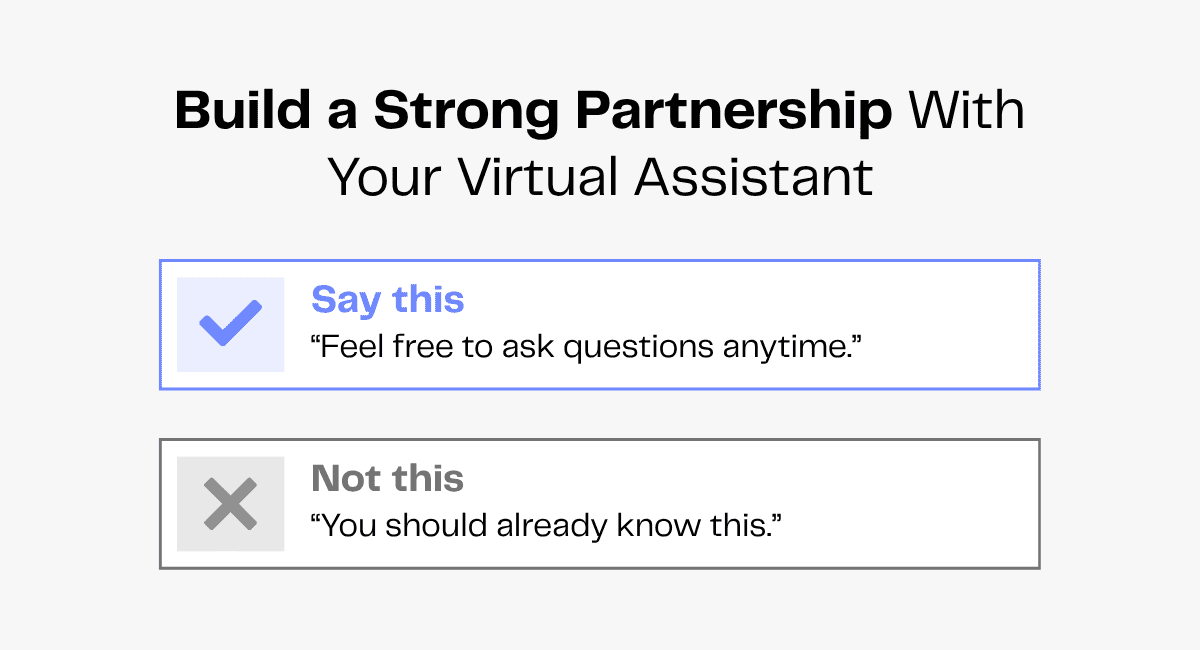
You can also enhance your virtual assistant’s engagement and performance by sharing feedback and adopting an empathetic and honest leadership style.
How To Boost Your Productivity With Virtual Assistants in 2026
To boost your virtual assistant’s productivity, you can start by learning how this role is changing in 2026.
Increased Reliance on AI Tools
Virtual assistants are expected to operate artificial intelligence tools to automate internal tasks and boost productivity. But AI can produce unreliable results. In fact, a survey found that 30% of professionals have experienced AI-related inaccuracies in their organizations.
Tech-savvy VAs can help you adapt to the fast-evolving AI landscape. VAs can use AI tools to fast-track routine tasks, saving time for more productive work. VAs can also proofread AI-generated data to ensure credibility.
Greater Emphasis on Versatility
Businesses now need virtual assistants to handle tasks beyond just calendar and email management. VAs are now expected to manage clients, create reports and handle social media tasks—all within tight deadlines.
You must look for VAs who can adapt, learn and support multiple business functions without hassle.
To find versatile VAs with niche skills, you can go for overseas virtual assistants! This gives you access to a wider talent pool with diverse skills, helping you stay agile, productive and ready for changing business demands.
FAQs
Can a virtual assistant help identify productivity bottlenecks in your work routine?
Yes! When handling your day-to-day operations, your VA can spot workflow delays like overloaded calendars, emails that consume hours, research tasks that eat into your day and so on. They’ll identify such patterns and streamline those tasks to remove bottlenecks.
How can virtual assistants help in prioritizing workload and reducing burnout?
When your to-do list grows, VAs take routine tasks off your plate and help prioritize what needs your attention first, making your workload much more manageable. That means less stress, lower risk of burnout and more time to focus on work that drives productivity.
How do virtual assistants leverage productivity tools and software to keep work on track?
From task management tools and documentation systems to time-tracking software and AI tools, your VA can seamlessly work with existing productivity tools to keep tasks organized, update project progress and keep deadlines on track.
Wrapping Up
The most productive businesses aren’t the busiest—they’re the ones that know what to delegate.
By handling administrative tasks like calendar management, email organization, data entry, customer support and content creation, a virtual assistant helps you create more time for strategic thinking, decision-making and business growth.
When you stay productive, you improve performance, avoid burnout and reach your goals faster.