Key Takeaways
Outsourcing image data entry for medical documents can reduce errors and ensure HIPAA compliance.
Virtual assistants can use fuzzy-matching techniques to delete duplicate entries and fix typos.
Imagine facing a pile of handwritten notes, from meeting minutes to client intake forms, invoices and receipts. You desperately need to transcribe these into digital files, but you’re barely getting time.
What if you just delegated it to someone else?
Outsourcing image data entry can help you save time and money while improving data quality and ensuring legal compliance.
How? Read more to learn about image data entry and how you can outsource this crucial business function effectively.
What Is Image Data Entry?
Image data entry involves extracting text and numbers from scanned images and entering them into spreadsheets or databases.
It also includes cleaning, organizing, formatting and verifying this data for accurate analysis and fast access.
This process uses optical character recognition (OCR) technology to read letters and digits in handwritten documents and digital images such as patient notes, sales invoices and legal contracts.
But handling image data entry tasks can be time-consuming, boring and exhausting.
Outsourcing to virtual assistants can help you avoid tedious data entry tasks while preserving data quality. You get to complete tasks faster, better and error-free.
Virtual assistants (VAs) are remote workers who can handle various tasks for your business.
Administrative VAs can manage routine tasks like scheduling and email management, while specialized VAs can handle IT support, customer service, digital marketing duties and more.
One of the biggest pros of hiring VAs is that they’re a lot more affordable than in-house employees.
Image Data Entry Tasks To Outsource to Virtual Assistants
You can outsource multiple image data entry tasks to virtual assistants. They can collect images and extract relevant data from these photos.
VAs can also organize, clean and standardize extracted data for improved accuracy and accessibility.
Here’s everything outsourced virtual assistants can do for you.
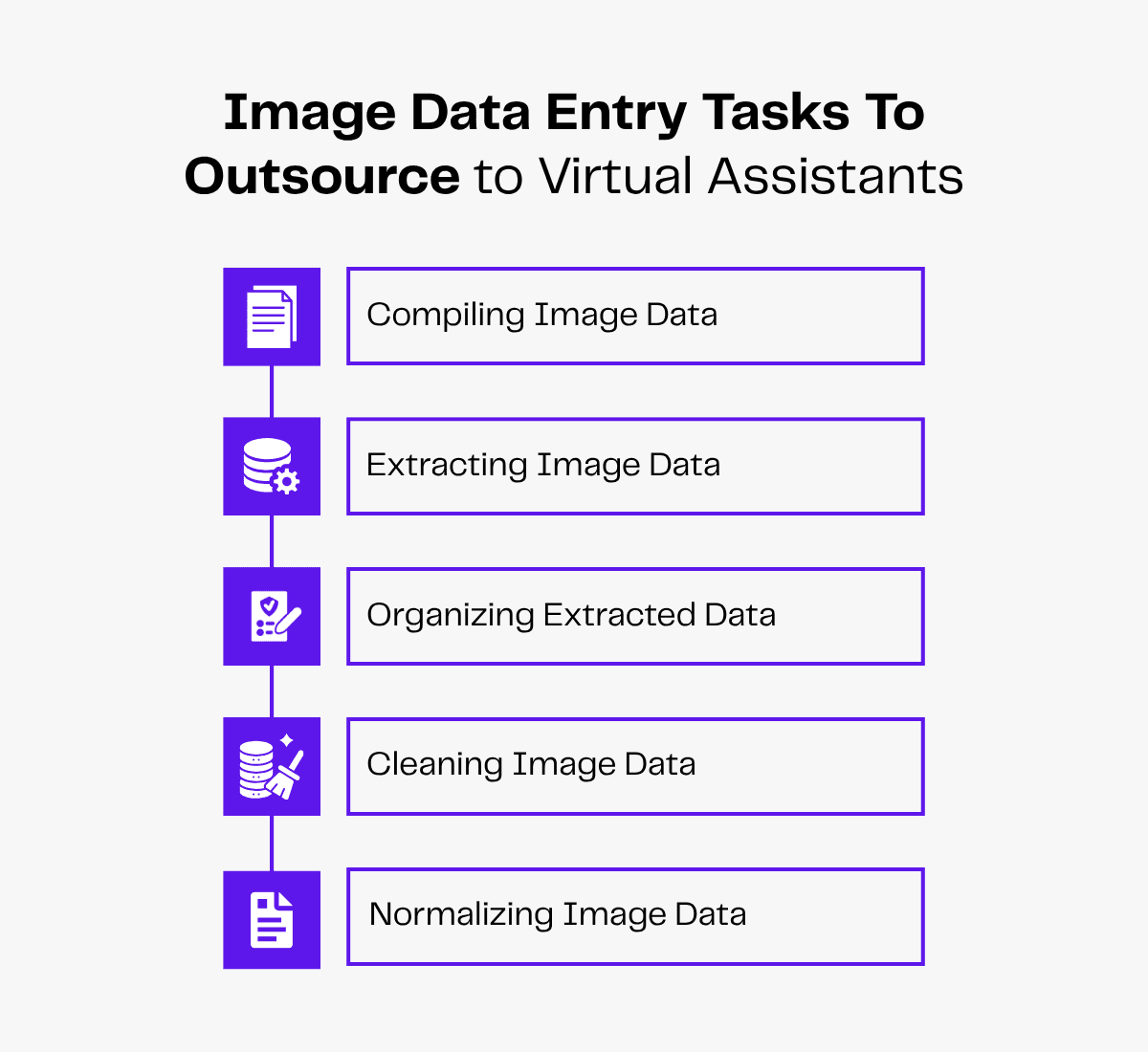
Compiling Image Data
Virtual assistants can download image files from emails, shared drives and client portals. They can also collect scanned images of invoices, photo IDs, handwritten notes and other relevant photos and physical documents.
They can store specific images in separate and structured folders, for example, “Invoices 2025” or “June” for easy retrieval.
What’s more, virtual assistants can flag blurry or low-resolution images for resubmission and upload high-quality images (PNG, JPEG, PDF, etc) to cloud platform storage for future reference. You can also get these files uploaded to remote servers using safe File Transfer Protocol methods.
They can also add date and time stamps to files, which helps locate source images for quick data verification.
Extracting Image Data
Virtual assistants can adjust language settings in OCR tools like Tesseract or Adobe Acrobat to suit different image types for extracting text and numbers from photos. They can also process big batches of images through OCR to quickly collect large volumes of image data.
Your VA can also transcribe handwritten documents, like therapy session notes, into digital format like Word documents while referring to the original image.
This digital document can help medical professionals maintain accurate patient records for HIPAA compliance.
Organizing Extracted Data
Virtual assistants can import and organize extracted data in pre-defined Excel or Google Sheets templates.
For instance, while organizing lead data, VAs can set separate columns for data categorization such as “Name,” “Contact Number” and “Inquiry Type” in client datasets to enable quick search.
Virtual assistants can also organize image data based on its type.
For example, while maintaining a sales dataset, they can create separate sheet tabs for “Financial” and “Product” data. This can help analyze product demands and calculate profit margins without errors.
Cleaning Image Data
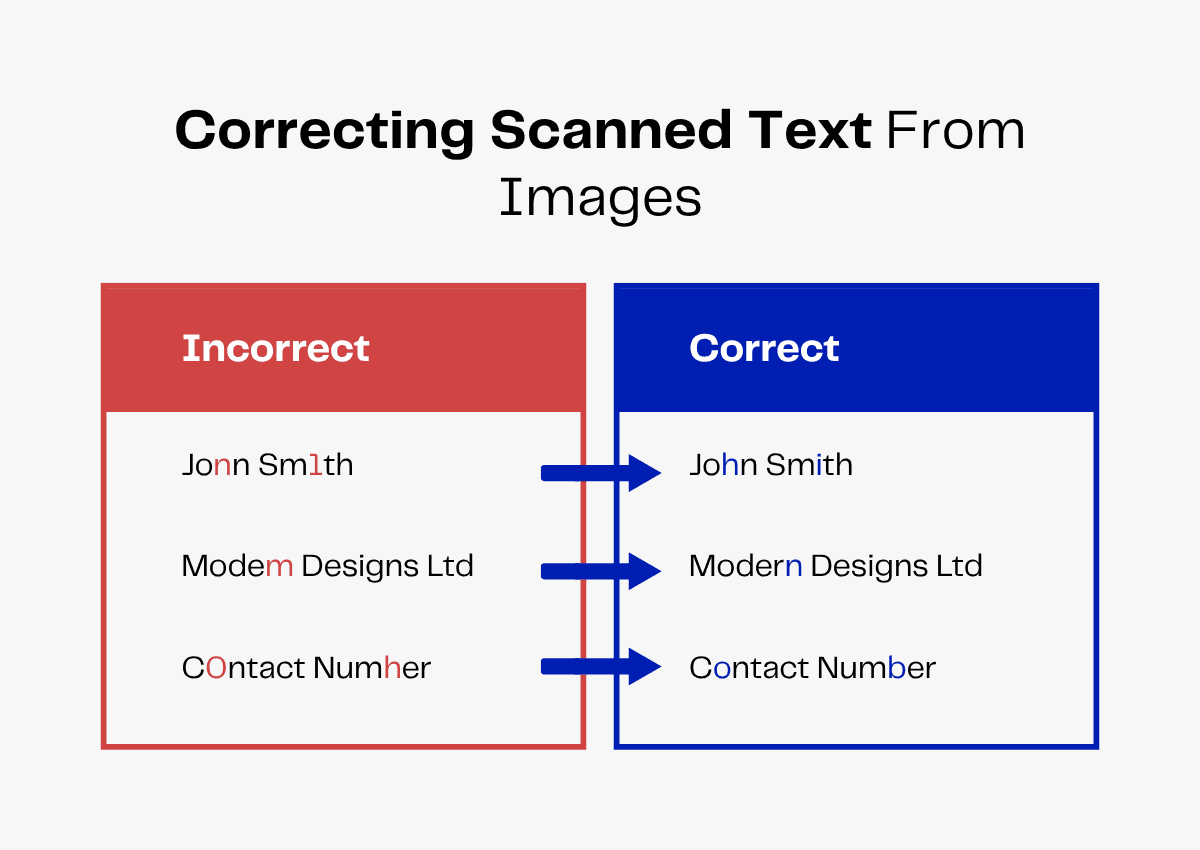
Virtual assistants can review AI or OCR outputs to correct misread and duplicated data. They can use spell-checks and basic fuzzy-matching techniques to identify and remove grammatical errors.
They can also correct numerical entries misinterpreted as text by OCR (‘S’ instead of ‘5’).
Your VA can also remove or merge duplicate entries.
For instance, while cleaning a client dataset, VAs can check for similar names, like “Jon,” “John” and “Jhon” and match them with respective “contact” data to merge or remove duplicates.
Normalizing Image Data
Virtual assistants can format different data types for uniform data presentation.
For instance, they can convert date formats (MM/DD/YYYY), currency (USD) and measurement units (meters to sq. feet) in property datasets to ensure consistency in listings.
VAs can also set formatting rules in datasets to ensure data entry follows a standard pattern.
In lead datasets, they can prefix the country code (+1) in phone number columns and set title case formatting for “Name” columns.
Types of Images Processed by Virtual Assistants for Data Entry
Outsourced virtual assistants can extract data from various types of images for specific business needs.
They can handle image data entry tasks for real estate businesses, healthcare professionals, legal counsellors and other industry professionals.
Here are industry-specific examples of photos processed by virtual assistants for image data entry.
Real Estate Data
Virtual assistants can extract property data (address, dimensions, value) from property descriptions and listing pictures on real estate websites like Zillow.
They can also organize this real estate image data to help you update property listings and file sale deeds.
If required, you can even train your VA to do geotagging for your property photos. They can also be trained to help with image resizing if required.
Here’s a table highlighting different real estate images and the data extracted from them.
| Types of Real Estate Images | Real Estate Data |
|---|---|
| Property facade photos | Property address, zoning code, listing ID |
| Floor plan blueprints | Lot dimensions, bed-bath counts, amenities |
| Lease agreements | Tenants’ details, lease period, rent amount |
| Mortgage records and applications | Lenders’ details, interest rate, due dates |
Medical Data Entry
Virtual assistants can extract data from medical records (patients’ details, prescribed treatment, insurance coverage) from images of intake forms, prescriptions and insurance cards.
They can also store this medical image data in electronic patient record (EPR) systems to ensure HIPAA compliance and process insurance claims.
Here are some examples of medical images and the data extracted from them.
| Types of Medical Images | Medical Data |
|---|---|
| Patient intake forms | Name, contact, medical history |
| Prescription photos | Medicine name, dosage and frequency |
| Lab reports | Test names, results and reference range |
| Insurance cards | Policy ID, coverage amount, payment due date |
Legal Data
Virtual assistants can collect legal data such as petition details, case number and court dates from scanned images of contracts and handwritten, legal documents.
They can also enter this legal image data into spreadsheets to simplify petition filings.
Here are some types of legal data they can extract.
| Types of Legal Images | Legal Data |
|---|---|
| Contracts and agreements | Client names, contract terms, dates |
| Handwritten legal notices | Case details, hearing dates, docket number |
| Exhibit evidence photos | Crime description, evidence items, timestamps |
| Signed affidavits | Affiants’ details, dates, notary stamps |
Financial Data
Virtual assistants can extract financial data like payment amount, account balance and tax rate from images of invoices, handwritten data, bank statements and tax forms.
They can also record this financial image data in spreadsheets to ensure timely tax payments and accurate expense calculations.
Here are some examples of financial image data VAs can extract for you.
| Types of Financial Images | Financial Data |
|---|---|
| Invoices and receipts | Vendor details, order amount, tariff % |
| Bank statements | Credit/deposit amount, dates, closing balance |
| Tax forms | Employer ID, income amount, tax rate |
| Purchase orders | Order number, item quantity and cost |
Read more: Should You Outsource Data Entry for E-Commerce?
Benefits of Outsourcing Image Data Entry Services
Outsourcing image data entry to virtual assistants has several benefits for your business.
While outsourcing reduces employment expenses and risks, VAs boost productivity and ensure quality control to help you scale your business.
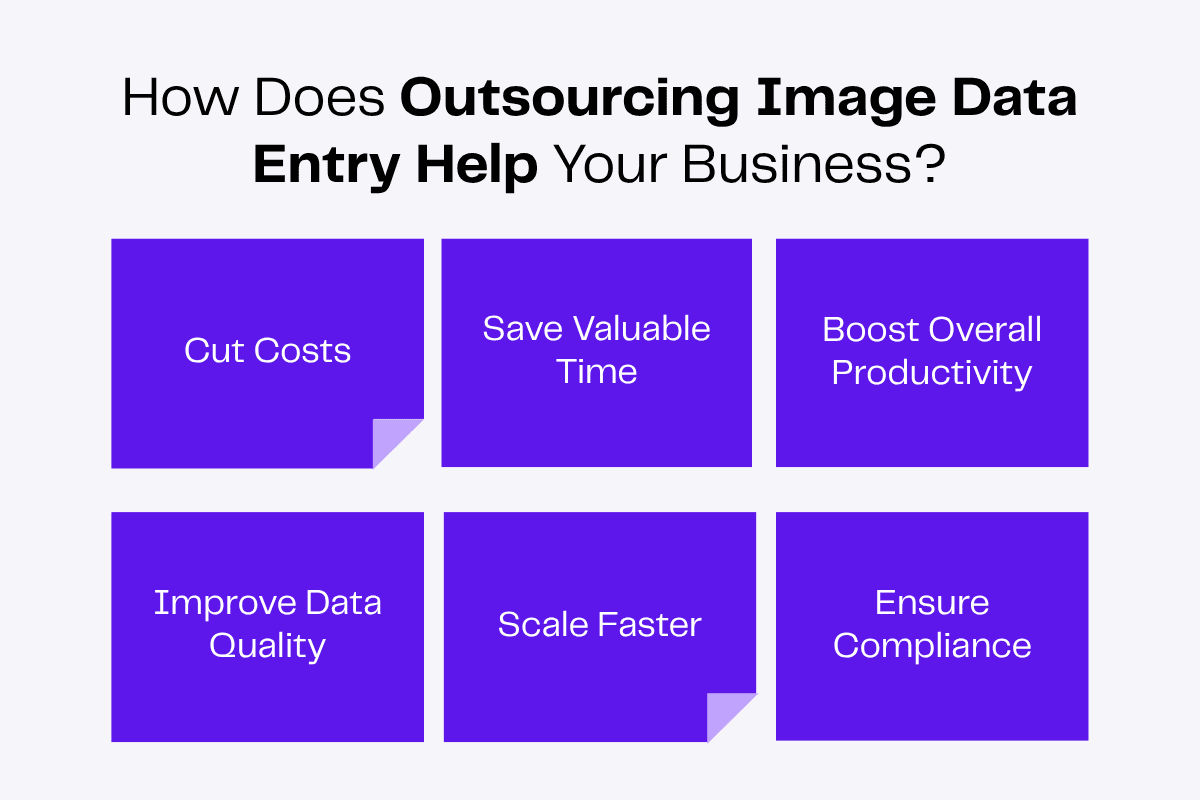
Reduce Expenses
Unlike in-house employees, virtual assistants don’t need office space, new equipment and employee benefits. This eliminates infrastructure and utility expenses from your budget and minimizes overhead costs.
Virtual assistant agencies like Zenius can help you find a good virtual assistant, so you can outsource image data entry within a budget.
These agencies also process your VAs’ payroll and file their taxes to save you more time and money.
Avoid Time Waste
Spending time on non-core functions like data entry wastes productive hours.
Image data entry involves downloading images, running OCR, cleaning extracted data and other tasks that don’t add value to your business.
However, they still must be done for legal and operational reasons.
Delegating these tasks and projects to internal employees can increase their workload and decrease productivity, so outsourcing is a better option.
Virtual assistants for image data entry can do image tagging, standardize extracted data and convert images to databases from Word/Excel to PDFs for easy navigation and fast data retrieval.
What’s more? Some companies also outsource data management.
Boost Productivity
Virtual assistants can process thousands of images in batches while adding data in CRM and EPR systems to accelerate workflows and boost productivity. Image, invoice data entry outsourcing and e-book data entry outsourcing can also help e-commerce businesses to maintain records of product catalogs.
They can also upload clean datasets to shared drives to reduce turnaround time and facilitate fast, productive work.
With VAs handling image data entry tasks, you and your in-house teams can focus on more valuable work.
You can build growth strategies and without extra workload, your core employees can brainstorm new ideas for a more innovative business.
Improve Data Quality
To improve image data quality, virtual assistants can:
- Organize extracted data based on type and purpose to ease navigation.
- Remove errors, merge duplicates and adjust outliers to clean data for accurate analysis.
- Structure different data types in a uniform format to ensure consistency.
- Apply uniform formatting rules and filters to reduce data entry discrepancies and maintain quality standards.
- Upload datasets to shared drives to quickly access files.
- Set access permissions in datasets to prevent data corruption and theft.
- Record changes and archive different versions of datasets for audits.
Scale With Specialized Talent
Data entry outsourcing lets you access the global talent pool for fast and niche recruitment.
You can hire specialized talents to offload various business functions, including image data entry. You can also find multilingual VAs to extract data from non-English images.
Based on your budget and requirements, you can build a virtual team at lower costs than a traditional team.
A virtual team can help save time, simplify daily operations and boost productivity. These benefits combined help increase the scalability of your business.
By outsourcing recruitment to a virtual assistant staffing agency, you can hire qualified virtual assistants quickly and start work sooner.
Comply With Legal Regulations
Many industries have specific laws and regulations for recordkeeping.
Images like patients’ prescriptions and order invoices contain sensitive personal and financial data. Such protected health information (PHI) must be stored in compliance with HIPAA guidelines.
Your VA can take care of this for you, preventing penalties for non-compliance.
How To Outsource Image Data Entry Services
Offshore outsourcing, i.e., partnering with an agency from another country, lets you delegate tasks to virtual assistants at an affordable cost.
You can outsource image data entry tasks to overseas virtual assistants.
Before contacting a VA agency, you must specify your requirements and budget. Here’s how you can do this.
Define Data Entry Requirements
Start by estimating how many images you need processed weekly or monthly. Then decide how quickly you want to receive extracted and cleaned data (e.g., 48 hours per image batch).
Finally, fix the tools your virtual assistant needs for image data entry.
Set a budget to hire a full-time data entry virtual assistant based on the required task volume and technical proficiency.
Combine this compensation detail with task and tool proficiency requirements to create an extensive job description.
Contact an Agency
Contact a reliable VA agency like Zenius to outsource image data entry to tech-savvy virtual assistants.
We search suitable candidates and test them on your technical requirements to fast-track recruitment.
You can even interview candidates yourself and conduct assessments to ensure cultural and professional alignment.
We also track attendance and process payroll for your VAs to reduce your stress!
Onboard Your Virtual Assistant
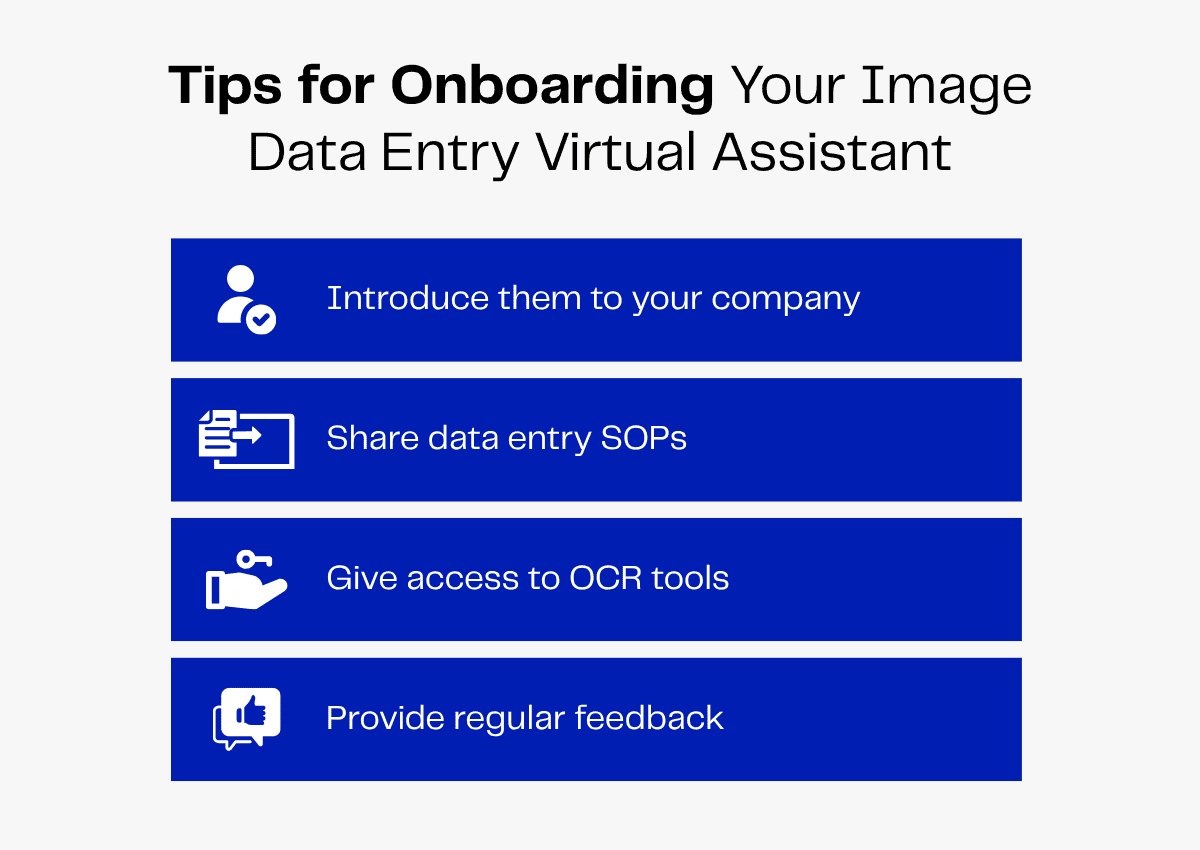
While onboarding your virtual assistant, let them know about your company policies and communication guidelines.
You can also introduce them to core team members to help them form professional relationships and settle quickly.
You must also inform your VA about data entry protocols, including folder structures, naming conventions and uploading instructions.
Additionally, give them access to OCR tools and CRM/EPR systems to update datasets and provide regular feedback to improve their performance.
How Is Image Data Entry Changing in 2026?
Technological advancements, mainly OCR and AI, have changed scanned image data entry processes.
Although these tools speed up data entry and help with automation, they have unavoidable limitations requiring human oversight for accuracy.
Here’s how outsourcing image data entry services can help tackle these challenges.
OCR Errors in Processing Handwritten Documents
OCR tools can extract texts and numbers from scanned documents, screenshots and camera photos to simplify image data entry processes.
However, OCR isn’t entirely accurate. OCR tools can misidentify handwriting, misread characters and can’t process low-resolution images.
Virtual assistants can manually verify OCR-extracted data to streamline image data collection and conversion without sacrificing quality.
Data Breaches Due to AI Usage
You can upload images to AI tools to extract data into tables and export them into spreadsheets to turn image to database.
AI models such as Gemini 3.1 Pro, GPT-5.4 and Nanonets OCR2+ are commonly used to parse image data.
But exporting these AI-generated tables can be time-consuming and complex.
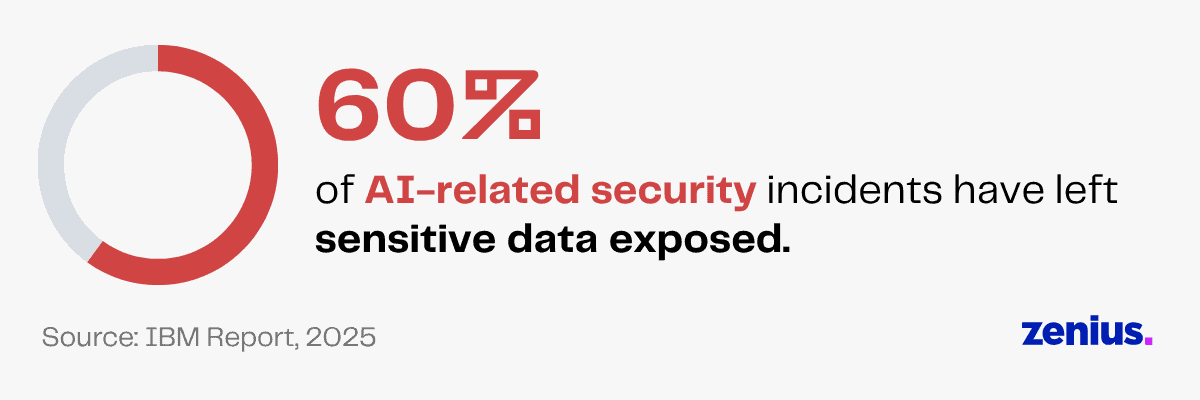
Processing data through machine learning AI agents and models can also lead to data breaches! As per an IBM report, 60% of security incidents involving AI result in compromised data.
Not all AI tools have strong data security measures in place. When you upload important documents, the data may be transmitted to external servers, making it vulnerable to unauthorized access.
Plus, AI models struggle with certain types of documents, such as handwritten documents, legal documents and long contracts. They often hallucinate and present non-existent information.
VAs can compare AI-extracted image data against data sources to ensure factual accuracy and add password protection to datasets for enhanced security.
Final Thoughts
Outsourcing image data entry helps you save time, cut costs and scale your business faster.
And if you offload this task to virtual assistants, the perks are even greater. They offer human oversight, proofreading AI-generated documents to improve data quality. They also meticulously transcribe handwritten notes that OCR tools can’t interpret.
Since hiring them is affordable, you can hire multiple VAs to process higher volumes of images without exhausting your budget.