Key Takeaways:
With a virtual whiteboard tool, you aren’t just working with a board & a dry-erase marker, but with graphics, sticky notes, diagrams, comments & other visual features.
Before investing in a whiteboard tool, you must look at some important factors like remote collaboration features, accessibility and pricing.
Whiteboards incorporate neuro-inclusive practices by eliminating the pressure of verbal responses and your employees can use different means to express their input!
Stop doing strategy planning sessions over a long, monotonous conference call.
Virtual whiteboard tools can help you brainstorm projects visually and collaborate in real-time during virtual meetings.
A virtual whiteboard is not just a tool—it’s your virtual team’s shared thinking space across locations and time zones. It lets you effectively connect with your virtual team, contribute ideas live through visual aids and curate a space for creative engagement.
Features like sticky notes, diagrams, charts, freehand drawings, images, comments, reactions and templates can enhance collaboration and make the process a lot more interesting, keeping everyone engaged!
What Is a Virtual Whiteboard Tool?
A virtual whiteboard replicates what a traditional whiteboard does. It provides expansive space where you can write, sketch and interact through your screen in a virtual setting.
You and your virtual team can access it using any device and internet connection. You can use it to plan projects, develop ideas and visualize concepts better.
Interestingly, digital whiteboards can be more resourceful than traditional whiteboards! When using virtual whiteboards:
- You get an infinitely expandable space to work in.
- You don’t need to wipe off the board time and again.
- You can save and share information quickly.
- You can track version history.
- You can access it from multiple devices.
- You can integrate them with other tools like presentation software or video conferencing tools.
With a virtual whiteboard tool, you aren’t just working with a board and a dry-erase marker. You can work with graphics, sticky notes, diagrams, comments and many other visual features.
So it’s time to leverage a top-class whiteboard tool to help your virtual team interact and collaborate from any part of the world!
Key Things To Evaluate Before Choosing a Virtual Whiteboard Tool
While virtual teams use many collaborative tools, whiteboard tools stand out for capturing ideas, mapping workflows and enabling visual collaboration.
But before investing in a whiteboard tool, you must look at some important factors like:
- Collaboration: Look for features that allow remote collaboration, such as guest collaboration, real-time multiple users, comments, reactions, voice or live chat, spotlight and timer.
- Accessibility: Integration with other common workplace platforms, importing files and documents, exporting, saving and sharing the whiteboard makes the tool accessible and easy to use.
- Pricing: Find a tool that fits your business’s budget and keep in mind the needs and the size of your team.
9 Virtual Whiteboards for Remote Teams
Here are the top 9 virtual whiteboard tools you can use to collaborate with your remote team.
Built-In Whiteboards
Canva
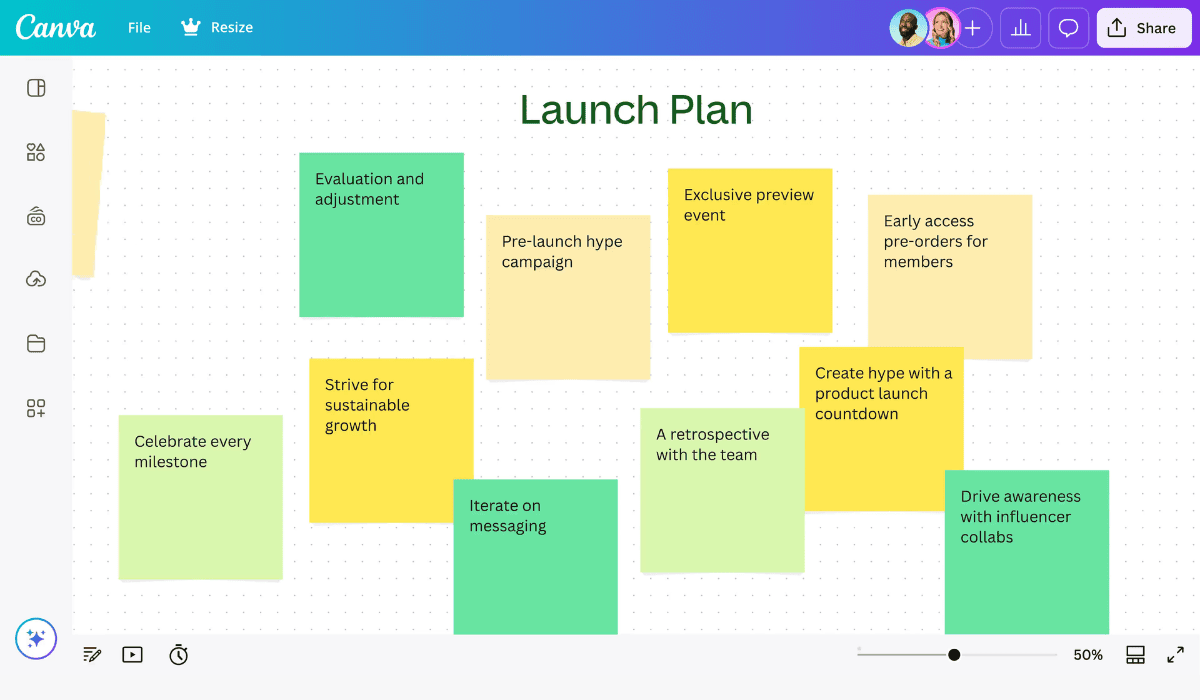
Canva, a well-known graphic design platform, introduced a whiteboard tool in 2022.
Canva is popular because of its accessibility, easy-to-use functionality and collaborative environment.
Most of the people you work with at the workplace may possess very basic knowledge of graphic design. Canva is a good creative space for them. With its convenient drag-and-drop interface, finding your way around it is easy.
Canva has graphics, sticky notes, shapes and symbols you search and choose from. You may import images and documents in different formats as well.
It offers multiple templates for brainstorming, roadmaps and planning structures which allow you to start working immediately. It also makes copy-pasting and adding external links to the whiteboard a piece of cake.
Several people can simultaneously work on the whiteboard, set a timer, leave responses on the whiteboard and reply to responses.
Zoom
Zoom is a video conferencing platform. It’s built-in whiteboard allows you to collaborate over a Zoom call.
During a meeting, you can go to the in-meeting controls, click on the ‘Whiteboards’ button, open a ‘New Whiteboard’ and start using it.
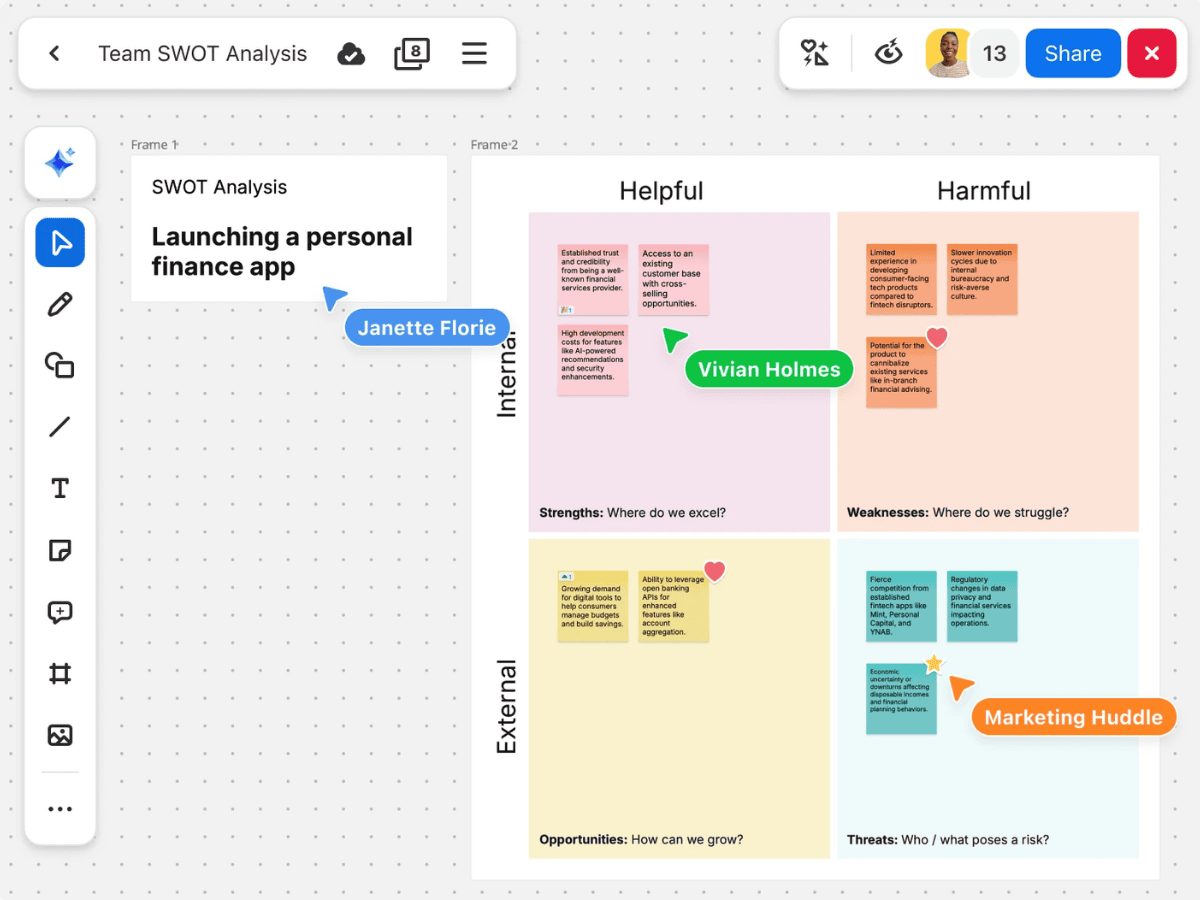
It has brush pens, text, sticky notes and image input options.
You can use the Whiteboard for design, research, mapping, diagraming, virtual icebreakers, team-building activities and more.
Whiteboard Plus has additional options like custom templates, organizational templates for agile and scrum techniques, more data storage and third-party integrations.
Zoom’s whiteboard is incredibly simple but useful. You can use it on different devices. It automatically saves your work and allows all the team members to access it anytime.
Sharing the whiteboard is easy. And your virtual team can work on it collectively or individually and leave feedback in the form of interactive comments.
Microsoft Teams
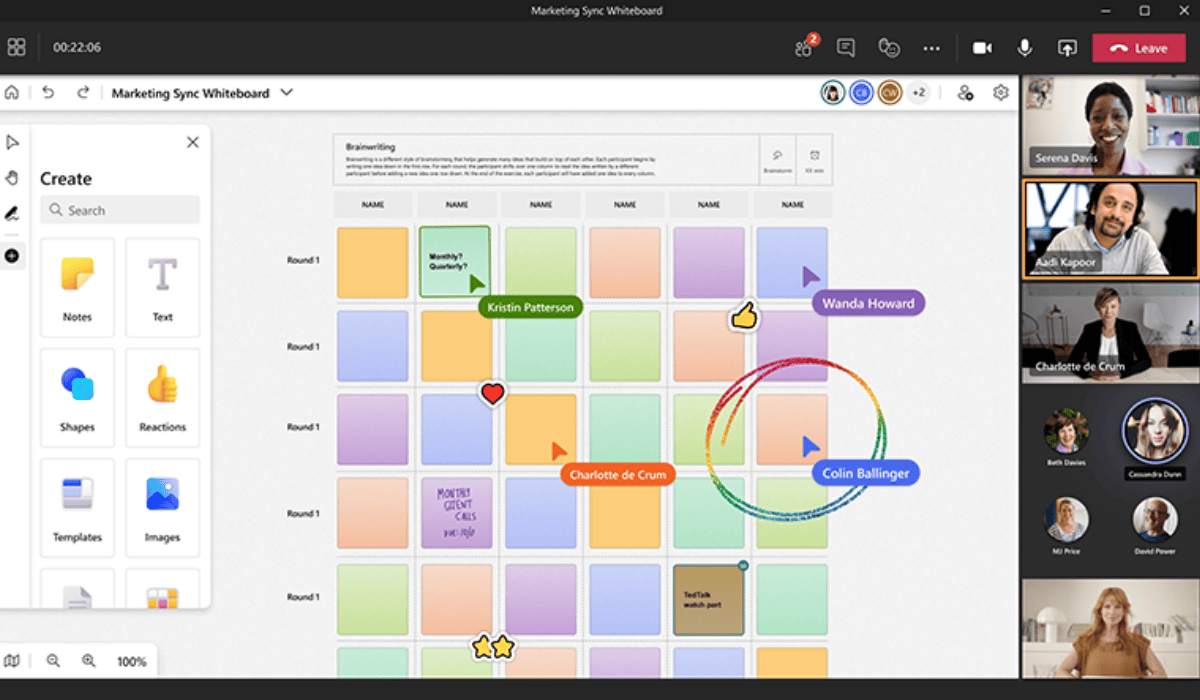
Microsoft Teams is a collaborative platform with several functions. Scheduling, video conferencing, messaging, sharing resources and storing files—you can do everything through this Microsoft app, including using a whiteboard.
The whiteboard feature is accessible through the browser, mobile and desktop apps.
Using features like text boxes, sticky notes, pens, shapes and templates makes working with it interactive and smooth. You can also import content through files, images, videos and external links.
The ‘Everyone Follow Me’ feature allows teammates to see what you are doing. You can also react and share comments with this interactive tool.
Collaboration Tools
Miro
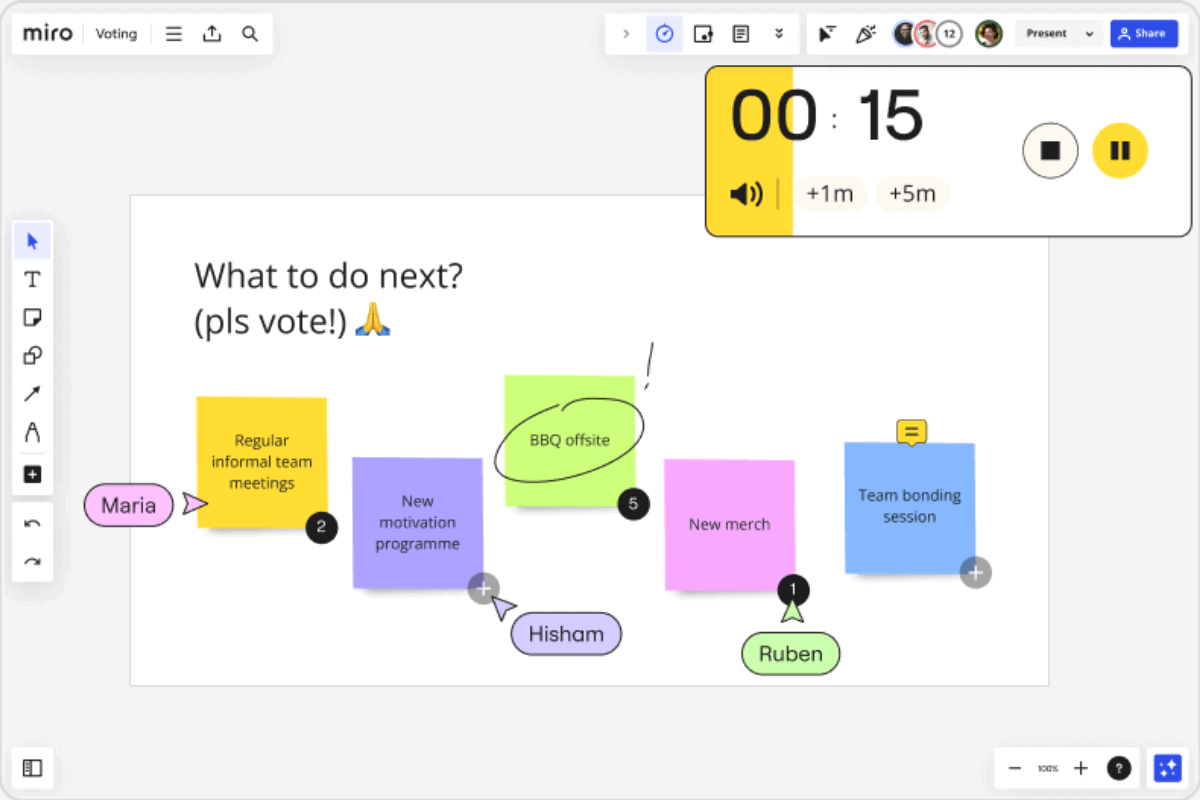
Miro is an innovative workspace that incorporates a whiteboard among other services. What makes Miro stand out is its AI-powered functionality that turns ideas into prototypes and briefs.
With 2000+ diagram shapes and 300+ templates, it can support activities like customer journey mapping, technical diagramming, wireframing, process mapping, roadmapping, cloud visualization and strategy planning.
You can also use Miro to manage your team’s performance. The visual space can be used to map monthly targets, OKRs, feedback, reviews and progress in one interactive dashboard.
The 160+ integrations allow you to import content and data from platforms like Google, Microsoft, Adobe, Slack and Asana, making it convenient to integrate with your existing workspace.
Mural
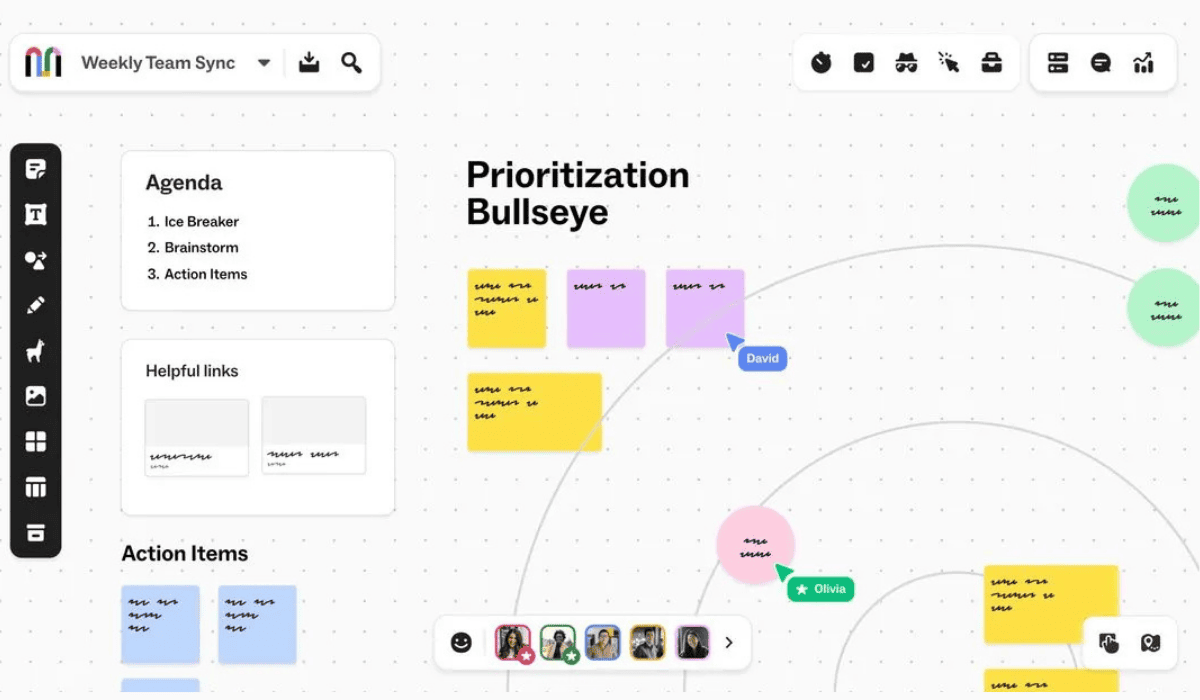
Mural is another collaboration tool that aims to increase productivity and smooth out the collaboration process.
The sticky notes and text features let you make the best use of the infinite, resizable canvas.
While using Mural, you can:
- Perform mapping and diagramming with the help of the symbols.
- Build hierarchies, maps and journeys.
- Import icons, GIFs and images from external sources with Noun Project, GIPHY and Unsplash integrations.
- Control access to the whiteboard using flexible permissions with the view-only, edit and facilitator settings options.
- Share your whiteboard easily.
FigJam
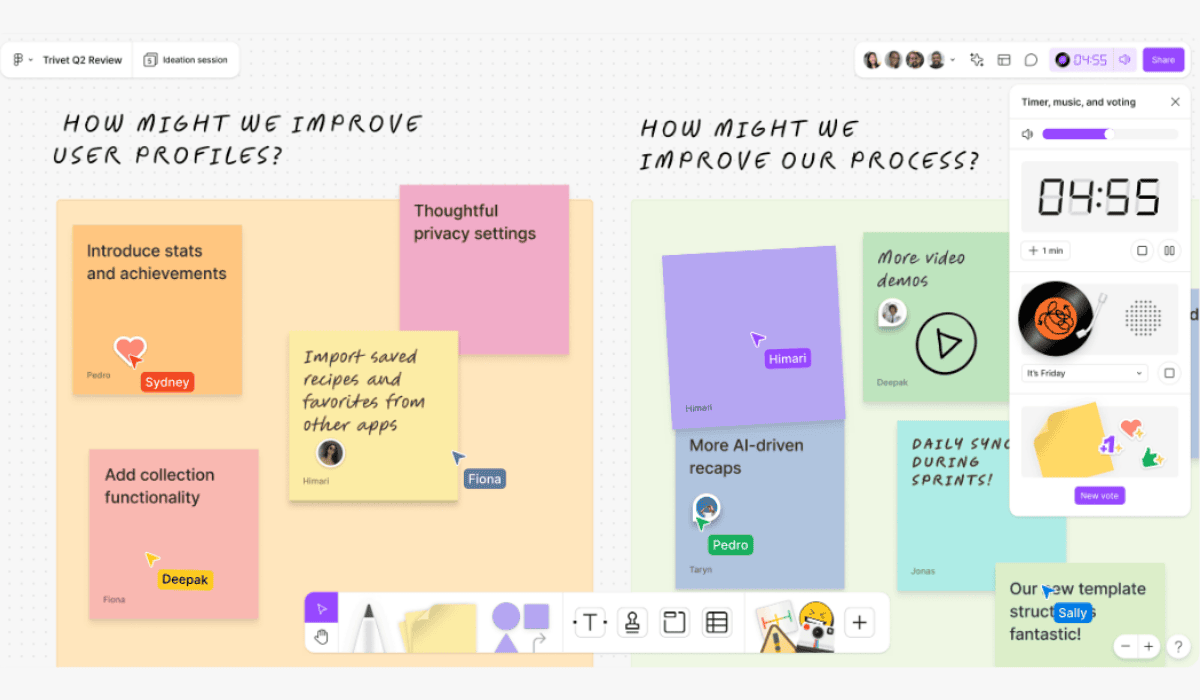
Figma’s FigJam is an online collaboration tool for high-performance virtual teams with a large range of options and top-tier functionality.
With FigJam, you can:
- Work simultaneously with your virtual team.
- Collaborate with teammates with the help of stickers and comments.
- Invite people from other teams and companies to your whiteboard for 24 hours without any login.
The timer and Spotlight mode in FigJam help maintain focus. The music, voting, live audio or text chat and bitmoji avatar features effectively increase engagement.
The Jambot can be used to brainstorm ideas or build on suggested ideas. FigJam’s AI can also summarize the content and sort sticky notes according to what is needed.
Over 300 templates and integrations with project management software like Asana, Jira and GitHub make the platform accessible. You can add additional widgets and plugins to improve its functionality.
Whimsical
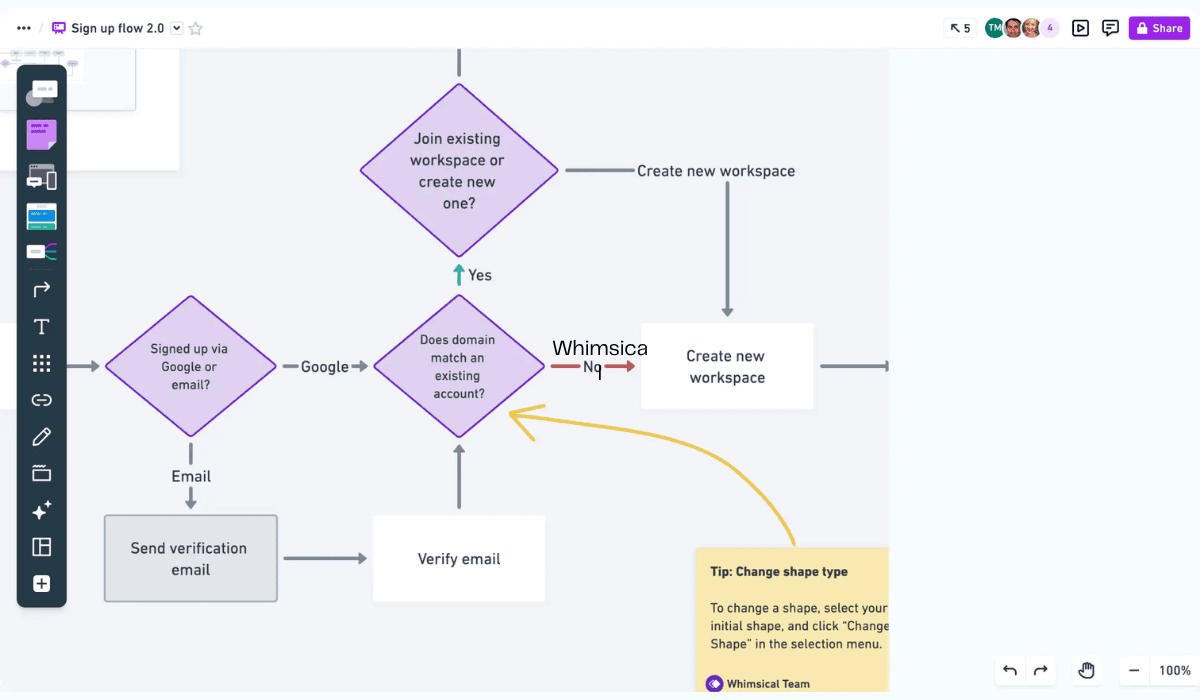
Whimsical uses creative means to improve engagement using its whiteboard tool.
With boards, the platform can help employees curate mind maps, flowcharts, wireframes and strategies. You can also conduct collaborative workshops or interactive planning sessions.
Your virtual team can use interesting features like sticky note reminders, voting and focus timers.
It also provides the option to write PRDs (Product Requirements Documents) and embed boards into docs to share context and use this information in the future. Integration with project management tools and conversation apps removes the need to shift your content.
You can access additional features like more custom templates, longer version history or advanced export options with the Pro, Business and Enterprise plans.
Stormboard
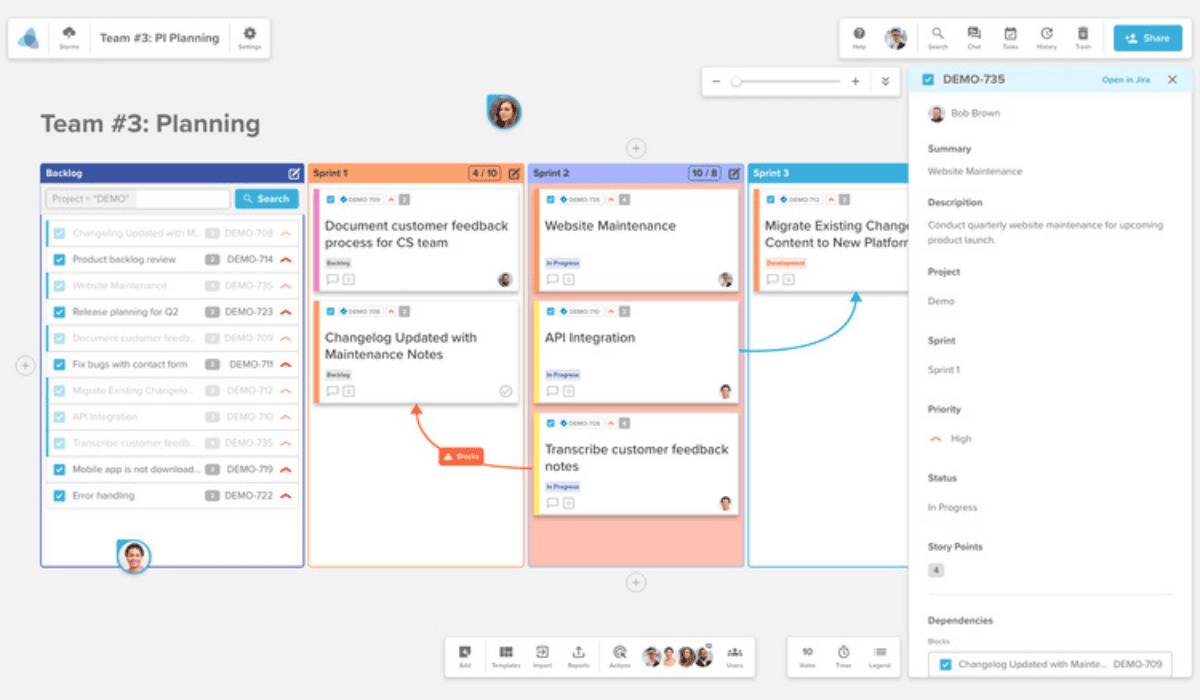
Stormboard is a data-first collaboration and digital whiteboard tool.
It allows users to input content using text, file, image, pen brush sketches, videos and sticky notes. It has over 250 templates to make visually appealing and organized ideas and plans. You can add sections, use large storage spaces and resize templates.
With Stormboard, you can:
- Use the ‘Spotlight’ option to focus and follow a member who is presenting or explaining, eliminating distractions.
- Use the ‘Folders’ in Stormboard to organize the whiteboards into groups on your dashboard according to what you want.
- Use an activity panel that lets you monitor activity across all the whiteboards to keep track of the changes being made.
- Use the built-in timer to manage time.
Your virtual team can use the tool anywhere and anytime through their tablet and mobile apps. They’ll be able to export content in any form, be it documents, images or spreadsheets.
The access to make users Storm Administrators, Contributors or Viewers will help you regulate control.
A unique option that Stormboard incorporates is the flexible licensing model. This model frees any inactive user licenses and lets new users access the inactive ones.
Lucidspark
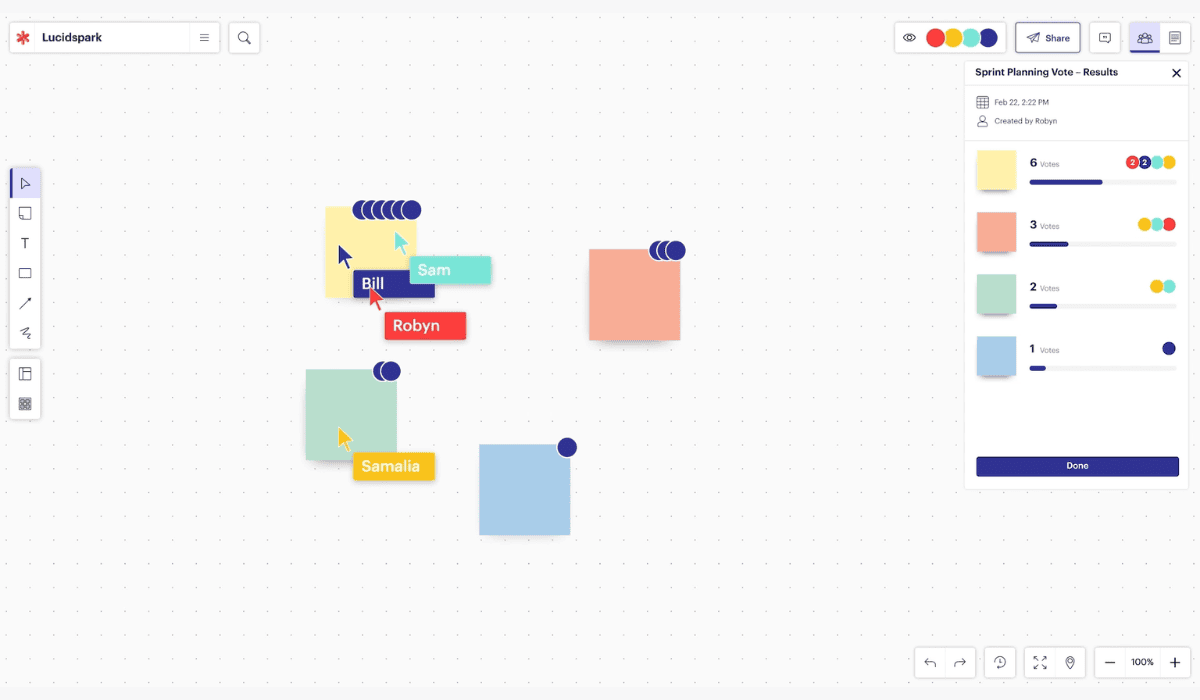
Lucidspark is Lucid’s virtual whiteboard. It aims to facilitate real-time collaboration and creative visualizations for better clarity, ideation and documentation in remote settings.
It uses AI that lets users build their own diagramming tools and process information.
Lucidspark’s features include:
- Templates, flowcharts, UML, data import, layers and conditional formatting options that make designing easier for the team.
- Lucid Cards with customizable shapes, frames and paths, dynamic tables and a universal canvas.
- The laser pointer, presentation mode, voting sessions and polls to improve engagement and presentation of the whiteboard.
You may comment, chat and react to the work of other users. You can embed links, allow guest collaborators and control access.
It can integrate with Slack, Microsoft 365, Jira, Confluence, Google Workspace, Notion and Asana.
| Whiteboard Tool | Collaboration | Accessibility | Pricing (per person) |
|---|---|---|---|
| Canva | – Real-time multiple users – Commenting – Timer | – Link sharing – Importing images & documents – Saving in different formats | – Basic: Free – Pro: $12.99/month or $119.99/year – Teams: $14.99/month/user or $149.90/year/user (up to 5 people) |
| Zoom | – Real-time multiple users – Video conferencing – Commenting | – Third-party integrations – Importing images – Multiple devices – Easy sharing | – Basic: Free – Pro: $13.33/month (annual billing)16.99/month (monthly billing) – Business: $18.33/month (annual billing) or $21.99/month (monthly billing) |
| Microsoft Teams | – Real-time multiple users – Video conferencing – Commenting – Spotlight | – Importing images, documents & from external links – Multiple devices – Easy sharing | – Basic: Free – Essentials: $4 user/month |
| Miro | – Real-time multiple users – Live chat – Video conferencing – Commenting – Timer | – 160+ integrations – Importing images, documents – Easy sharing | – Basic: Free – Starter: $8/user/month – Business: $20/user/month |
| Mural | – Real-time multiple users – Live chat – Commenting | – Importing icons, GIFs & images – Flexible permissions – Easy sharing | – Basic: Free – Team+: $9.99/month – Business: $17.99/month |
| FigJam | – Real-time multiple users – Live chat – Commenting, voting & music – Guest collaborators – Timer – Spotlight | – Integrations with project management software – Widgets & plugins – Easy sharing | – Starter: Free – Professional: starts at $3/month – Organization: starts at $5/month – Enterprise: starts at $5/month |
| Whimsical | – Real-time multiple users – Live chat – Commenting, voting – Timer | – Integrations with project management software – Notes, PRDs & embed boards into docs – Easy sharing | – Basic: Free – Pro: $12/month (billed monthly)10/month (billed annually) – Business: $24/month (billed monthly)$20/month (billed annually) |
| Stormboard | – Real-time multiple users – Live chat – Commenting – Timer – Spotlight | – Importing images & documents – Exporting in different formats – Multiple devices – Activity tracking – Flexible permissions – Easy sharing | – Personal: Free – Business: $10/month – Enterprise: Custom Price |
| Lucidspark | – Real-time multiple users – Guest collaborators – Live chat – Commenting, voting | – Integration with project management tools – Flexible permissions – Embedded links – Easy sharing | – Basic: Free – Individual: $9/month – Team: $10/month |
Use Cases for Virtual Whiteboard in Teams
The newfound need for dynamic and interactive virtual team communication has interested many companies in using whiteboard tools.
Whether it’s simply brainstorming ideas or mapping extensive strategies, virtual whiteboards will help your team stay aligned.
Here are a few cases where a whiteboard can be useful for your virtual workspace.
Brainstorming and Ideation
Brainstorming sessions are the start of well-formulated ideas, outlines and solutions. Different perspectives and collective participation give way to spontaneous feedback and creativity.
Unlike in-office teams, global virtual teams cannot participate as spontaneously due to a lack of face-to-face interaction. One of the tips to improve communication among virtual team members is to opt for innovative solutions like a virtual whiteboard.
Brainstorming ideas visually will help your team express and understand better. Using graphics, annotations, sticky notes and diagrams, your team will be able to expand ideas to outlines and further develop a workflow.
All team members will be able to share feedback by reacting with emojis and leaving comments in real time, speeding up the process.
Strategy Planning
Strategy planning transforms basic outlines into full-fledged, mapped-out plans.
Your team will consider company goals, project objectives, ideas and then organize them. They’ll find the right direction and progressively build objective tasks to facilitate the project’s vision.
Visual boards help you see goals more clearly. So why not use a whiteboard to plan strategies?
Digital whiteboard platforms will:
- Provide a dynamic space for organizing information and giving it shape and direction.
- Make holding discussions easier because your virtual team will have everything laid out in front of them.
- Help your team structure their conversation and come to comprehensive conclusions.
- Help your team address problems faster due to clear visualization.
Using the whiteboard tool’s version history feature, your team will also end up recording the planning process, helping them with future access and formal documentation.
Road Mapping
Road mapping is a part of strategic planning that provides it with a structure. Through roadmapping, objective tasks are ordered in a timeline.
This allows your team to get a bird’s-eye view of the project. They can figure out the logical order of the tasks and timeline for the project.
The visual representation will help your virtual team to address task overlaps, bottlenecks, unfeasible time periods or errors as they come. The team will also be able to identify priorities and critical parts of the project.
Overall, the visual aspect, dynamic elements and collaborative environment will facilitate attention to detail and clarity.
Virtual Team-Building Activities
When you onboard your remote team members, they may initially feel distant and disconnected. Since they won’t interact in a physical office, they may feel awkward communicating.
This is why team building is important to break communication barriers and build trust in your virtual team.
You can use whiteboard tools to conduct team-building activities like Virtual Pictionary and break the ice!
Advantages of Using a Virtual Team Whiteboard
Managing remote teams is not an easy task. Whether it’s communication barriers or time zone differences, virtual teams come with their own set of challenges.
Read More: How To Manage Conflict in Virtual Teams for Seamless Collaboration
But a virtual whiteboard for remote teams will help you connect with your virtual employees better.
Whiteboards lay a framework for smooth functioning and cohesive meetings. They can improve the quality of the discussions, output and overall workflow.
Here are the key benefits of using a virtual whiteboard for team meetings.
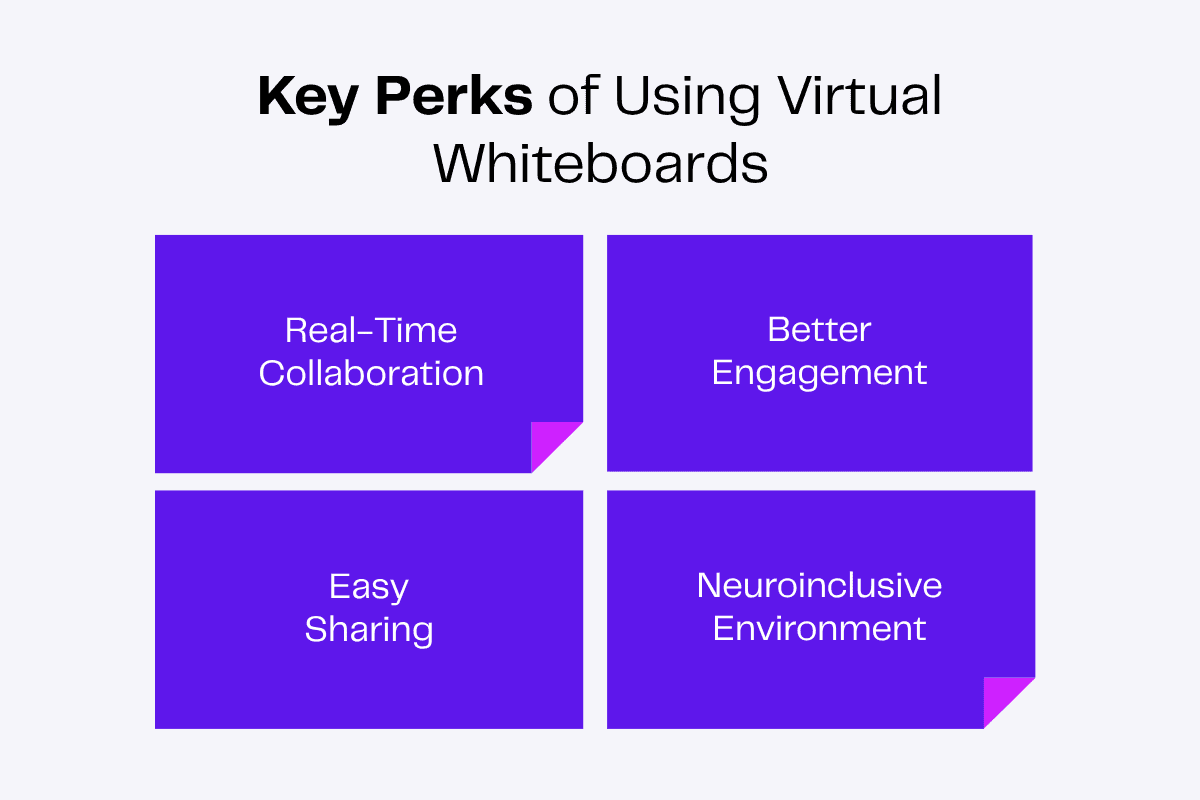
Real-Time Collaboration
Discussions over video conferencing can quickly get messy if not coordinated properly. Team members may speak over one another, forget their points and have a difficult time following the structure of the meeting.
With a virtual whiteboard, all team members can simultaneously jot down their ideas, add notes and share feedback in real-time, facilitating collaboration.
And if an idea strikes, your team member won’t have to wait for the next meeting. They could instantly add it to the whiteboard at any time!
Better Engagement
Whiteboards have many options like colorful pens, shapes, diagrams, sticky notes and emoji reactions that spark creativity.
The dynamic canvas and interactive comment options help your team members actively participate in brainstorming and strategy planning sessions.
They’ll stay more focused and engaged, getting you faster results!
Easy Sharing
Say goodbye to scattered notes and complex file transfers!
A shared team board will create a centralized base for everyone to go back to the information they need.
The ideas, plans and roadmaps you make on a virtual whiteboard can be easily shared, downloaded and exported in different formats.
Your team would also always have access to the drafts of ideas from brainstorming sessions, strategies and timelines from roadmapping. This will help document all their discussions.
Neuroinclusive Environment
Long virtual meetings require maintaining eye contact, making note of social cues and working through the screen for long periods.
Virtual settings can often cause sensory overload, distractions and stress, especially for people who are susceptible to sensory processing issues and anxiety.
The goal of true inclusion is to stop making people conform every day. If you are constantly filled with anxiety just reading social cues, that chronic mental effort drains your battery fast and you are not giving your best.
David Ko, CEO and Board Member of the mental health company, Calm
So, how do leaders intentionally create this environment of empathy and acceptance?
First, we need to stop designing workspaces and processes that actively punish neurodivergence.
Prioritizing psychological safety is a key practice when leading virtual teams.
Whiteboards offer a solution by providing a space to incorporate neuro-inclusive practices. It gives individuals of all sensory profiles adequate time and space to work comfortably.
It also eliminates the pressure of verbal responses, as your employees can use different means to express their input!
Read More: 11 Top Advantages of Virtual Teams for Your Business
Wrapping Up
Whiteboard tools make remote collaboration effective and productive. With sketching, graphic options and wireframing options, several templates and third-party integrations, working together becomes interesting.
A digital whiteboard can improve engagement, make sharing of ideas fruitful and create an inclusive environment.