Key Takeaways:
4 in 5 business leaders are worried about effective communication with remote or hybrid work models, which is why robust communication tools are essential.
The global project management software market size is projected to reach USD 20.47 billion by 2030.
The rise of remote & hybrid work models is projected to drive the employee monitoring tool market at a CAGR of 15.5%.
Changing times call for a shift in our working approach. Many modern workspaces are building virtual teams to increase productivity while saving costs. Such remote teams offer quality work and access to global talent so you can scale your business easily.
Connecting with your employees virtually may seem difficult, but technology has made smoother collaboration possible.
With high-quality tools and software, your virtual team can easily connect online and handle all their tasks efficiently. On top of that, if you follow some useful tips to manage your virtual team, they’ll engage better with each other.
So no more waiting—hire a virtual team, set up the best collaboration tools and create an unmatched remote work culture!
Why Improve Collaboration in Virtual Teams?
A virtual team consists of remote professionals collaborating in a group to support your business. They may work on the same project or a set of similar tasks and strategize collectively.
Instead of working in-person, a virtual team uses digital technology to conduct meetings, communicate ideas and share their work progress. They can work on tasks like product development, content creation, web development and many such roles.
A group of people who work together may have different working styles and paces. In the case of virtual teams, the members have to bridge the gap between working remotely and delivering the best results.
So your virtual teams must work towards improving collaboration. Here’s how strong collaboration helps your virtual team and you.

Better Communication
With excellent communication tools, your virtual team can improve communication. If the communication is transparent, there will be fewer errors and conflicts.
When each team member has clarity on their tasks, the work process will flow more smoothly and result in faster problem-solving.
Suppose your virtual team is working on the same project, but does not collaborate often to discuss ideas or progress. In that case, it will result in misunderstandings, mistakes and delays in project completion.
On the other hand, if they regularly brainstorm ideas, check in on developments and review their work, they’ll give faster and better results. If a problem arises, they can discuss their perspectives and reach a common conclusion.
So if you encourage collaboration, your virtual team members will communicate better and deliver better than your expectations!
Higher Productivity
If there is minimal to no collaboration between people working on the same tasks, they may feel out of place and not engage with their tasks, resulting in a lack of productivity.
But with better collaboration efforts, they’ll feel driven to complete tasks and meet deadlines.
This will help them hit their daily checklist of tasks faster. As they pool in their diverse knowledge and skill sets, they’ll make better decisions. This will increase their morale and confidence, positively impacting their productivity.
With an efficient virtual team, you won’t have to worry about low performance.
Stronger Team Relationships
Poor working relationships will negatively impact your virtual team’s work performance. But if they have a spirit of teamwork, they’ll engage more with their tasks.
If your virtual team collaborates frequently, they’ll develop mutual trust and rely on each other to support during crunch times. Each team member will take accountability for the tasks and give their best.
With strong team relationships, your virtual team will work in a positive and healthy work environment. They’ll build connections with each other and develop a strong company culture. They’ll also have high job satisfaction which will ultimately produce better work results.
If your virtual team can collaborate better and build a healthy team dynamic, it is good news for both them and your business!
Higher Employee Engagement
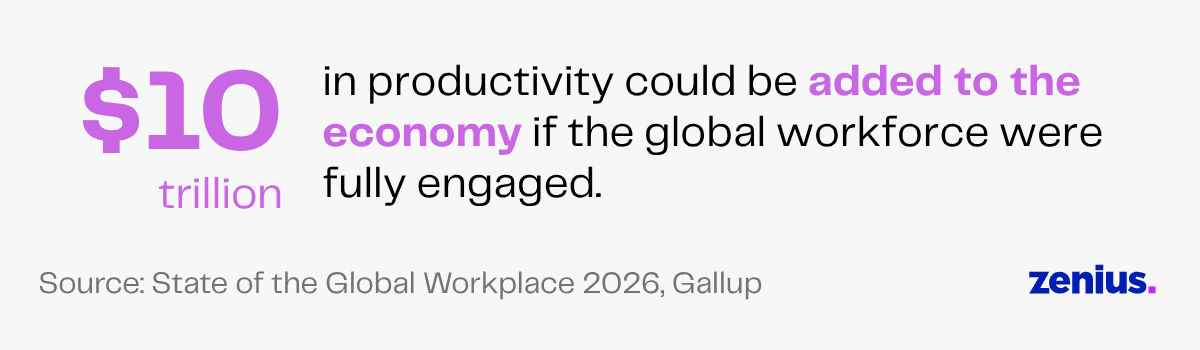
Engaged employees are the best thing to happen to your business. In fact, a Gallup survey reports that $10 trillion in productivity could be added to the economy if the global workforce were fully engaged!
If there is no collaboration between the members of a virtual team, each individual may feel distant. They’ll feel discouraged in an uncooperative environment and feel unmotivated to contribute their fullest.
Low employee engagement can lead to frequent absenteeism and a high turnover rate, particularly risky for startups or small businesses. You don’t want your virtual team members to feel passive toward their work.
On the other hand, when there is a strong collaboration between everyone, each team member will feel included. This will boost their productivity and improve the quality of their work.
They will actively participate in giving their best on the tasks and contribute to creating innovative ideas.
Better Work-Life Balance
When your virtual team collaborates efficiently, there are minimal hiccups on the way. With defined roles and responsibilities, there is no confusion about what each team member has to work on.
The virtual team shares the workload effectively and supports each other to ensure they complete tasks on time and with perfection. Such smooth collaboration reduces the chances of overtime.
Without planned collaboration, the roles will not be divided equally, leading to an imbalance within the team. But when collaboration is planned effectively, your virtual team will share their workload adequately, reducing stress on some members and helping each achieve a healthy work-life balance.
Read More: The Art of Leading Virtual Teams
The Best Collaboration Tools for Virtual Teams
Collaboration is a key part of making your business successful. If your employees don’t work well together, it’s difficult for your business to go far.
Team collaboration may seem even more complicated in virtual spaces. But there are multiple innovative tools your virtual team can use to improve communication, manage group tasks and streamline collaboration.
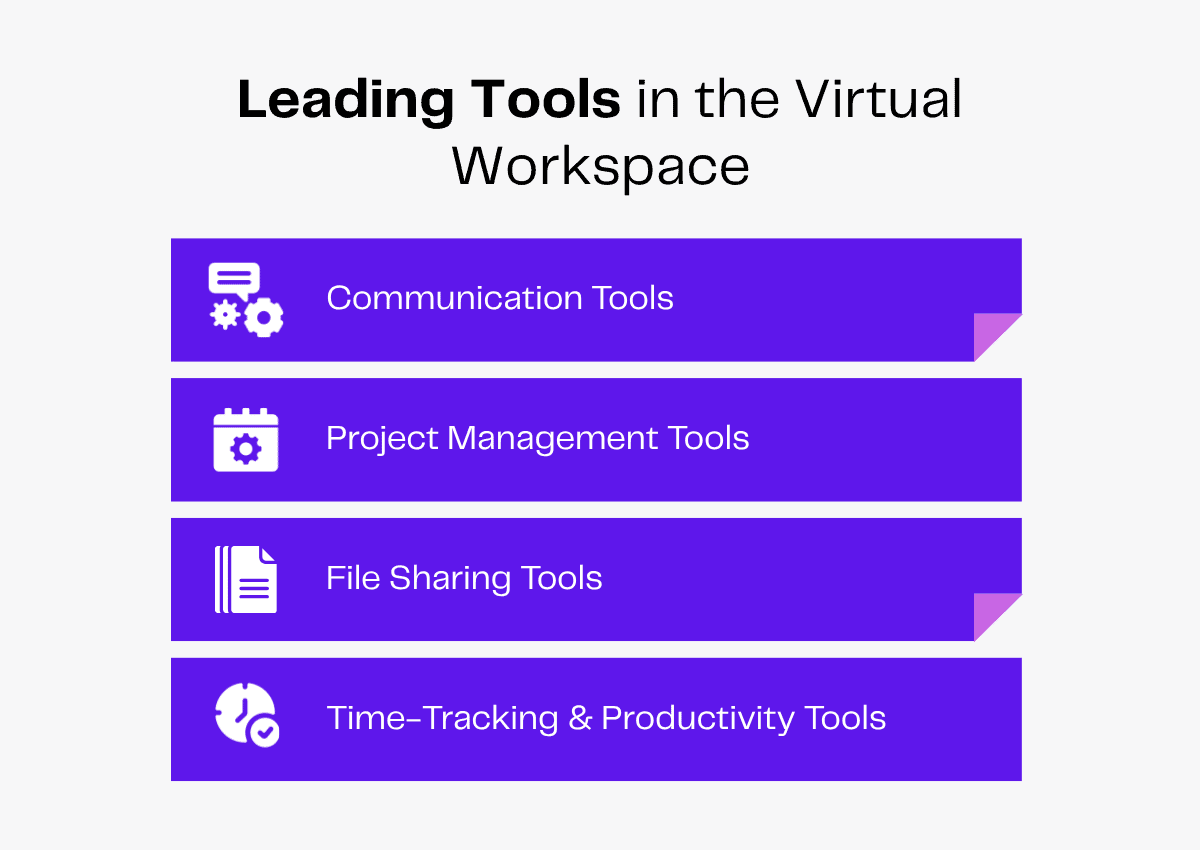
Here are some essential tools for virtual teams to help them stay connected!
Communication Tools
It’s important to have strong communication in a workspace. Regular communication will help prevent misunderstandings and improve workplace relationships, especially in a virtual setup.
For your virtual team, which does not always meet face-to-face, both real-time and asynchronous communication are essential.
Here are some communication tools your remote team can use to collaborate better.
1. Zoom
2. Microsoft Teams
3. Google Meet
4. Slack
Zoom
Zoom is a commonly used video conferencing platform, released in 2012, that your virtual team can use to communicate online. With its wide range of features, your virtual team can collaborate on tasks in real-time.
The basic version is free to use. If you are looking for advanced features like Cloud Storage, you can opt for the Pro plan at $16.99/month per user and the Business plan at $21.99/month per user.
Zoom’s default free plan setting allows you to host 100 participants. You can opt for a paid plan and extend the limit to 1000. Zoom’s security measures will help your team access password-protected meetings and prevent unauthorized visitors.
Your virtual team can use the Zoom software to:
- Schedule meetings beforehand and share the links.
- Hold high-quality audio and video meetings.
- Communicate during the meetings using live chats.
- Use emoji reactions for immediate feedback without interrupting the speaker.
- Share the screen to present their work to each other.
- Use the virtual whiteboard for brainstorming sessions.
- Use the ‘breakout rooms’ feature to divide into smaller groups for brainstorming sessions.
- Record meetings to share with unavailable team members or for future reference.
Microsoft Teams
Released in 2017, Microsoft Teams is a Microsoft 365 app and a collaborative platform for an all-in-one remote working experience.
Your virtual team won’t have to use different communication channels for chats, calls and messages. It supports online messaging, calling, video meetings and file sharing so your virtual team can communicate seamlessly.
Microsoft Teams offers a free version with basic collaboration tools. But you can also upgrade your app for high-end features like more cloud storage and other add-ons. You can choose among the Microsoft Teams Essentials ($4 user/month), the Microsoft 365 Business Basic ($6 user/month) and the Microsoft 365 Business Standard ($12.50 user/month).
With Microsoft Teams, your virtual team can:
- Make one-on-one or group audio calls.
- Host virtual meetings for up to 100 participants with the free version.
- Share screens and presentations during meetings.
- Create different channels for different departments or projects.
- Use the built-in chat function to communicate in group or private channels.
- Use threaded conversations to maintain the flow.
- Upload and edit shared files.
- Use slash commands for specific actions and save time.
- Integrate with Microsoft 365 apps like Word, Excel, PowerPoint and more.
- Integrate with other apps like Trello, Asana, Slack and more.
Google Meet
Google Meet is a video conferencing platform, released by Google in 2017, that allows simple and secure online collaboration.
There’s no need to download any additional software or application. Your virtual team can create a meeting link directly through the web browser and join the call through Gmail or Google Calendar.
The basic platform is free with features such as up to 100 participants and a 60-minute meeting time limit for a group call. If your virtual team wants to exceed their call, they can create another meeting link.
To access features such as longer meeting hours, more participants or breakout rooms, you can go for paid plans starting at $6.
All Google Meet calls are encrypted to maintain privacy.
Your virtual team can use Google Meet to:
- Join video meetings with a single click.
- Use live chat to communicate.
- Raise hands and react using emojis.
- Use the live captions feature during meetings.
- Change meeting layouts.
- Adjust meeting lighting and choose custom backgrounds.
- Record meetings and share them with other team members.
- Integrate with other Google Workspace apps.
Slack
Slack is one of the best communication platforms for virtual team collaboration. First released in 2013, this software is designed for organized communication.
All your team members can instantly message and share files over Slack. Instead of surfing through long email chains or conducting unnecessary meetings, your virtual team members can send direct, short messages through organized channels.
The easiest and quickest way to try Slack is to use its free plan, which includes unlimited chats with a 90-day chat history, one-to-one voice calls & video calls and up to ten app integrations.
If your team wants unlimited access to chat history and to include more than two people in meetings, they can choose the paid plans starting at $8.75/month per user.
With Slack, your virtual team can access:
- Slack huddles for quick calls and brainstorming sessions.
- Group and private channels to discuss projects.
- Threaded conversations for organized discussions.
- Easy document, PDF and image sharing.
- Workflow automation using Slackbot for automated commands and reminders.
- Integration with multiple apps.
- In-built emoji reactions and polls.
Project Management Tools
The global project management software market size is projected to reach USD 20.47 billion by 2030, indicating the rising need to reduce workplace chaos.

Your virtual team needs a well-defined plan to outline their scope of work and meet the deadlines.
Project management tools will help them organize their tasks in one place so they can prioritize urgent tasks and track their progress.
Better task management will help them break down tasks into smaller parts, allocate work efficiently and meet all targets. Such tools will also help them get insights into their working pattern, make required changes and improve planning.
Here’s a list of project management tools to support your virtual team.
1. Asana
2. Trello
3. ClickUp
4. Zoho
Asana
Asana is one of the most popular work management tools to help your virtual team plan, organize, distribute & monitor tasks and collaborate effectively. This centralized platform, founded in 2008, will help your virtual team to improve collaboration and stay productive.
With Asana’s free plan, your virtual team can work with 2 users for personal projects, manage unlimited tasks and get 100+ free integrations.
For advanced features such as larger collaboration or AI support, they can choose the Starter plan at $10.99/month per user or the Advanced plan at $24.99/month per user.
Your virtual team can use Asana to:
- Customize workflows and connect with team members.
- Use ready-made guides and templates to standardize workflow.
- Create, assign and track tasks with due dates.
- Organize their workload as a list, timeline, calendar, Kanban board or a Gantt chart and use creative visuals to view work progress.
- Create charts to show project status in real-time.
- Measure how much time it takes to complete a task.
- Compare time data and get insights to streamline future work.
- Create reminders for team members.
- Automate routine tasks to save time by setting up rules.
- Integrate with Google, Slack, Zoom and more.
Trello
If your virtual team needs to manage simpler projects, they can use Trello. Released in 2011, Trello is suitable for both team-based and personal organization.
The free plan offers 10MB/file storage, unlimited cards, up to ten boards per workspace and many more features. For other advanced features such as card mirroring and advanced checklists, your virtual team can try the Standard ($5 per user/month), the Premium ($10 per user/month) or the Enterprise plan ($17.50 per user/month).
If your team prefers a simple, visual and user-friendly tool, Trello is the best choice.
This Kanban-style platform offers multiple features that will help your virtual team organize their workload, such as:
- Boards for task organization, sprint planning and meeting agendas.
- Unlimited to-do lists to track individual task progress.
- Drag-and-drop cards that can be customized.
- Trello templates to share a blueprint of the workflow.
- Built-in automation to create rules and run due date or calendar commands.
ClickUp
Founded in 2017, ClickUp is a project management software for a collaborative virtual workspace. It is an all-in-one and highly customizable platform, so your virtual team can organize workflows tailored to their working styles.
Your team can integrate this platform with multiple apps, such as Google Drive and Zoom, for smoother collaboration.
With the free plan, your virtual team can access 60MB storage, unlimited tasks, whiteboards, Kanban boards and in-app video recording. Other paid plans offer features such as unlimited storage, AI compatibility, unlimited message history and more.
The paid plans include:
- The Unlimited plan at $7 per user/month, ideal for small teams.
- The Business plan at $12 per user/month, popular with mid-sized teams.
- The Enterprise plan, with a custom demo for larger teams.
The key features of ClickUp include:
- Spaces: Organize different teams and departments into different spaces.
- Goals: Set broad monthly or weekly goals and link them with tasks for automatic updates.
- Folders: Arrange big projects and assignments.
- Lists: Break down tasks into smaller lists for visual tracking.
- Multiple dashboard views: Access Kanban boards, Gantt charts and Mind maps.
- Time-tracking: Calculate average time per task and generate time estimates for better workflow.
- Collaboration tools: Chat, edit and share files collaboratively in real-time.
Zoho
Zoho Projects, launched in 2006, is a part of the Zoho Suite to help your virtual team with effective planning and productivity.
If you have a small virtual team with five members, they can collaborate using the Free plan. They can manage three projects, get 5GB storage space and access whiteboards.
With Premium (around $4 per user/month) and Enterprise (around $9 per user/month) plans, your team can manage unlimited projects and access project templates, time-tracking, higher storage space and more.
Zoho will help your virtual team to:
- Assign tasks, set deadlines and track performance.
- Manage simple and complex tasks by breaking them into subtasks, lists or milestones.
- Rate tasks based on high or low priority.
- Track the status of each task.
- Use Kanban boards to arrange tasks as visual cards.
- Create Gantt charts for better visualization.
- Use the blueprint editor to automate routine tasks.
- Set up email alerts or email templates.
- Get quick updates using the Zoho feed.
- Collaborate through chats and forums.
- Use Pages to upload resources, files, images, information and reference material for specific projects.
File-Sharing Tools
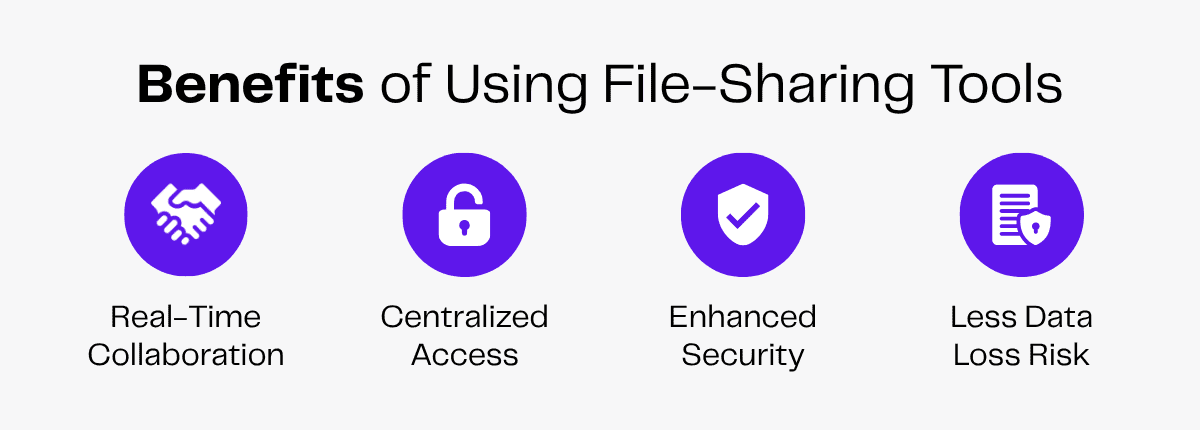
Your virtual team will collaborate using digital files. So they need tools that offer seamless file management.
Tools with low storage capacity, constant lags or slow uploads will affect the workflow and productivity.
Your remote team must look for tools that are easily accessible, have a large storage capacity and offer data privacy. Such software must also allow your team to coordinate in real-time so multiple members can work on the same project simultaneously.
Here are the top file-sharing tools so your virtual team stays in sync.
1. Google Drive
2. OneDrive
3. Dropbox
Google Drive
Google Drive is a file-storage service that helps your virtual team store and share digital files. First launched by Google in 2012, it consists of the Google Docs Editor Office Suite, so your team can edit documents, spreadsheets, presentations and more.
With Google One’s subscription plans, your virtual team can buy more storage to organize large files.
Here are the essential features of Google Drive for your virtual team:
- 15GB of free storage for images, videos, documents and more.
- Folders for better organization.
- File-sharing permissions to control viewing and editing files.
- Real-time collaboration so your team members can work simultaneously on the same file.
- Activity viewing option to check actions and changes made.
- Easy search for files using keywords or filters.
OneDrive
OneDrive, originally launched in 2007, is a cloud storage service by Microsoft to assist your virtual team to store, sync and share secure documents.
The key features of OneDrive include:
- 5GB storage for one user.
- Photo and file backup across devices.
- Smooth integration with Microsoft Office Suite.
- Real-time collaboration while editing documents.
- Document access in offline mode.
Your virtual team can access more features like extra cloud storage and AI integration with paid versions starting at $19.99.
Dropbox
Dropbox file hosting service, released in 2008, is a cloud-based file sharing platform to collaborate easily and securely.
Your virtual team can get free access to 2GB of storage.
Paid plans offer more features, such as:
- Plus plan at $11.99/month.
- Standard plan at $18/month
- Advanced plan at $30/month.
Dropbox offers fast and reliable syncing. With default offline access, your virtual team members can access files offline. If your team needs to handle large files with better security, they should choose Dropbox.
Time-Tracking and Productivity Tools
The global time-tracking software market is projected to register a CAGR of 15.5% from 2025 to 2035. As remote and hybrid work models continue to rise, so does the need for real-time employee monitoring tools.

Your virtual team should follow work deadlines and be responsible for their tasks. With time-tracking tools, you’ll be able to monitor them and help them stay productive.
Your team can study their own time-tracking data to identify issues in their workflow and improve it for better performance.
Here are some time-tracking and productivity tools your remote team can use to stay on track.
1. Toggl Track
2. Hubstaff
Toggl Track
Your virtual team can use Toggl Track to monitor working hours, get reports and manage their projects. They can sign up for free with five users or choose paid plans starting at $9 per user/month.
Here’s how this tool helps your team with time-tracking and management:
- Use one-click timers to log in time.
- Access offline time tracking that syncs later for uninterrupted reports.
- Get detailed, exportable reports on time spent on tasks.
- Forecast timelines and track progress using project dashboards.
- Set project estimates and get project end alerts.
Hubstaff
You can manage your virtual team with Hubstaff’s time tracking and workforce management tools. The plans range from $7/user per month to $25/user per month.
Hubstaff’s time tracking features include:
- Automated tracking with a start/stop timer.
- Offline time tracking.
- Idle time alerts.
- Screenshots at specific intervals.
- Unusual activity detection.
- Employee timesheets with automated and manual time logs.
- Attendance management.
- Overtime tracking.
- Productivity insights.
- Integrations with apps like Slack, Asana, Google Calendar, Trello and more.
Challenges to Virtual Team Collaboration
While working with a remote team, you’ll need to overcome certain challenges.
Here’s a list of issues that you could face, so you get a heads-up on what you might need to work on.
| Issues With Virtual Team Collaboration | Breakdown |
|---|---|
| Communication barriers | No in-person interactions |
| Lack of structure | Improper management |
| Low productivity | No motivation or accountability |
| Poor team connection | Lack of trust & understanding |
Communication Barriers
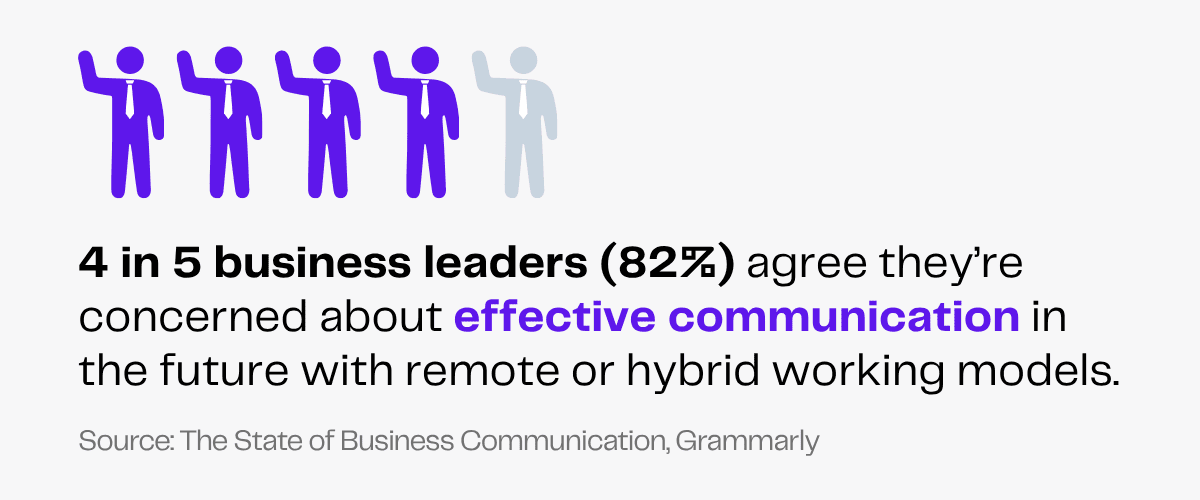
4 in 5 business leaders (82%) agree they’re concerned about effective communication in the future with remote or hybrid working models.
Since there is no in-person interaction while working remotely, collaboration may seem difficult for your virtual team.
If there is no regular and efficient communication among team members, there is a high chance of misunderstandings. Your virtual team members may feel lost and passive if they don’t know the workflow or their role in the team.
If you are working with a global virtual team, cultural differences may add to communication issues.
Lack of Structure
If your virtual team is unclear about their roles and responsibilities, they will have a confused workflow. They won’t be able to divide tasks effectively or prioritize urgent tasks.
Without setting proper deadlines or tracking their time on each task, your team may cause delays and errors. Lack of structure and improper management will make your team inefficient and lower their productivity.
Low Productivity
Your team may struggle to focus due to the virtual nature of their work. If they are disconnected from each other and feel unmotivated, they’ll find it difficult to put in their best work.
It is your responsibility to create a healthy work culture and motivate team members. If they don’t feel like they are part of a team or aren’t accountable for their tasks, your virtual team will be low on productivity, which is a bad sign for your business.
Poor Team Connection
Every employee has a different working style. If your virtual team fails to accommodate each other, they will find it difficult to collaborate.
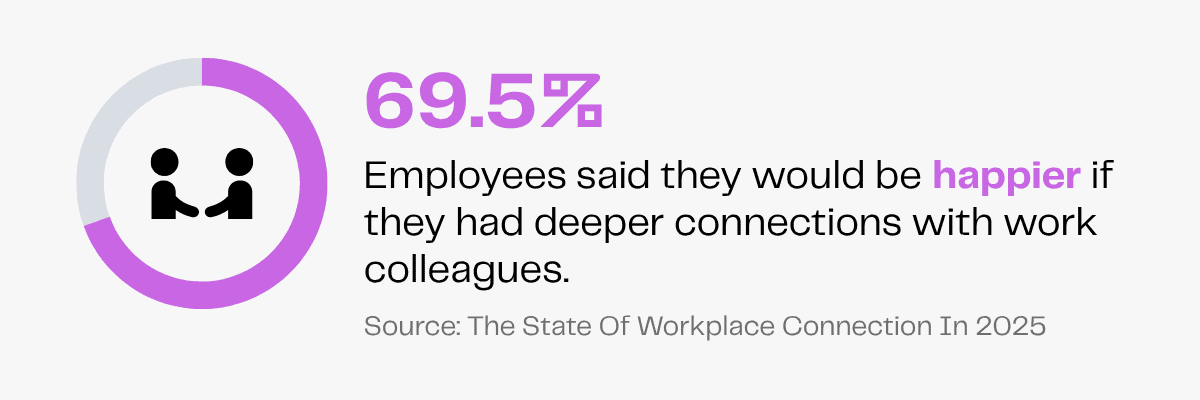
Teamwork and good professional relationships are important for your virtual team. In fact, in a workplace connections survey, 69.5% of employees said they would be happier if they had deeper connections with work colleagues.
Without personal connection, trust and understanding, your virtual team’s working environment will feel passive. This could lead to low morale among your team members and increase employee turnover.
Useful Tips for Effective Remote Collaboration
If you want to build a virtual team, you must follow some guidelines to overcome the challenges of an online workspace.
By drawing from various perspectives and skill sets and creating win-win relationships, [leaders] will establish the necessary framework to turn those ideas into a viable business solution and continually iterate and improve on them.
Kate Vitasek, Author & Educator on Strategic Partnership & B2B Collaboration
Technology can and will provide a valuable assist—but human-led perspective and collaboration should always be the foundation.
Here are some tips so you know how to manage your virtual team so they collaborate effectively:
- Set clear expectations so your team is aware of their role and the scope of work.
- Use industry-standard collaboration tools for communication, project management and productivity tracking.
- Provide work-specific training and share resources to ensure consistent work quality.
- Encourage regular virtual communication and brainstorming sessions to keep everyone updated.
- Give honest feedback so your team can improve.
- Use virtual team-building exercises to build trust for a healthy team culture.
How To Find the Best Virtual Team for Your Business
Imagine the hassle of screening, interviewing and reviewing multiple candidates to create the perfect virtual team. You’ll have to ensure their skill sets complement one another while aligning perfectly with your business needs.
But what if we told you that you can hire a virtual team tailored to your business? If you opt for an outsourcing agency, they’ll build a team on your behalf.
With an outsourcing company, you’ll:
- Save the recruitment hassle as they’ll manage hiring.
- Onboard your team faster.
- Save costs by hiring teams from offshore countries.
- Access global talents.
- Reduce administrative burden as the agency will take over HR-related roles.
Let Zenius be your outsourcing partner to find a team of highly educated, dedicated and tech-savvy professionals. We offer pre-vetted professionals and take care of hiring, payroll, overhead costs and tax compliance.
If you want a skilled team with a client-first approach at an advantageous price, hire through Zenius!
FAQs
What are virtual collaboration tools?
Virtual collaboration tools are digital platforms that enable remote teammates to work together. These include instant messaging, video conferencing, file sharing, project management and productivity tools.
What are the 5 C’s of collaboration?
The 5 C’s of collaboration are communication, camaraderie, commitment, conflict resolution and coachability. For effective collaboration, teams need to communicate, connect with one another, be committed to common goals, resolve disagreements and stay open to collective growth.
How can I improve collaboration in virtual teams?
To improve virtual team collaboration, use communication tools like Slack or Zoom, track projects via project management tools, set clear communication guidelines and host virtual team-building activities.
Final Thoughts
If your virtual team will use industry-standard tools for communication, file-sharing, task management and time tracking, they won’t face complex challenges while collaborating online.
Strong communication and high productivity will ultimately strengthen team relationships. With a professional virtual team in place, your business operations will run smoothly with minimal errors and greater efficiency.