
Key Takeaways
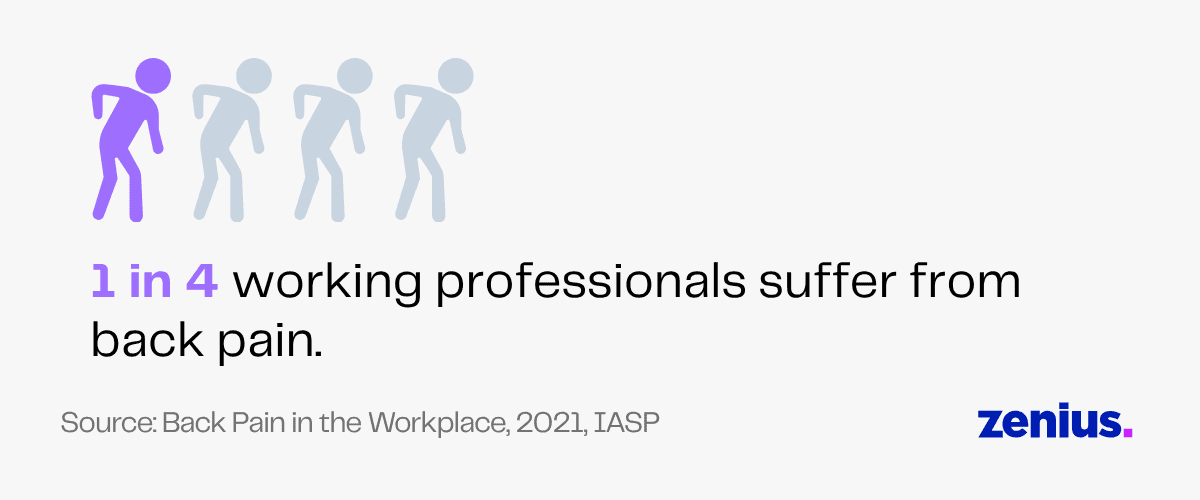
Since 1 in 4 working professionals suffer from back pain, an ergonomic chair and a sturdy table are must-haves for virtual assistants.
A poor work environment causes 86% of productivity issues. Having an organized home office with adequate lighting, sturdy furniture and good-quality equipment helps VAs be more productive.
Without high-quality headsets and microphones, VAs can’t handle customer calls professionally due to unclear audio and background noise.
Your virtual assistant is trained to handle a variety of tasks and bring their A game! They’ll be the best handy helpers when your business needs extra support.
But any trade is incomplete without its tools!
To work remotely and still match an in-house employee’s efficiency, your virtual assistant will need a toolkit.
They need this to create the perfect remote workspace. This guide will help you understand which equipment virtual assistants need to collaborate seamlessly with your business.
Why Do Virtual Assistants Need Equipment?
Your virtual assistant (VA) will need a set of necessary tools like an ergonomic desk and chair, a computer device, a headset and an internet connection to work for you and support your business.
A virtual assistant will spare no effort to help you with numerous tasks. But the type and quality of the equipment will determine the standard of the work they’ll deliver.
For example, if you want to delegate customer support to your VA, they’ll need a high-quality headset with a microphone to talk to your customers efficiently.
They won’t be able to answer any customer queries with a poor-quality headset and you’ll have to face your customers’ anger!
Or, imagine your virtual assistant wants to research industry trends and make a thorough report. Without a stable internet connection or a reliable computer, they won’t be able to research well within their deadline.
You don’t want unnecessary glitches to affect your business operations, do you?
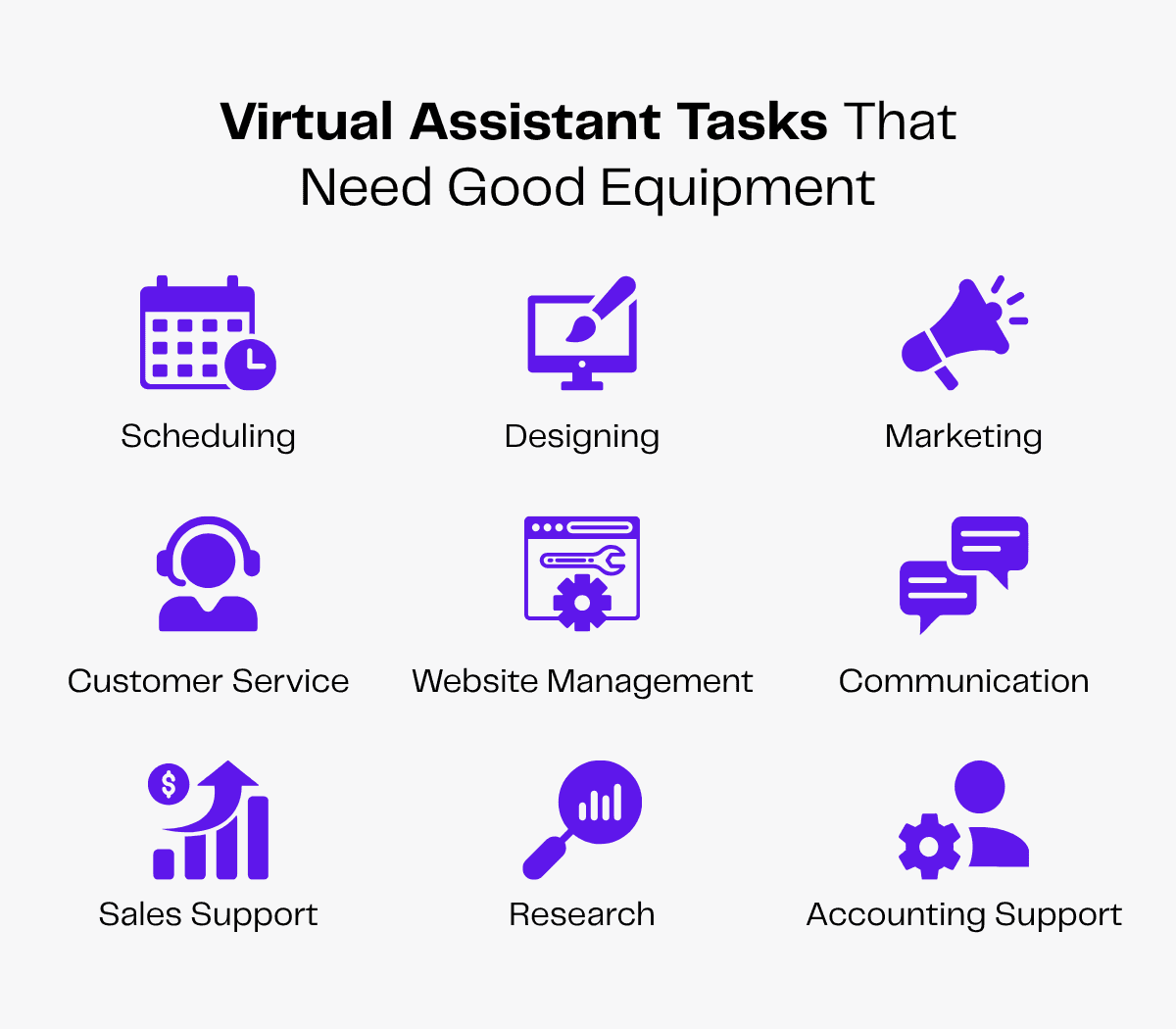
That’s why high-quality equipment is a must-have for your virtual assistant. They’ll need equipment to:
- Connect with you and your clients on conference calls, email or chat.
- Schedule and manage your calendar.
- Use digital tools and software to design posts for your social media.
- Access different social media accounts to market your brand.
- Build and design your brand website.
- Use CRM systems to help you offer the best customer service.
- Research on the internet and generate market reports.
- Offer sales support by making cold calls, sending cold emails, preparing sales reports and presenting analyses.
- Assist with accounting by preparing balance sheets or making expense reports.
With the right equipment, your VA can deliver top-notch work and you can delegate tasks and stay carefree.
Read more: How Cold Calling Virtual Assistants Improve Sales Outreach
What Equipment Does Your Virtual Assistant Need?
If you have the right tools and the right talent, your business will grow beyond expectations. You don’t want constant lags or an inefficient setup on your VA’s end.
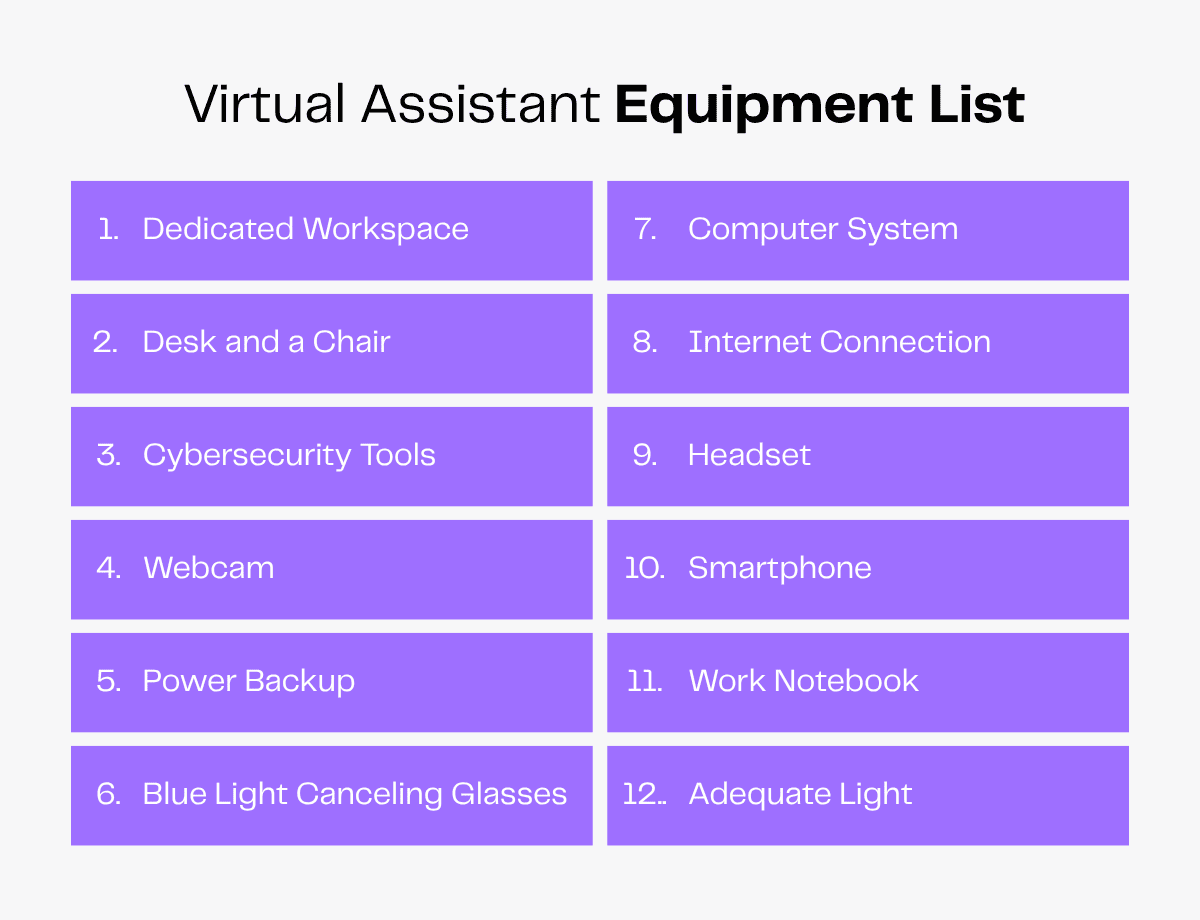
Here’s a list of virtual assistant equipment needed for seamless task management, be it connecting with your customers or building your website with ease.
Dedicated Workspace
The most important equipment your virtual assistant will need is a personal workspace.
Since they are remote workers, they’ll need a home office setup that mimics a regular office.
A quiet room, natural light, sufficient space for all equipment and an environment that motivates your VA to work are all essential. This is because 86% of productivity issues are caused by a poor work environment.

A dedicated workspace for your virtual assistant will guarantee distraction-free and productive work.
Computer
Your virtual assistant will need a good computer system. Whether they use a desktop, laptop or tablet, their device should have:
- A functioning keyboard and a mouse.
- The latest operating system like Windows 11 or macOS Tahoe.
- Basic specs like high display resolution, large storage capacity and sufficient RAM.
A Sturdy Work Table and a Comfy Chair
More than 1 in 4 working professionals suffer from back pain.
Your virtual assistant will have to work long hours with prolonged sitting time on chairs. A poor-quality chair will cause back pain or neck issues for your VA.
They’ll need a chair with good lumbar support, adequate backrest and armrest and high durability.
They’ll also need a sturdy table for their devices and other equipment with easy access to cables.
Internet Connection
Your VA needs internet access for everything from collaboration and customer communication to social media management, project management, calendar management and other tasks.
Since most business-related tasks are conducted online, a high-speed connection with at least 100 Mbps internet bandwidth is another must-have for a virtual assistant. Your VA’s internet connection should:
- Enable fast uploads and downloads.
- Allow multiple devices to connect at the same time.
- Have minimal lag.
You can ask your VA to run and send you their internet speed test results, so you can make sure it meets your requirements.
Additionally, your virtual assistant must also prepare for a backup internet connection in case of emergencies.
Cybersecurity Tools
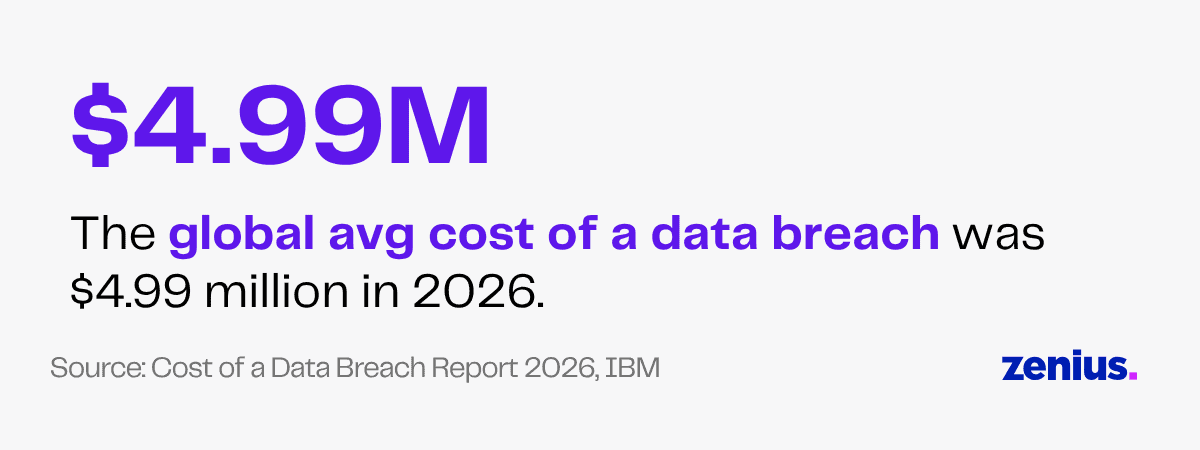
In 2026, the average cost of a data breach globally was $4.99 million, a 12% increase from the previous year. Internet access comes with a huge risk.
To secure your sensitive data from attacks, your virtual assistant should use cybersecurity tools like VPN, firewalls, encryption and antivirus software.
These tools will ensure data security, protect your privacy and prevent financial fraud.
Headset
Your virtual assistant will need to use a headset for attending calls. They can use top-quality earphones or noise-canceling headphones to connect with you, your virtual team members and your clients efficiently.
Audio clarity can significantly impact the effectiveness of your communication. High-quality microphones or headsets are vital tools for ensuring your voice carries with clarity and authority.
William Arruda, Motivational Speaker
These mics and headsets can also reduce ambient noise that could interfere with your message.
Your VA’s headset must:
- Have good audio quality to make sure their voice is heard clearly.
- Minimize background noise for focused conversations and less distraction.
- Have high battery life for long workdays.
- Use high-quality material to protect their ears from prolonged exposure.
Webcam
You may prefer to coordinate with your virtual assistant through video chats. A good-quality webcam will ensure smooth virtual communication.
Your VA may need a webcam to:
- Attend video meetings or webinars.
- Participate in training sessions.
- Make video presentations.
- Communicate with colleagues remotely for team-building exercises.
In such cases, your VA should use a webcam or have an in-built camera on their computer devices.
A good webcam has a high resolution for clearer visuals, a higher frame rate and adaptive light sensors.
Having strong internet bandwidth is also important for smooth, glitch-free video calls.
Smartphone
While a computer device may seem better for longer working hours, a smartphone is useful for your VA to manage your tasks on the go! With a reliable mobile device, they can easily:
- Communicate with you and your team.
- Handle customer calls.
- Respond to emails quickly.
- Schedule your appointments.
- Create to-do lists.
- Monitor social media accounts.
- Research any information in no time.
- View and share documents.
- Upload files on Google Drive.
In case your VA loses data on their computer or access to any software like their Microsoft Teams account or Skype account, their smartphone will be a lifesaver!
The smartphone can have backup data or easy access to work accounts, helping them retrieve data on their computer.
Power Backup
Imagine your virtual assistant is in an important client meeting and suddenly they face a power outage. This could be your VA’s worst nightmare!
Your virtual assistant should make sure that they have a backup power supply option in case of emergencies. This will help them prevent data loss or delays in fulfilling deadlines.
If there’s power backup, your VA’s work will flow uninterrupted and collaboration will become seamless!
Work Notebook
Your virtual assistant might find it convenient to take notes using a pen and paper. A work notebook can come in handy for quickly referencing information on different tasks. Your VA can keep a notebook or a planner with them to:
- Take meeting notes and summaries.
- Jot down quick notes of project details or important instructions.
- Brainstorm and chalk out new ideas.
- Create their to-do lists.
- Track deadlines and personal progress.
- Write down the password to their Google account.
Desk Timer
A desk clock or timer may be useful for your virtual assistant to keep track of time and deadlines.
With time tracking, they’ll be able to prioritize tasks, divide assignments for the day and check how long it takes them to complete a specific task.
A timer will also help them split their day into blocks and remind them to take breaks when needed. This will help them stay productive and prevent burnout.
Your VA will be able to plan their workday efficiently, simplify task management and achieve a better work-life balance.
Blue Light Canceling Glasses
Your virtual assistant will spend long hours in front of a computer screen. This can affect their vision in the long run.
One of the side effects of the light emitted from electronic devices is damage to the brain’s sleep cycle.
Decreasing this screen time is nearly impossible if your VA wants to assist you throughout their working hours. To avoid eye strain, headaches or irregular sleep cycles, they can use blue light-blocking glasses.
It will help them protect their eyes from the fatigue of continuous exposure to screens.
Adequate Light
Your VA needs adequate lighting, either natural or artificial to focus on their work and be productive. Good lighting will:
- Minimize the strain on your VA’s eyes.
- Ensure clear video during meetings.
- Improve concentration and work efficiency.
They can either set up their home office in a room that gets ample sunlight or get a desk lamp to illuminate their workspace.
Advantages of Good Virtual Assistant Equipment
A good virtual assistant will always aim to pay undivided attention to their tasks.
High-grade equipment will improve their performance as there will be less interference because of technical issues.
Here are some advantages of good-quality virtual assistant equipment and the consequences of not having it.
| Pros of Virtual Assistant Equipment | Consequences of Poor Virtual Assistant Equipment |
|---|---|
| Easy connectivity | Slower connectivity |
| Faster work | Decreased productivity |
| Professional remote work setup | Damaged business reputation |
| Low maintenance costs | High maintenance cost |
| Improved customer service | Poor customer service |
| Reduced health risks | Threat to health |
| Better quality of work | Reduced quality of work |
Easy Connectivity
Poor connectivity will cause delays in work.
Using good-quality equipment will benefit your virtual assistant by ensuring smoother connectivity and prompt responses. The flow of communication will be clearer and better.
They’ll be able to easily collaborate with you and your team across global locations using communication tools.
Faster Work
A weak wi-fi signal and an outdated operating system will slow down your virtual assistant’s tasks. Constant lag and internet buffering will reduce their productivity and motivation to work.
When a virtual assistant has a strong internet connection, a good computer system and a modern tech stack, they’ll get the job done faster.
They’ll be able to respond quickly, work promptly, provide seamless virtual assistance and meet their deadlines.
Professional Setup
Your virtual assistant will also represent your brand.
Your customers may complain about poor service and unresolved issues if there are distorted sounds from your VA’s microphone. You don’t want to risk affecting your brand reputation.
Good equipment indicates professionalism.
Timely coordination and smoother operations because of good equipment will help your business prosper. It will ensure faster work and efficient results, making your clients happy.
Cost Savings on Maintenance
Investing in good equipment is cost-effective in the long run. A computer with high processing speed and storage capacity will help your VA work faster and perform multiple tasks conveniently.
Such equipment will not need frequent updates or regular maintenance.
Your virtual assistant can save their time, money and effort if they use devices and tools that are up to industry standards.
Improved Customer Service
The key to your business success lies in keeping your customers happy. If you hire a virtual assistant to help you with customer service, they need to be the best coordinator between you and your customers.
Suppose a customer calls for troubleshooting issues. A high-quality headset and microphone will help your VA guide the customer easily. There will be no disturbances and the conversation will flow smoothly.
Using efficient equipment will help your VA answer their queries, understand complaints and assist them with any issues easily.
Your VA will look professional and your customers will be satisfied with smooth service.
Reduced Health Risks
Studies show that work-related fatigue is a significant occupational safety and health problem.
Julie Dorsey, an occupational therapist, explains,
When we work in awkward postures, have repetitive motions, have poor lighting etc., our bodies are forced to adapt, which causes strain on our muscles, joints, eyes and body as a whole.
Using comfortable work equipment is one way to reduce this fatigue.
High-quality equipment is user-friendly and prevents health risks. For example, using first-rate equipment can:
- Protect your VA’s eyesight from damage during regular screen exposure.
- Prevent slouching or poor posture because of their chair.
- Prevent headaches or fatigue.
- Reduce the risk of ear damage.
Better Quality of Work
With minimal technical glitches, there will be fewer distractions and your virtual assistant will be able to produce better-quality work.
Whether work involves social media management, calendar management, email management or using design software for professional-grade creative work, their sole focus will be on their tasks rather than dealing with equipment-related issues.
They’ll be more efficient and deliver polished results without wasting their time or energy on working with poor tools.
Equipment To Provide to Your New Virtual Assistant
Your remote workforce will need equipment such as furniture, a computer, headphones, internet connection, office stationery and so on. You’ll have to incur high overhead costs on them.
One of the advantages of hiring a virtual assistant from an outsourcing agency like Zenius is that you don’t have to stress about their equipment needs!
Zenius VAs work remotely and have their own home offices. They have all the basic virtual assistant equipment needed to support your business operations, such as devices, headphones, internet and power backup.
You don’t have to worry about fitting equipment costs into your budget. Zenius VAs come prepped and packed!
You’ll only have to give them access to your software and the tools you use. This may include:
- Google account
- Microsoft Office
- Communication tools
- Social media management tools
- Project management tools
- Cloud storage
- File sharing tools
FAQs
What equipment does a virtual assistant need?
Virtual assistants need equipment such as a computer, high-speed internet, noise-canceling headphones, a webcam, a microphone and an ergonomic desk and chair.
Why do virtual assistants need high-quality equipment?
Virtual assistants need high-quality equipment to focus on productive work without technical issues, communicate with customers seamlessly, maintain a professional image and reduce the risk of eye strain or back pain from long work hours.
What laptop is good for a virtual assistant?
Virtual assistants need a reliable computer backed by an efficient processor with at least 16GB RAM, 256GB storage, a modern operating system and around 8 hours of battery life. A good webcam, mic and keyboard are also necessary.
Wrapping Up
Creating a workspace that reflects the professionalism of an in-person office space will help your virtual assistant work more efficiently.
They’ll be able to work in a productive environment and stay motivated to complete their job.
Good-quality equipment will ensure that your VA’s work is top-notch with minimal errors and distractions. It will also support your VA’s health in the long run, which will prevent injuries or burnout.
And with outsourcing, you get VAs who are ready to support you with their own devices and fully equipped workspaces.